Category Archives: Entertainment

Avengers: Age of James Spader

spadertronKevin and I went to see Avengers: Age of Ultron on Sunday. It was great, but I had a couple minor issues — one with the movie, one with the seating. First, the seating. We usually always go to a new movie after it’s been out a week or two, so there’s no crowd and the seating is much better. This is what we did in this case. The movie has been out a couple weeks now, so we figured we were go to go. Wrong. I guess it says something about the popularity of Marvel movies, but it was still a nearly packed theater! We like to slip a seat and put our shared tub of popcorn between us, and I like to use both left and right cup holders (one for my phone, one for my drink) and put my sweater or coat in the other seat next to me. Well, I lost my sweater seat and extra cup holder to someone needing a seat at the last minute. Luckily we were able to keep our popcorn seat, so it could have been worse I guess.  As it was I had to hold my left arm to keep it from crowding the person sitting next to me, and had to force my left leg to stay in my seat area, which caused a bit of discomfort by the middle of the movie and through the end of it. But enough about the seating.

The movie was awesome and I only found one thing I didn’t like. The casting of James Spader as Ultron. Don’t get me wrong, I’m a huge fan of James Spader–and that’s the root for the issue. Spader’s voice is all that’s used in the movie, you don’t actually see him, but his voice is so distinct and recognizable it pulled me out of the movie fantasy. I found my self thinking less “this is a huge, intelligent robot with a computerized voice” and more “hey, I know that voice from Boston Legal, The Practice, and what else was it…ummm…yeah, that new series I haven’t watched at all yet…what was the name of it… umm… ah yes, The Blacklist!” I just couldn’t think of him as a robot. But maybe that’s just me.

Anyway, excellent movie, awesome non-stop action, good humor mixed in perfectly, and the inevitable Stan Lee cameo always comes through as great, and funny, every time. Go see it. Or, better yet, wait for the Blu-Ray and watch it in the comfort of your own home, in HD, where you have room for your drink, popcorn, and perfect leg room! I guess the still-packed theater after being out a couple weeks is just another indication of how good the movie is though.  That very rarely happens to us when going to see a movie in Kenosha.

Self-Nesting

Socself-nestks, like myself, has a routine every morning.  Right after I get up, he’s waiting patiently to go outside.  He does his business, and in a few minutes (longer if it’s warm out) he’s knocking on the door to come in.  Once he’s in the house, the routine continues to the next step.  He waits patiently, once again, watching everything I do.  He’s waiting to be “bundled”.  I have him trained for the word “Nest”.  He expects a blanket–one of HIS blankets–to be laid out smoothly for him, then he hops in and gets comfortable, and I wrap him up tightly within it, with just his head peeking out of the roll.  From that point he is fully content for hours, or until he forced from his nest by other matters or distractions.  When I saw this animated GIF today, I got quite a kick out of it!  If I could only train Socks to do this, that’s one less chore I’d have to do each morning!  But then again, I enjoy it, so I actually wouldn’t want to stop doing it anyway… Nevermind, Socks.

Oscars

lego oscarDid you watch the Oscars? What a mess. I thought the host was terrible–I hate Neil Patrick Harris, and he was as bad as I figured.  Not funny at all, and some pretty insulting jokes at times. His opening number had some great effects in it, making it look like it was live, but it was all pre-configured to look that way. Nothing else on the show impressed me.  Except the Lego Oscars that were handed out during the performance of “Everything is Awesome” from the Lego movie.  Those looked 3D printed.  Now I’m wondering if they’re on thingiverse.com.

And the Oscar everyone waits for–Best Picture — always at the very end of the show – was the final nail in the coffin: Birdman.  Seriously??? I fell asleep halfway through that movie and never got around to finishing it, it just didn’t make much sense to me. I guess I should have tried–and probably will now, just to see what happened that made it worthy of the best picture Oscar.  American Sniper won far too few awards, and Grand Budapest Hotel won far too many awards. Gawd, THAT movie was a real comedic farce. The goofy sets and comical acting was like watching the game “Clue” come to life. So many backgrounds and sets were so fake-looking I didn’t know if they were SUPPOSED to look like that, or if it was just really poorly made.  Just a ridiculously goofy movie.

And Neil Patrick Harris in his tidy whities?  Come on, I know it was a reference to Birdman, but it was still just as lame as the rest of his performance and just seemed embarrassing.  That’s about all I can say.  Since the Oscars are pretty much my “SuperBowl” for the year (I prefer the Oscars over the actual SuperBowl, and watch the SuperBowl just for the commercials), I would say this year it was just as disappointing and the playoff game that lost the Packers this year’s championship.  Just a lame year all the way around I guess.  Better luck next time!

Now I’m off to see if I can get through Birdman without falling into a near-coma again… Wish me luck!

Photomosaic of Socks

SocksPosterI created a 3-foot posted of Socks for the wall above my desk using 10,000+ photos I had on my PC as the palette.  I created it with Andrea Modaic Professional, then loaded the final image into CorelDraw and printed it as a 3-foot poster on tiled sheets of standard 8.5″ x 11″ paper.  The hardest part was using scissors to trim the proper edges, and align and tape them, but it was fun.  If you’d like to see the actual poster, up close, here’s the actual image, full size.   I gave it the option to NOT re-use any images (but some are burst shots, to they LOOK very similar) and gave it permission to horizontally flip images, but not to rotate them.  And if you’re interested in the rest of the geeky details, here they are:  Socks Mosaic Details


Boyhood, The Beatles and The Black Album

This holiday season we watched a movie called “Boyhood”.  One of the many great things about the movie is how it reflects many aspects of life, and in this case, passing down musical taste from generation to generation. In one scene in the movie, Ethan Hawke’s father character describes to his son (played by Ellar Coltrane) “The Black Album.” What is it? Basically, what we’re describing, a greatest hits mix-tape and “secret” Beatles record which is essentially a collection of all the best solo Beatle songs – Songs performed by all 4 Beatles BEFORE or AFTER The actual Beatles, either when they were solo or in other bands. Ethan Hawke and Richard Linklater came up with the track list together. If you’ve never delved in very deep with Beatles solo albums and wished there was one more Beatles record after Let It Be, well this it the playlist for you. The whole thing acts as a mixtape that Ethan Hawke writes for his son in the movie. And there’s even liner notes that begin:

“Mason,
I wanted to give you something for your birthday that money couldn’t buy, something that only a father could give a son, like a family heirloom.  This is the best I could do. Apologies in advance. I present to you: THE BEATLES’ BLACK ALBUM.”

The Beatles - The Black AlbumAfter looking at the playlist, I drooled. I wanted this. So I spent a few days over my Christmas/New Years holiday vacation this year and actually put the REAL CDs together. I was shocked to find I was only missing 3 songs! I bought those on Amazon.com and added them to complete the albums. I spent a whopping $1.87! Then I even found a cover art image on the internet that looked perfect, and changed the cover art and metatags for the album name so it matched the album info on every track. Here’s the album cover:

I used MediaMonkey for this, which is awesome for just such mass-changes. It worked out beautifully and I now have this 3-CD set on my phone to play any time I want to. Here’s the track list if you’re interested:

Disc 1:
1. Paul McCartney & Wings, “Band on the Run”
2. George Harrison, “My Sweet Lord”
3. John Lennon feat. The Flux Fiddlers & the Plastic Ono Band, “Jealous Guy”
4. Ringo Starr, “Photograph”
5. John Lennon, “How?”
6. Paul McCartney, “Every Night”
7. George Harrison, “Blow Away”
8. Paul McCartney, “Maybe I’m Amazed”
9. John Lennon, “Woman”
10.Paul McCartney & Wings, “Jet”
11. John Lennon, “Stand by Me”
12. Ringo Starr, “No No Song”
13. Paul McCartney, “Junk”
14. John Lennon, “Love”
15. Paul McCartney & Linda McCartney, “The Back Seat of My Car”
16. John Lennon, “Watching the Wheels”
17. John Lennon, “Mind Games”
18. Paul McCartney & Wings, “Bluebird”
19. John Lennon, “Beautiful Boy (Darling Boy)” 20. George Harrison, “What Is Life”

Disc 2:
1. John Lennon, “God”
2. Wings, “Listen to What the Man Said”
3. John Lennon, “Crippled Inside”
4. Ringo Starr, “You’re Sixteen You’re Beautiful (And You’re Mine)”
5. Paul McCartney & Wings, “Let Me Roll It”
6. John Lennon & The Plastic Ono Band, “Power to the People”
7. Paul McCartney, “Another Day”
8. George Harrison, “If Not For You (2001 Digital Remaster)”
9. John Lennon, “(Just Like) Starting Over”
10. Wings, “Let ‘Em In”
11. John Lennon, “Mother”
12. Paul McCartney & Wings, “Helen Wheels”
13. John Lennon, “I Found Out”
14. Paul McCartney & Linda McCartney, “Uncle Albert / Admiral Halsey”
15. John Lennon, Yoko Ono & The Plastic Ono Band, “Instant Karma! (We All Shine On)”
15. George Harrison, “Not Guilty (2004 Digital Remaster)”
16. Paul McCartney & Linda McCartney, “Heart of the Country”
17. John Lennon, “Oh Yoko!”
18. Wings, “Mull of Kintyre”
19. Ringo Starr, “It Don’t Come Easy”

Disc 3:
1. John Lennon, “Grow Old With Me (2010 Remaster)”
2. Wings, “Silly Love Songs”
3. The Beatles, “Real Love”
4. Paul McCartney & Wings, “My Love”
5. John Lennon, “Oh My Love”
6. George Harrison, “Give Me Love (Give Me Peace on Earth)”
7. Paul McCartney, “Pipes of Peace”
8. John Lennon, “Imagine”
9. Paul McCartney, “Here Today”
10. George Harrison, “All Things Must Pass”
11. Paul McCartney, “And I Love Her (Live on MTV Unplugged)”

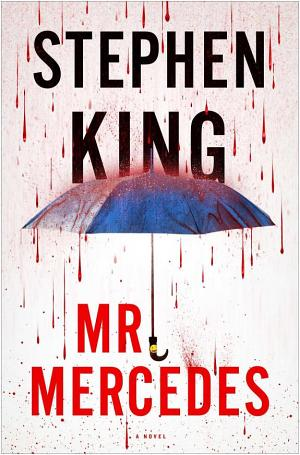
Mr. Mercedes

Mr Mercedes book cover

I just finished reading the Stephen King audiobook, Mr. Mercedes. It was awesome! Definitely a great audiobook that kept me in the car longer, Ingressing a lot more as a result, as I listened to it over the past couple weeks.  During this time I found out that the anonymous chat site used extensively in the book by Mr Mercedes and Bill Hodges is actually a real site!  Instead of writing my own description of what the book is about, I stole this from Google, who knows all:

In a mega-stakes, high-suspense race against time, three of the most unlikely and winning heroes Stephen King has ever created try to stop a lone killer from blowing up thousands.

In the frigid pre-dawn hours, in a distressed Midwestern city, hundreds of desperate unemployed folks are lined up for a spot at a job fair. Without warning, a lone driver plows through the crowd in a stolen Mercedes, running over the innocent, backing up, and charging again. Eight people are killed; fifteen are wounded. The killer escapes.

In another part of town, months later, a retired cop named Bill Hodges is still haunted by the unsolved crime. When he gets a crazed letter from someone who self-identifies as the “perk” and threatens an even more diabolical attack, Hodges wakes up from his depressed and vacant retirement, hell-bent on preventing another tragedy.

Brady Hartsfield lives with his alcoholic mother in the house where he was born. He loved the feel of death under the wheels of the Mercedes, and he wants that rush again. Only Bill Hodges, with a couple of highly unlikely allies, can apprehend the killer before he strikes again. And they have no time to lose, because Brady’s next mission, if it succeeds, will kill or maim thousands.

Mr. Mercedes is a war between good and evil, from the master of suspense whose insight into the mind of this obsessed, insane killer is chilling and unforgettable.

Influx – Audiobook

I just finished an awesome new audiobook by Daniel Suarez called “Influx“.  It’s a story about a secret government agency known as the “BTC” – The Federal Bureau of Technology Control.  This secret agency has been in existence since the 60’s, making sure that our civilization doesn’t create technology at a pace faster than we can handle.  Basically, they “hoard” these technologies, keeping the public unaware of their existence.  We’re talking about technologies like the cure for cancer, cold fusion, and gravity mirroring that would allow humans to fly.  Much of which has been discovered for decades, but locked away (and perfected) by the BTC!  I don’t want to spoil any more of the story in case you want to read/listen to it yourself, so I’ll keep it short.   I thought it was great though, right up there with “Daemon“, another one of Daniel Suarez’ excellent books.

Sopranos beginning-to-end

SopranosShortly after I found out that James Gandolfini had passed away, which was at the beginning of July, I started watching the entire series from episode 1 to episode 86. Unfortunately I somehow missed this tragic event in the news when it actually happened on June 19th, 2013, but as I discussed TV shows with a co-worker in early July, Tony Soprano came up and he enlightened me. I was totally shocked.

I had already had every episode of every season on my Plex server, and had watched a few episodes in the past–including a few at Hans’ house in Mequon, “back in the day,” so I was all set to dig in and commit. I watched two or three episodes a day, sometimes, and had a great time. There were a few “issues” along the way–like trying to keep Kevin out of the living room whenever a “Bada Bing” scene came on (which never failed to show full frontal nudity) or when the language got extremely “French”… or should I say “Italian?”

But I made it through them all, and came away with a few things. For one, this recipe for Lincoln Log Sandwiches.  I haven’t tried it yet, but I will, very soon.

Another thing I learned is that the episode titles seem to always be just a random phrase or a few words mentioned in that episode, but that seems to work nicely. I can pretty much remember what was in many episodes just by reading those titles. Like “Irregular Around The Margins”– this was when Tony found out he had skin cancer on his head–he explained to Adriana that the spot on his head looked irregular around the margins. And more observations: A “gumar” is Italian for “mistress”, “Gobagoo” is Italian-American for “copacola”, which is a type of ham cold-cut used for sandwiches, “Va fungool!” means “go f*** yourself”, and “gavone” means “idiot”.  Lastly, Tony’s boat was called “The Stugots”, which means “this dick” in Italian.  After that sank, he got another one and named it “Stugots II”.  And see the gun in The Sopranos logo?  HBO put that in there so viewers wouldn’t think it was a show about musicians.

So I learned a lot. Including the fact that some people can become WAY too obsessed with analyzing each and every detail of every single episode of a TV series! I don’t think I did, but I’m referring to the likes of the people on these sites:

Master of Sopranos – Definitive Explanation of “The End”
Eureka!  Solving the Sopranos

The explanation of “The End” gets into just the last scene of the last episode way deeper than I could ever even imagine going! But, after reading that and the “Eureka” article from the Washington Post–which each explain completely different aspects of the exact same episode–I’m fascinated enough to want to go back and watch the entire six seasons again, at a later date… which is one reason I’m posting it here… I’m sure, with my “CRS”, I’ll forget most of the show soon enough, so this post will help me quickly remember what I need to, in order to prepare me for another marathon.

So that’s it. All in all, I enjoyed the series immensely, but I must admit I was pretty disappointed (and a bit confused at first–as it seems most of the rest of the viewers were as well) with the final ending, but after further research (primarily in the links posted above) I now understand what it means and why it was done the way it was done, and it was done perfectly.

So sad to lose such a great actor though.

Tonight is also the series finale of Breaking Bad, another awesome series that I really hate to see go. But, as they say, “All good things…”

Oh, and if you look at the photo more closely (click on it) and you might notice a pinball logo.  I will find this machine and I will play it.

Google Music Unlimited vs Amazon Cloud Player Premium

cloud-music-showdownI recently tried Google Music Unlimited as my primary source for music. Subsonic is still up and running though, and still contains my entire music library, ready to stream via web or smartphone client (or Roku) whenever needed. I figured Google’s unlimited music service might just end up being the ultimate music service, based on their size and power, so when they offered a special low subscription rate for early subscribers, I decided to jump on-board and see how it goes.

There’s a “Google Music Manager” application available for the PC that I used for awhile. What it does is scan your personal music library, match it with Google’s library, and upload anything unmatched to their site. So basically, when it’s done, your entire existing collection, as well as Google’s entire library is available to you in one place. It is currently limited to 20,000 songs you can upload, so I was anxious to see what it would do with my massive existing collection. It figured it SHOULD match most of my albums, since most aren’t very rare and are on most music services, but it sure didn’t match many. SubSonic says I currently have just over 59,000 songs in my collection, and well over 20,000 (the Google Music limit) just in my “Rock” folder alone (my largest category). So I pointed Music Manager to the Rock folder and let it go. Over 8,100 songs failed to upload after I hit my limit, and I can’t find where it shows how many it actually matched. So far, I don’t think it matched any, which is a real shock. If I can get it to somehow match much of my collection, or at least allow users to increase the 20,000 uploaded songs limit by paying a monthly fee, I’d love to use it permanently. But so far it’s not looking good.

I tried the service for several weeks, and I’m pretty disappointed overall. It refuses to match any of my albums (hundreds of which were purchased from Amazon MP3) and 20,000 songs isn’t even HALF of my collection. I filled it in a few days, and most of what I want to listen to isn’t there, even though a lot of that is probably in Google’s vast unlimited collection, I’m still having a hard time with it. I keep trying, time after time, to use the “Radio” feature. This is supposed to take any song and create a “Radio Station” based on the song’s properties–the type of song, artist, title, etc., and then play music you’d most likely enjoy similar to that song. But almost every time I try to start it from a song, it fails with “Cannot create radio station at this time”. It gets pretty frustrating. And I’ve verified that connectivity isn’t the issue. It does the same thing whether I’m on my home wifi on a solid connection or out somewhere on my cellular connection. Sure, it works sometimes, but it fails enough of the time to make it unusable for me.

So right now I’ve given up on this one. I canceled by subscription, even though it was permanently at a discounted price of $7.99 a month because I started subscribing during it’s initial release. Instead, I am now trying Amazon’s Premium Cloud Player service. In comparison, Google’s service allowed 20,000 songs to be imported at $7.99/month, and Amazon’s Cloud Player Premium service allows 250,000 songs to be imported. This is over 10x the capacity, and probably way more than I’ll need for quite some time! Amazon’s premium service is also only $24.99/year. That’s a little over $2/month. Granted, Amazon doesn’t give you access to their vast music collection for free–and that might be a big factor for many users–but it’s not something I find extremely valuable myself. Usually, when I find new music, I want to purchase the actual album anyway, and add it to my personal collection, and I will usually purchase these through Amazon MP3, as I have for years, so it works out for me. And music I purchase this way doesn’t even apply toward my 250,000-song import limit, so I sincerely doubt I will EVER hit the limit. As for discovering new music, I know it’s pretty handy to have a wide-open huge selection you can sample all you want like Google’s service offers, but I find plenty just by listening to the radio, browsing Amazon’s site, and getting my fill of music exposure from the various TV and music shows I watch.

Based on all of that, I think Amazon Cloud Player Premium might just be the solution for me. There is one catch with a music collection as large as mine, however: Getting over 50,000 songs uploaded and synchronized with Amazon is no small task. It took me a total of about 5 weeks, using a “server” PC that I leave on 24/7, in order to get my entire collection uploaded and sync’ed (August 2nd, 2013 – September 10th , 2013. It did have it’s issues, and even crashed a couple times, completely freezing the “Amazon Music Importer”, but every time I restarted the app it never failed to resume. I reached a point, somewhere at around 4,200 remaining songs left to import, where it never got any further after restarting. I’m not sure what caused this–whether it got stuck on a particular song or whether it kept looping through all of them, but it just continued to flip through song titles scanning for matches in Amazon’s collection compared to mine, and didn’t get any further, so after two days of noting this, even after restarts of the app and restarts of the PC, I used a different approach: Instead of mass-adding my entire “MUSIC” folder, I instead chose one subfolder (which I have broken out into music types, like “country”, “rock”, “new age”, etc.) and started importing them separately, one category at a time. This seemed to resolve the issue, and after that every subfolder completed and imported without issue until I was done.

During this 5-week process, I also noted that on a few occasions the “AmazonMusicImporter” process in Windows would keep running and the memory usage would continue to increase even long after I closed the utility and stopped importing! This only seemed to happen when I was importing folders containing several thousand songs though. It never seemed to happen on smaller folders. Whenever this occurred, I noticed that the PC kept running very sluggishly until I ended the process using task manager. So all in all it was quite a chore, but I should never have to do it again, and I can rest assured that my entire collection is in the cloud, securely backed up and available for streaming, any time, anywhere.

The Android app itself is a little clunky, but it does have all of the functionality that I need, offering the ability to view “Cloud” and “Device” music separately, download entire albums or just songs to the device as needed, etc., etc, There’s also a web-based “Amazon Cloud Player” you can use for managing your playlists, albums and songs, and it offers many more features that I really like. It’s very quick and easy to make my playlists this way. They also have an installable app for the PC, also called “Amazon Clound Player”, but I don’t recommend it at all, at this point. For some reason, a lot of my music–and even some of my playlists–just don’t show up in this app, but they show up in the web-based app and on my phone, so I know they’re there. What the deal is, I have no idea. I can log out of the app, back in, tell it to re-check my cloud for new music, and I still have literally THOUSANDS of songs missing in that app. So for now I’ll still to web-based and Android versions, which work smoothly and “see” my entire music collection.

Scary Halloween Treat Bowl

Halloween Candy BowlSince Kevin is going to pass out candy this Halloween instead of trick-or-treating himself, we couldn’t resist getting a nice treat bowl for him to use–the one Jeff Dunham used in his “Minding The Monsters” Halloween Special last year!  It works great, so we had to give it a shot like Jeff did, with Socks.  It didn’t have quite the impact we expected.  Click on the thumbnail to take a look.


Plex

plex

After over a year of using Plex, I checked my website and found no mention of it! Man, am I just not updating this site, or what!?! Again, apologies. Nuff said. So, Plex. Plex is a home media server. You’ll find all the details (and the download for it) at http://plexapp.com/.  Jay and I tried using several applications to handle our movie collections as well as our music collections, and just to stick to the topic at hand, I’ll just say that we kept coming back to Plex for various reasons.  It seems to handle the most formats of music and video out of all of the options we looked at, and handles them all better than the others as far as transcoding for the various platforms and for whatever streaming bandwidths we need.

We settled on the following solution for extracting (“ripping”) our DVD and Blu-Ray collections to standard video files: AnyDVD HD (Slysoft) and Handbrake (PC version). AnyDVD is a commercial product, so it will cost some money, but it does a fine job at enabling you to successfully rip your entire collection to regular video files for streaming. AnyDVD doesn’t actually do the extraction of the video, it simply ENABLES the ability to do it by removing any encryption that may be on the DVD or Blu-Ray disc you’re ripping. The app runs in your system tray and goes to work any time you insert a Blu-Ray or DVD into your DVD drive. Handbrake is the app we actually use to do the ripping. It has tons of options, and we settled on a few solid settings that work nicely across both Blu-Ray and DVD movies to provide a nice, consistent quality for all of our movies. Most, I must admit, are not “HD Quality” (1080p). Going with this quality for every movie would just fill up our drives way too quickly. And since standard DVDs aren’t 1080p anyway, it was pointless to go that route when we extracted our entire collections. We settled on a very good quality resolution that results in each standard movie taking about 1GB of space, more or less, depending on the actual length of the movie. Handbrake will also let us extract full HD 1080p videos if we want to, from Blu-Ray discs, but the resulting files are pretty enourmous, so they’re also that much harder to work with.

Finding those two solutions that work together so well–AnyDVD HD and Handbrake–was no small task either. We tested a lot of different applications before settling on these options, so trust me, they do work, and AnyDVD HD is updated very frequently to keep up with the latest protections added to new DVDs and Blu-Rays. Many solutions for doing the same things these two applications do have come and gone over the years too, but most have been eliminated due to lawsuits or the inability to stay updated. AnyDVD HD is the only one we’ve found to be consistently updated and just always works. How they can do it and stay in business, I don’t have a clue. I do know that it’s located in a foreign country though, which may have something to do with how they avoid being shut down, and another big factor is that the application doesn’t actually do the ripping of the data itself. In legal terms, “enabling” the ability to copy a movie and actually “performing” the act of copying a movie are two distinctly different things, so only enabling the ability for a user to copy content that they legally purchased (a DVD-based movie) apparently isn’t as bad as products that provided the “whole package”–something that “DVD-X Copy” and others did.

When you have AnyDVD HD installed, you can then use just about any “video extraction” application to copy your movies, since the disc is now unprotected and the movie is available to be copied using standard methods. We settled on Handbrake because it’s free, and, much like Plex, it just consistently works right. It does have a TON of options and settings, but once set properly, it does a fine job with both Blu-Ray movies as well as standard DVDs.

So once those options were settled upon, our movie collections began to build. When you configure Plex, you simply set it up with “Sections” for your media. For example, you could have a “Movies” section, “TV Shows” section, a “Music” section, etc., or anything you like. I even have a “Kids” section with just animated and children’s movies, which Kevin uses quite a bit. For each Section you add one of more folders from your computer. I have a “Movies” folder on my PC as well as a “Kids” folder for Kevin’s movies, so I pointed those Plex sections to their respective folders.

That’s pretty much all that’s required for setup! Seriously. Plex automatically goes out to the web and finds the cover art (called “posters” in Plex) and even adds several optional covers for every movie it finds. It also adds all of the movie’s details to its database, and all of this info is displayed whenever you browse your Plex movies or their details. It ends up looking pretty much like Netflix or Hulu, and it’s just as easy to use. Of course, if a cover poster isn’t right, was incorrectly matched, or the movie wasn’t found at all, you can manually edit it to your liking and/or add your own cover art to make it appear exactly as you like.

As I mentioned earlier, Plex is available on pretty much every device you might have with a screen. On the PC, smartphone, or tablet you can use the “PlexWeb” interface to do movie database editing or just for watching movies. Or, on your smartphone or tablet you can use the Plex app for that platform to stream movies ever easier and smoother. Plex on a “real” TV is awesome though. I researched streaming TV devices shortly after starting to use Plex, and found, to my delight, that most of them have a natvie Plex app! After some careful consideration, I ended up purchasing a “Roku” box. This is a hockey puck-sized black box that connects to your TV via HDMI. It can connect to your home network via wireless or wired network (the particular model I got offered a wired option, but some of them only offer wireless). Either way, I use mine wirelessly, even though it’s a little slower that what a wired connection would offer, and it still performs very nicely.

Roku boxes offer hundreds of free (and some paid) “channels”, which are the apps that control whatever streaming service you’d like to do. For example, Hulu and Netflix are optional channels on Roku, as well as Plex and other media streaming apps. Most are free (even Hulu and Netflix, though once you open them you have to sign into your paid account to actually USE them) so don’t be fooled. There are plenty of REALLY FREE streaming apps too though. The content can get pretty obscure, but I guess it’s pretty easy for almost anyone to create an app for these systems and offer streaming content. I love my TWiT Network app now too–This is the “This Week in Tech” network that Leo LaPorte (formerly of TechTV fame) built and it offers some great web-only streaming tech shows.

So the Plex app on Roku is excellent and I use it almost daily to watch my ripped movies and TV shows now. I can’t even remember the last time I had to take a DVD or Blu-Ray out of its box to watch a movie! It’s been many months. Whenever I buy a new movie, it gets opened once, inserted into the PC, and ripped to my server, then it goes back in the box. I only go back to the disc if I want to watch a “behind the scenes” feature or special feature other than the movie that was included on another disc or on the original DVD or Blu-Ray. These smaller videos can also be ripped from the discs as well, and you can even have them added to the end of the movie in Plex if you want, but I leave them on the disc normally, and use Plex just for the movies. It’s fairly rare that I want to view special features, so I don’t mind pulling out the discs for just these times.

Plex is free, and is technically still in “beta”, which means it’s not quite “done” yet. It’s quite complete compared to a lot of other options we’ve tried though, so don’t hesitate to start using it! Handbrake, as I mentioned earlier, is free as well, and is in about the same state–neither of these applications have reached version “1.0” yet, but they’re both still top-notch at what they do. You’d only have to shell out a little money for AnyDVD HD, but it’s well worth it. Oh, and you’d probably have to also purchase a large external hard drive to hold all of your movies and music, depending on how large your collection is. But hard drive prices are always dropping these days, so even that isn’t bad any more.

So that’s basically it, in a nutshell. It’s a great solution to make watching all of your home DVDs, Blu-Rays, Music CDs, and even Home Movies as simple as possible, to the point where you never have to get out of your chair to put in another disc! Of course, some of us could actually USE this little bit of extra exercise these days though… I make up for it by walking during lunchtime at work and taking the dog for extra walks at home.

Great Ingress article…including nostalgic photo

gamers-on-couchCheck out this very good article on Ingress.  After I viewed the big photo at the top, however, I noticed it’s just a “little” outdated.  It brought back a ton of memories though–check it out–the gamers on an Atari 2600 playing Pac-Man.  There are also a bunch of full-sized 33 RPM LPs stacked on top of the (probably 300-lb.) dinosaur console television.  You can even see the slow refresh-rate of the TV screen captured in mid-refresh in the photo.  Ah, the memories!  I just can’t quite make out exactly what product is on those blue and white shopping bags everyone is carrying in the background though… any idea?

The big 5-0, Ingress again, X-Box, and Spam

OMG! I turn 50 this weekend! The horror!! I just wish it was past already. My wife’s got something planned and she keeps insisting it’s nothing big, just a small get-together at the house… I sure hope that’s accurate. I hate all the “Over The Hill” gifts and parties I’ve seen others have over the years. It’s just another day, take it easy.

I’ve been obsessed with Ingress lately (see my previous post if you don’t know what Ingress is). I finally made L8 – the highest level in the game, and it only took 4 months! Now I am changing my focus from leveling up to helping other teammates level up–primarily Kevin, Tyler, Matt, and Eric. Having a nice group of L8’s in our area will give the Resistance some serious power in the game. It’s fun, very addicting, and I’ve met a lot of nice people who play the game.

Microsoft introduced their new X-Box recently–The X-Box One.  Really? One?  This is Three, right?  I don’t know about you, but when I refer to the ORIGINAL X-Box, I call it the X-Box One.  Hello confusion.  Are we going to get one? Probably.  Just like the PS4.  Eventually.  Everything changes.  Gotta keep up.

Finally, I managed to find a excellent plugin for my website that totally eliminates the spam I’ve been getting! This is exciting for me, because it was such a pain to keep cleaning up hundreds (sometimes thousands!) of spam messages each month. Now I can focus on other things more… like hacking portals, or posting a little more often…

Amazing new discovery…and Ingress progress

Coffee WarmerI just discovered this awesome coffee warming technique! It really works! When ripping DVDs, the fan runs at high speed constantly, blowing the heat out of the laptop. This is even more useful than the built-in coffee cup holder…which is only available on the laptop when I’m NOT ripping DVDs… 😉

This weekend we made a lot of progress in getting more “blue” on Kenosha’s Ingress map!  Before it was nearly all green, with the Enlightened consuming large chunks of area.  Last night we had a few large areas covered in blue, but this morning I see that most of our areas are back to simply links, so I’m afraid the Enlightened are becoming just that, and are working on re-acquiring their portals.  We have made great progress, however, and are working with a few other key Resistance allies in the area to build up our portals and hammer on the enemie’s as much as possible.

My daily walks really help our progress a great deal, allowing us to attack and gather from each portal we encounter, both on the way out and on the way back.  I’m only a few hundred points from level 3 now, and Kevin is well into level 2.  We are getting so addicted to the game, it’s ridiculous.

Ingress

Ingress_LogoKevin and I finally got our Ingress invites last week.  Matt got his a couple weeks earlier, so he sparked our interest.  Yesterday, while on our usual walk with Socks, we went through the training, built up some XM energy and learned how to hack a portal.  Ingress is a “walking game”, like “Zombies, Run!” but with a totally different concept to get you out and walking around.  In Ingress, you gather “XM” as energy and find portals, which are usually represented by real-life public objects, such as sculptures or monuments.  You learn how everything works as you start playing the game, gathering energy and finding resonators and other components to help with your hacking and taking control of these portals.  It looks like an interesting game, and so far we’re only a tiny bit into it.  The only problem I can see is that you have to keep your phone screen on to run the program, so you can’t just put on your headphones and put it in your pocket–it requires you to be viewing the screen most of the time.  This can be pretty dangerous when you’re out walking around in public–especially if you’re walking a dog or walking out in the street!  Constantly staring at your phone instead of watching where you’re walking could get you killed! For real–not just in the game.

I can see this is unlike other games in popularity already though–we’ve already noticed others in real life playing it.  One guy with a tablet at a monument in downtown Kenosha was actually hacking the same portal as us.  Turned out he was on the other side–one of the “Enlightened” while we are on the “Resistance”.  He asked what side WE were on, but I “mistakenly” said I was also on the Enlightened.  We found several portals near the lake–almost all of the metal sculptures along the new lakefront contains a portal.  This not only gets you out and about, but also informs you about the monuments and public displays around you!  It’ll even show you a photo of the object containing the portal, it’s name, and more, a little like the “Field Trip” does.  In fact, FieldTrip was created by the same company.

This week I’ve been hacking the portals that are located between home and work, trying to gather what I can and weaken those of the enemy.  It’s slow, but effective.  This week I also found a wealth of information on the web, including the global Ingress Map, which details every found portal, who owns it and it’s makeup, a great instruction page, and even instructions on how to SUBMIT a site as a portal!  I’ll be submitting a few preferred sites of my own soon.  This game is great–too bad it’s still only in beta.  You can only get in by invite, so if you’re interested, please sign up as soon as possible on their website.  It took Kevin and I a couple months to get an invite, but Matt got his sooner by other means–he found someone else with an extra key.

The ISO Event

dvdA couple weeks ago, Jay told me about a server application that let you stream ISOs to your PS3.  I was in awe, and had to give it a shot.  I have a lot of backup ISOs of my movies, and being able to immediately play a DVD image directly on the PS3 without having to burn a DVD would be HUGE for me!  So I tried it.  For those not familiar with what an “ISO” is, it’s an exact image of a DVD disc–it contains every single bit of the DVD–the movie, menus, extras, etc., in the exact format of the DVD, except that it’s a file instead of a disc.  There are several applications available that will then let you burn that image to an actual DVD when desired, and even some that will “mount” the image as a “virtual” DVD drive on your computer so you can play the movie on your computer without having to burn a disc.  So, as you can imagine, ISOs can be very handy on a computer, and they make great backups in case your DVDs get scratched or marked up so much they’re no longer playable (thanks, kids!).

So being able to instantly stream and play these ISOs on the TV to which my PS3 is on, is a big deal for me.  It makes all of these movies and special feature discs available at my fingertips, instead of having to go find the DVD and insert it into my PS3.  I played with the latest version of the application for a couple days, but found that the voices never synced up with the video–ISO movies always played with a too-fast video speed, and the audio was always 10-15 seconds behind the video.  There are a ton of tweaking options in this application, so I tweaked everything I could, but couldn’t get it to play ISOs properly.  It would stream every other type of video file from my PC without any problems, but ISOs were the key to my happiness.  This was very disappointing.  Meanwhile, Jay was having the same issues, so it wasn’t just me.  After some googling of the issue, I found others having the same problem–with the newest versions of the application.  A few users noted that the previous version that they had before this one would play ISOs perfectly.  Ah ha!  So I uninstalled and deleted the newest version, then installed an older (actually the oldest version online–version 1.04) and guess what?  They were right–ISOs now play perfectly!!

Just as Audible screwed up their audiobook app on me in their latest version, PS3 Media Server’s latest version messed up ISO streaming.  So right now, my ISO images are streaming perfectly, and I’m very happy with it, though it is a very old version of the application.  Hopefully someone will determine what went wrong and correct it in a future version.  I will be glad to upgrade it to the latest version, once this issue is resolved, but for now I’m perfectly happy staying right where I am.  This is awesome!  I also found out, during my googling, that this may be the ONLY application that can actually perform this function!  I’d be perfectly willing to pay for a full-blown feature-rich commercial application that did this, if I could find one!

By the way, PS3 Media Server works with more than just the PS3.  It will stream to any DLNA-compliant network device, and is available for many operating systems, including Windows, Linux and Mac.  And it’s a completely free, open-source project.  Here’s the link: http://www.ps3mediaserver.org

DSub opens my eyes

Today I discovered a weird convergence of the two big issues I posted previously.  It started when I discovered DSub, an Android Subsonic client that ROCKS!  The regular Android Subsonic client–called simply “Subsonic” was decent, but lacked some crucial features and functionality that made me lean more toward Audiogalaxy when they were both excellent streaming music server options.  DSub is (and looks a lot like) the Subsonic client on steroids!  It’s open-source, so I’m guessing it’s the same client at it’s base, just customized to be much better.  It’s like the “full version” of the Android Subsonic client!  It costs $1.99, but it’s well worth it!  Anyway, one of the big features of this app that just punched me in the face and woke me up today, is an option in its settings called “Temporary loss of focus”.  It has 4 options under it: “Always Pause”, “Pause and lower volume when requested”, “Always lower volume”, and “Do Nothing”.  I didn’t realize what this weird function was until I clicked on it and saw these 4 options…. then it hit me–THIS is the feature than an audio-heavy app needs, to know what to do when another sound plays on the Android device!

So now I was on a mission.  I set it to “Always Pause”, threw on my winter coat, and hopped in the car for a ride around the neighborhood.  I turned setup Google Navigation to take me to work, started up my DSub music, then drove around the neighborhood while Google Navigation kept interrupting my song to give me directions.  It was FLAWLESS!  DSub paused every time when the Navigation started talking, and all is right with my (Android) world again!  So next I started up an Audible book and drove around some more… Bummer.  Audible isn’t working that way, and keeps playing now, blending the two voices of the book and the navigation into something very confusing (and potentially dangerous if I were relying on actual directions while driving).  So I came back home and send a support e-mail to Audible.  They responded very quickly to another question I had previously, so I am anxiously awaiting their response to this one.  Here’s what I wrote:

I listen to my audible books heavily on my Android phone during my daily commute, along with Google Navigation. I’ve been having a problem recently, however: The audible application no longer pauses when Google Navigation speaks–they both talk at once, which can sometimes make me miss a turn or direction unless I’m constantly watching the GPS directions on the screen.

After some research on the web, and finding other apps that still work ok and pause for the navigation, I have realized that it might be something that has changed in the Audible app.

I also found this explanation on Audible regarding a slightly different issue:

“We have received reports from users of the Audible for Android application, that the Audible application pauses at random. Upon further investigation, we have found that other applications may ‘steal’ the audio focus for no apparent reason when running in the background. The Audible for Android application respects audio focus requests to pause or stop playback. At the current time, the only means of resolution is to uninstall the offending application from your phone.”

To me, it seems like the Audible application used to respect the audio focus change, but now it no longer does. Can I get this ability back? Maybe if I uninstall and reinstall the app?? Or was something actually removed in the app so that it will no longer auto-pause like it used to?

Please let me know if there’s anything I, or Audible, can do to resolve this issue. I’m afraid I would no longer be able to safely listen to audiobooks in my car (with Audible) if this can’t be fixed, and I’d have to seek another alternative.

Thank you.

That’s it.  I’m pretty sure they took this ability out of their app, but we’ll see if there might be a way to correct it’s behavior and make it work.  It worked properly ever since I first subscribed to Audible and started listening to books in the car.  I’ll post the response I get.

UPDATE: 

Wow, Audible is quick. About an hour after sending that support message to them this evening, they responded. They gave me a $10 coupon for my trouble, apologized, and said there’s an update for the app, and I need to completely uninstall, delete the Audible folder, then install the updated version. So I did all of this, but was unable to completely remove the application, since it came pre-installed on my phone. I could only uninstall the updates. So I did that much and deleted the folder. Then ran Audible, signed in and downloaded a book. I played the book, then started Google Navigation. Sure enough, it worked great by pausing the book when driving directions were spoken, then resumed the book again right after. Next I installed the latest update from the app store and did it again. Crap! It went back to having the issue again by completely ignoring the driving directions and playing the book right through them. Back to the drawing board!

This definitely proves it’s something in the updated versions though, so it helps. I e-mailed support again, as a reply, so they have the entire history of the issue. I asked that, if they don’t want to have the auto-pause feature due to a lot of users having the “random pausing issue” they talk about on their help page, why not add it as an option that the user can toggle in the app’s settings? I’ll let you know what they say.

For now though, I’m back to listening to my books in the car–I just can’t update my Audible App beyond the version that came with my phone.

Latest obsession complete

My Ultimate Forrest Gump Soundtrack collection is finished.  51 tracks, including all of the songs missing from the “Special Collector’s Edition” as listed on Wikipedia.  I would have just bought the darned thing, if it was even available in MP3 format!  Sheesh.  It costed me less than $5.00 though–I was only missing 5 of the tracks.  I even created custom album art and re-tagged all the tracks properly.  It was pretty fun, actually.

Burn, Forrest, Burn! (music, I mean, burn music!)

I just watched Forrest Gump tonight.  I had seen it 3 or 4 times in the past, but this is the first time I watched it on Blu-Ray.  Now I’m on a mission.  The awesome soundtrack is one I am drooling for, and the internet is not making it easy for me.  According to Wikipedia, there was a soundtrack CD released–first with 32 tracks of the original songs (not the musical background score–which was released separately–but the actual songs in the movie), then, later, a “Special Edition” version containing two more songs for a total of 34 songs, on two CDs.  So it is out there, but I’ll be damned if I can find an MP3 version!  Amazon doesn’t have it, so I doubt it’s for sale anywhere.  It makes no sense.  I have everything I need to convert a CD to MP3’s, but in today’s day and age, I shouldn’t have to.  I’ll dig around some more, someone’s gotta have it somewhere.  I hate to have to purchase a silly plastic CD case with two more plastic CD discs, then burn them to MP3’s and just let the CDs rot in their case forever.  It’s such a waste.  But then again, this could be an awesome quest–even the 34-track set is still missing 16 songs that were skipped for some reason.  So I could attempt to assemble the ULTIMATE Forrest Gump Soundtrack of my own!  I’m sure I already have several of the songs in my collection, so there’s a start.  I’ll add comments to this post as I progress.  Stay tuned.

Movie and a walk

See?  That’s the kind of content you’re going to get in my posts if you want me to post more often.  That’s real life right there in that last post.  During today’s walk we had another similar fiasco with a “cling-on”, but I’ll spare you the details this time.  Anyway, Kevin and I just got back from seeing Wreck-It Ralph.  It was pretty cool.  A lot of it was pretty retro, with hundreds of references everywhere to old-school games like Pac-Man, Street Fighter, Asteroids, and many many more.  As with all of the previous Pixar movies, it was so overflowing with constant content, that you’d have to see it two or three times to pick up everything.  So–as expected–Kevin said he wanted to see it again, right after the movie.  There were a lot of pixellated and glitchy things in the movie, and I just hope today’s kids understand that it’s completely intentional.  Then again, there’s always their “old” parents who can explain it to them.  Though this movie wasn’t actually a Pixar-branded movie, John Lasseter was one of its producers.  So, if anything, it’s at least a half-Pixar picture.  And, as usual, it has all all-star cast.  Check out the official website or the IMDB page for all of the details.  As of today, its IMDB rating is 8.3, which is pretty darned good.