
Category Archives: Website News

Home Viewer

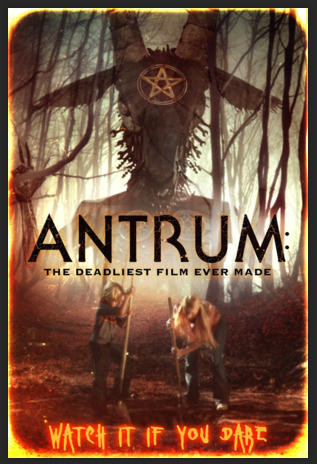
I found an old Home Viewer magazine recently, and I’ve been reading through it. It was known as “The VCR Entertainment Program Guide”. This is the February 1986 edition and costed $1.95. The highlighted movie at the time was Return of the Jedi.

It’s pretty fun to read through and recall many movies I had forgotten about. Including all the ads selling VHS copies of various hit movies, and even a full-page ad for the “CBS Video Club” – “Own a movie forever for the cost of seeing it once – Just $4.95”. You pick from 70 top movies and when you pay the $4.95 you commit to purchasing at least 2 more movies at regular club prices within the next year. THOSE prices, or even samples of those prices, are not shown. I remember my brother-in-law paying $99.99 for Star Wars on VHS though, so I can only imagine.

There’s a lot of full-page ads for movies in here, including Ben (remember the Michael Jackson song?), Mask (starring Cher and Eric Stoltz) , and the brat pack’s St. Elmo’s Fire. Even a few good articles, like one on Orson Welles and Return of the Jedi, which I’ll probably re-read.

I gotta dig up some more of my old books and magazines, this is fun.

Settling in

I’ve settled on the theme “Twenty Fourteen” for my site. It’s very simple, works great on all of my devices, and it has “infinite scrolling” (and it’s free). Infinite scrolling means it will display the first group of posts (I think I set it to 20), but if you get to the last post when scrolling down, it automatically loads the next 20 posts. So basically, you can keep scrolling and read every single post on my site without ever having to click a “Next Page” link. I like that. I’m lazy.

We’re doing good with our new hosting services so far. It definitely can’t be beat for the price. And all of my subscription options and hosting settings are embedded right into the WordPress administration menus, so I don’t need to go to multiple different websites like I did before. I wish I had made this change years ago.

I configured the main menu to be pretty much the same as what I’ve had for years, but with a few additional links to my social media accounts. Yes, I know “Twitter” is “X” now, but I refuse to comply. I’m sorry, but X has, and will always be, to ME at least, the universal symbol for “Close” or “Close Window”. I refuse to call Twitter “X”. It just sounds wrong, like it’s a port site, or something banned or crossed-out. Even in the Twitter app, which has an “X” in the middle, I’ve instinctively tried to close it once or twice by stupidly pressing that logo. Yeah, I’m an IT geek, I’m just getting old. But I’m never going to add a menu item to my website with just an X in it.

Enjoy the site, and I welcome your feedback. Even if it’s just on whether or not you can add comments or not… I opened it up a bit to not require a login, but that got really messy the last time I tried it, with hundreds and hundreds of bots and worldwide spammers posting garbage everywhere. I’m curious if that was just a side-effect of my hosting provider though, so I’m giving it another shot to see how it goes.

Welcome to our new home

This is my first post on WordPress.com. I have moved my website from my previous host, Powweb.com. I had been with Powweb for many years and up until now I haven’t had many issues at all. But their hosting price, for my very simple, small website, recently tripled in price, and with no warning I was charged for another year at triple the price, with no prior notification. I was pretty shocked when I saw the charge, and immediately contacted them.

Discounts were offered and refused, and it took a few attempts, but I finally got the charge reversed and my site cancelled with them. I was able to make a quick export of my website, so I didn’t lose any of my old posts, fortunately. So here it is. Some of the links and functionality might be broken, but I’ll fix every issue I find. And as usual, I’ll try to post as often as I can.

Over 813 posts since January of 2001. That’s over 23 years of history. I only wish it included all of my Facebook posts as well. But, as I’ve always figured, Facebook will eventually go away, like everything else has, but I’ve tried to keep my own website intact through the evolution of the internet and its vast changes. Maybe this site will even outlast me. That should be easily accomplished, since I’ve already paid for the domain itself five years in advance, and I just got an additional year tacked onto it just for moving to WordPress. As long as someone can swing the $48/year ($4.00 per month), this thing will sit here, waiting for another year’s tens of users to stop by and read my ramblings.

Enjoy!

The walks are a bit much for my site

I’m removing the Runkeeper plugin from my site.  Or at least deactivating it for the time being.  It’s working fine, but unless it adds the photos that I take on my walks, or if I can find another plugin that does that, I won’t be re-activating it again.  It just seems like site-spam, and it pushes all of my actual posts down and off the front page too quickly.  So there goes that.  I’ll keep it sending to my Facebook feed though, it gets buried in there pretty quickly anyway, along with everyone else’s posts.

The photo migration continues… it looks like it’s doing about 5,000-6,000 per day, so maybe in a couple weeks it’ll be done. Unless there really is over 90,000 photos and videos in there (and Flickr can’t count right).  Take a look: https://jimsphotoworld.smugmug.com/.

The SmugMug Migration continues

The migration of my photos and videos from Flickr to SmugMug is still in progress, and probably will be for several more days.  It’s currently at over 13,000 photos and videos and increasing every minute.  I’m still not sure of how many photos and videos I actually have on Flickr though.  It’s either over 90,000 or just over 48,000, but that’s quite the difference.  I guess I’ll know once the migration completes and I check to see if everything is there as far as I can tell.

Meanwhile, I continue to battle repeated attacks on my website.  I have cleaned it up recently, got rid of all of the old obsolete no-longer-supported plugins that I had on it, and installed some decent protection that will hopefully keep our the riff raff.  So far it’s been a bit of a struggle.  I’ve found that I had several infected files on my site as well as several additional files that contained malware which were uploaded by the attacker(s) and just sitting on my site.  I also had over 3,000 bogus user accounts that had accumulated over the years–one or two of which were even Administrator accounts!  Wow, the vulnerabilities!  BAD webmaster, Jim, BAD boy!  So please accept my apologies if you happened to get redirected to a site that might have said you PC was infected, displayed pornography, or did some other bad attempt at phishing.  I really had no idea it was so bad.  It’s all better now though, and I’m trying to check it daily to make sure it stays that way.

SmugMug

Apparently SmugMug recently purchased Flickr.  This is just one of those normal things that happen with tech companies, but since I use Flickr extensively for backing up all of my photos and videos, this concerns me probably much more than others who don’t use the service.  SmugMug support assures everyone (and has reassured me directly through several direct support e-mails) that Flickr isn’t going anywhere for the foreseeable future.  Both SmugMug and Flickr will remain intact, and the acquisition will only strengthen both platforms moving forward.  I guess this is much like when Google acquired Waze.  Google Navigation and Waze Navigation both remain intact, but they are improving by sharing information and data.

I tried going with SmugMug for awhile many years ago, but it wasn’t anywhere near what it is today.  So I started trying it out again this week, and I’m in the process of migrating all of my Flickr photos and videos at this time.  I found a nice site that automates this process, and it’s running right now.  Here’s some interesting number I don’t quite understand yet:  Flickr says I have 48,888 photos and videos on their site.  That’s TOTAL – both public and private, and 31.517 of those are public.  That sounds about right I guess, those totals have been increasing slowly over the years at a normal rate.  Every photo I take auto-uploads to Flickr as my backup (as well as to Google Photos), both of which are free (Flickr has a 1TB limit, Google Photos has unlimited storage as long as I have a Google Pixel phone).  The tool I’m using to migrate Flickr to SmugMug (PicBackMan) says I have a total of 94,511 photos and videos!  That’s nearly DOUBLE my grand total that Flickr says I have, so it’ll be interesting to see what SmugMug shows when it’s finally done migrating.  A couple initial things I’ve found with SmugMug that I really like is with GIFs and just the simple motion in every photo I take with my Google Pixel phone… Flickr never showed this and doesn’t support GIFs, but SmugMug recognizes both GIFs and the motion in all of my photos and displays it!  I might eventually switch to SmugMug, depending on how this trial goes.

If you’d like to check it out as my SmugMug site evolves, you’ll find it at https://jimsphotoworld.smugmug.com/.  My cover photo is even animated.  There might not be many photos there yet, as the first album it’s migrating is my “Auto-Uploads”, which is private.  But all the others are right behind it, so they’ll be coming in soon enough.

More Posts!

Ok, now I feel like I’m just cheating… I added some connections to my site for RunKeeper, the program I use when I walk.  Each walk I post on RunKeeper will now add a blog entry with my walk details to my site.  I’ll probably stop posting them to Facebook soon, and just keep them here, where they’re easier for me to see.  Yes, they’re all also available in the RunKeeper app, which is easy as well, but my site needed more activity, and Facebook sure doesn’t.  I figure I’m “cheating” a little, with “fake posts”, but it’s something.  The part I like the most though, is the “RunKeeper Records” box I added to the right sidebar.  It shows all my stats for the current week and month in a nutshell.  Now I just have to make sure I add REAL posts, like this one, regularly, so my site’s front page doesn’t just end up being dozens of RunKeeper entries and nothing else.  Yeah, good luck with that, Jim.

Low

There’s been a lot of depressing stuff going on lately. Our dear adopted mother, Rosemary Wood, passed away recently (nice Kenosha News article about her life here), then my brother-in-law Bob Brackney passed away suddenly, there’s my wife’s medical issues, mass shootings all over the place, President Trump gets more depressing with every one of his goofy un-president-like Tweets, and on top of all of that, Fall has arrived in force, and it’s freezing outside.

The weather, of course, is to be expected, but it’s still depressing every year at this time–at least for me. It’s beautiful, at least when the fall colors arrive in the trees and the temperature drops to the 50’s and 60’s, that part is actually my favorite time of year. Very comfortable for walking and spending time outdoors, having a nice fire going, I love it. But then, always much too soon the temperature drops down to the 20’s and 30’s and the snow and slush arrive, as well as my annual sinus issues and a cold that also settles in for the winter, and the days get shorter and shorter until I’m going to work in the dark and also coming home in the dark. Once that (this) happens I don’t feel right again until some time in the spring.

Socks gets so confused walking in the dark, so now our walks are limited to the weekends for several months. I think this depresses him as well. But this is all just part of the cycle. All we need to do is hang in there and things will eventually turn around again. Even with Trump. I am little reassured knowing our government has so many checks and balances in place that should prevent immediate catastrophe, but how much of that has really been put to the test? Trump is sure pushing that envelope. But I’m not political. so enough about that.  Except this:  I found this in a recent book I read:  “Voting is a lot like driving… ‘D’ takes you forward, ‘R’ takes you backward.”.  I got quite a kick out of that one.

On another note, my blog has clearly become a one-way outlet for me–Just a place for me to vent, post some notes, happenings, etc., so I’ll try (my famous last words, I know) to post more often, whether it’s news, reviews, complaining, or even just a little fiction I’ve written, I’ll try. But I know that this site has recently lost it’s #1 fan (Rosemary), and that saddens me even more.

Moved to Google Photos

I have recently moved all of my 29,000+ public photos from Flickr to Google Photos.  Google has been making a lot of progress with their photo services recently, including integrating Picasa into Google Photos.  With everything they now offer, and how easy everything just is to use, compared to Flickr and the difficulties I have had trying to stick with them, I decided to move everything.

I made the final decision a couple weeks ago, when I found this site: http://www.flickrtoplus.com/.  It allows you to simply login to Flickr, then to G+, and it lists your albums and you just choose the ones you want to migrate from Flickr to Plus.  It couldn’t have been easier.  I tried a few albums at first, wondering how they can afford to devote all the processing required to to this for everyone for absolutely nothing–no ads on the site, nothing, it simply works.  After a few albums came through just fine, I did a dozen more, then queued up dozens more after that, then the hundreds more after that.  Within a week everything was done!

It uses your “Google Drive” space for storage and allows you to keep your photos at their original size & quality–a huge factor in my decision.  I recently realized that Google will scale down large photos you upload to G+, so that was disappointing, but after looking into it, using Picasa I can upload photos at their original resolution without it re-sizing them, and the flickrtoplus site also gives me the option to migrate them in original size or “large” size, which is smaller.  I chose “original” for everything I migrated, and I always upload my photos full-size.

With how simple Google’s search features work, it’s just so easy to find any photo or album I need now.  And Google Photos even looks simpler than Flickr’s interface, even though there are many more features you don’t see, that Flickr isn’t capable of at all.  There is one thing missing from Google Photos, however, that I liked in Flickr–and that’s “Collections”.  Flickr called its photo albums “Sets” and “Collections” were groups of Sets you could group together, like “Birthdays”, “Vacations”, etc. to keep things more organized.   Google Photos doesn’t offer an option for this, so all of my albums (402 of them right now, to be exact) are shown on one page.  I thought this would make things difficult to locate, but since Google’s search is so fast–and page searching is also so fast (using CTRL-F) I can find anything I need in my albums very quickly.

As far as price and space, it does cost a little more to go with Google than Flickr.  I was paying a flat $24.99 a year for unlimited space on Flickr, which is a really good price, especially for unlimited photos at full-size.  On Google, there’s a limit depending on the plan you choose: $4.99/month for 100GB, $9.99 for 200GB, $19.99 for 400GB, etc.  But–and this is a BIG BUT for me–this space is combined with Gmail, Google Drive, and Photos.  Right now I’m using just over 60GB for everything with all of my 29,000+ photos and everything else, so I could get by with the $4.99 a month, but I’m on the 200GB plan instead, just to have some breathing room for future photos and all of my documents, which are backed up on Google Drive, and my e-mail.  So, for me, that’s $120 per year now, instead of $24.99, but it’s more than just my photos, and I just trust Google more that Flickr.

So that’s that.  I’ve changed the “Photos” link on my site to go to my Google Photos Albums now instead of Flickr, and some time in December my Flickr account will downgrade to a free account.  This will make only 200 of my latest photos available there, the rest will be hidden.  I’ll probably delete my Flickr account at that time anyway, just to avoid people adding comments to the 200 latest photos they can see.

Flickr Backup

This morning I decided I wanted a create a few photo collages for my website’s header using all of the photos from a specific photo set I have in Flickr–“Swimming at Rosemary’s”.  Since all of these photos were taken on all different dates and years, I didn’t have a single “local” copy of them all in one place, like they are on Flickr–all of my local photos are organized by date taken, and also include all of my “garbage” photos (bad takes, out of focus, etc.)–which are kept for use in photo mosaics when I need them (they make great fillers).  So I set out to find a way to download an entire set of photos from Flickr.  Flickr itself has a lot of options, but this isn’t one of them.

Most utilities of this sort that I found are apps–they’re for Android, iOS, and Windows Phone.  After some searching, I found what I was looking for: FlickrEdit for the PC.  I downloaded it, and it’s not even an installer, just an exe that runs immediately.  It’s very straightfoward and easy to use.  It even connected directly to my Flickr account, only asking for Authorization from Flickr to access my account, which I was already logged into.  Once I accepted, it started loading my thumbnails.  It displays 50 photos per page, so you don’t have to wait for entire sets to load, if you have more than 50 photos in a set.  You can simply select the photos you want to download, or select an entire set, then download it to a specific folder.  It’s pretty quick too–it downloaded my entire “Swimming at Rosemary’s” set (302 photos) all at their original sizes, in about 20 minutes.

FlickrEdit is a really nice app, and it’s a relief to know I now have it available for those times when I need a complete set of photos from my Flickr account, and just knowing there’s a simple method available if I need some disaster recovery of all of my photos some day.  I added a couple new photo collages to my website header, so you’ll probably see them up there once in awhile.  For a few days though, while it’s still super-hot and dry around here, I’m going to leave it on one of them as a static header, just to chill.

New theme might be a keeper!

Wow, I found this theme this morning–“Adventure Journal”, and I really like it!  It displays my collages prominently, and has really cool effects using wood textures, shadows and paper strip effects that I like.  Please excuse the detailed description, I’m just elaborating more because I’m thinking further into the future–when I might change themes again, and people might be confused (including myself) seeing a completely different theme & layout than what I am talking about right now.  I might also want to revisit this theme later, and I tend to forget things easily, what with my “CRS” and all, so this will remind me.

I added 10 different photo collages to the header so far, all but one of them are from our Arizona vacation we took this year.  A random collage is displayed every time you load the webpage.

He’s at it again

Just like old times, I’m playing with the layout of my site again. Bear with me. I sure could use some outside input though, if you don’t mind commenting. A lot of things have changed since I last played with the options, so it’s kinda fun to get back into it and tinker. All the content stays put, but the entire look and feel can change dramatically.

New Year, New Website!

New Website Snapshot - 01-01-2011Happy New Year!  Welcome to the new jimtrottier.com site!  This time I’m trying something completely different.  It’s much simpler.  Just a blog (WordPress) instead of a whole content management system.  There’s nothing wrong with Joomla, don’t get me wrong, it’s just way more that what I need for my website at this time.

The site’s still being built, but I thought it would be great to bring it live on January 1st, 2011 to ring in the new year instead of hiding it until it’s fully ready.  Consider it as you would a Google feature… It could be in “beta” for years as it continuously changes… So you’ll see some very old posts (only my favorite “oldies” this time) popping in from time to time as well as new features as I add them.  You can  read the “About” page for a little more info, and be sure to register for an account for access to some upcoming additional features you might enjoy.

That’s in for now.  Please let me know what you think.