Category Archives: Technology

Fiber

Well, we’ve hopped on the fiber bandwagon. We were paying about $140/month for Spectrum cable with only internet – no TV, no phone lines, no DVR, nothing else. Earlier this year I had also returned my Spectrum router when I finally realized we had been paying an extra $10 per month just for that. We had the 1GB plan, which offers speeds of up to 1GB download and 35MB upload. The download speeds were decent, but often dipped below 500mbps probably due to our neighbors also using the same circuit. That wasn’t too bad for download speed, but for personal reasons, 35MB upload speed was quickly becoming a bottleneck.

T-Mobile Fiber was offering 2GB up AND down for $70 as part of their “Founders Club Deal”, which includes a 10-year price lock guarantee, among other things. To be honest, this deal was too good to pass up and I couldn’t wait for it to get here. A few months ago I was able to pre-order it, then it was just a matter of time before they contact me to schedule an installation date & time.

T-Mobile has been installing fiber in Kenosha from the North side to the South side for about the past year and a half. They dug up many lawns along the way installing the fiber connection boxes next to the sidewalks on the street side. Lucky us–we would up with two of those in-ground connection boxes in our lawn since we live on a corner lot. We have a box in front of our house and one on the side of our house. I wondered which box they would run our fiber from, hoping it would be the side-of-the-house box, since that one was closest to where I knew they came in with cable years ago.

On our installation day, a couple hours before the actual install time, a fiber truck came and started digging near the side-of-the-house box and ran their orange fiber line under the sidewalk and left a roll of fiber there next to the sidewalk. When the actual installer arrived later the same day, I gave him a walk-through and showed him where my router needs to go and where he needs to bring the line into the house. I also requested that he put the router in Bridge mode so I can use my own router, which was already configured for all of my (100+) devices and it’s actually a newer router than what T-Fiber provides. They give you a Wifi 6 router built into their ONT. My router is a Wifi 7. I purchased it when I returned Spectrum’s router to them to save the extra $10/month. T-Fiber doesn’t charge for their router, it’s all built into the ONT device they provide, and it’s a decent router, but T-Fiber provides very limited access to their router–I found that devices couldn’t even be renamed in the admin to identify them on the network easily. I need Bridge mode enabled to avoid the usual issues whenever you try to use two routers on one network. You basically have two of everything – two Wifi routers, two DHCP servers, two firewalls, etc. It can get pretty complicated trying to get everything to work that way. In bridge mode all of those features are disabled and bypassed. The internet signal passes straight through the ONT and into my own router.

As it turned out, the installation tech couldn’t enable Bridge mode, and neither could the tech at T-Fiber Support who he talked to. He told me I had to call support and request it myself, then they’ll enable it. I did this immediately after confirming my installation was successful and my speed test results were good for 2GB symmetrical internet service. I was told by support that they would put in the request and that someone will be contacting me within 24-48 hours. I assumed it might flip to Bridge mode at any time, so I kept an eye on the network during this time. I had a few issues, especially with having Double NATs, but this was expected based on my research into using your own router for Fiber.

The next day a T-Fiber Support Tech called me, but only to confirm that I wanted Bridge mode activated and that I would be using my own router from then on. I confirmed and he said he initiate the request and it’ll take up to 24 hours to complete, but it’s usually completed well before that time. I didn’t quite understand why this wasn’t done the first time I called, but it seems like there’s a second level of service that a ticket has to go through for Bridge mode, so my ticket had to get to that second team, then, after confirmation, the ticket can be processed. Anyway, at 5:30am the following morning (two days after the install) Bridge mode finally activated, so I rebooted my router and everything came back online as expected and my issues with have two routers were gone.

Everything is working great now, and they even came out exactly 1 week after the install and buried the orange fiber cable going from under the sidewalk to our house. They had estimated 10 days to bury the cable, so 7 days was even better. They did a nice job too, and didn’t destroy much of our lawn. They dug a thin trench, but only folded the top lawn over, then placed it back where it was afterward, leaving very little sign that it had been dug up at all.

All in all we’re very happy with our fiber so far, and having full control of my router is something I’m very relieved about. We had Spectrum for many years, and i even remember posting on my blog about them, especially when we kept killing hard drives in our DVRs. I think we went through 3 or 4 of them. I’d have to go back and read my old posts to be sure. That was back around 2004…wow, over 20 years ago now. My blog and really old. Today we have only internet service, and we subscribe to YouTube TV for TV and DVR services. No DVR except YouTube TV’s cloud DVR, which works great for us. No more landlines or FAX machines either, but internet. My, how things change. Now I have to start pulling out all of the old cable coax that runs to all the rooms in the house. It’s useless now. I think I still have all the wiring hanging from the ceiling in the basement for the old telephones too. Time to clean up.
Updated “Best Handheld Ever”

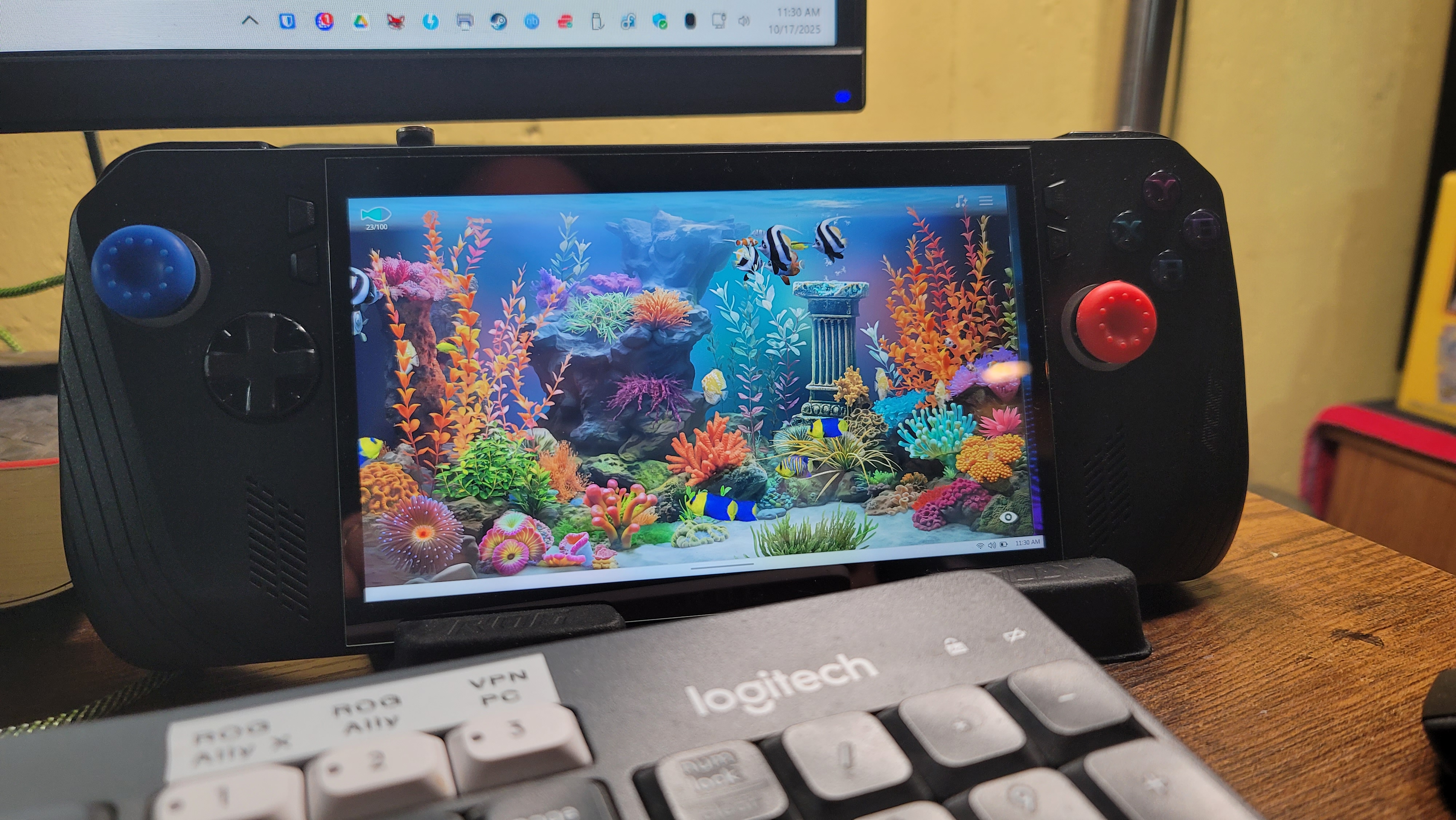
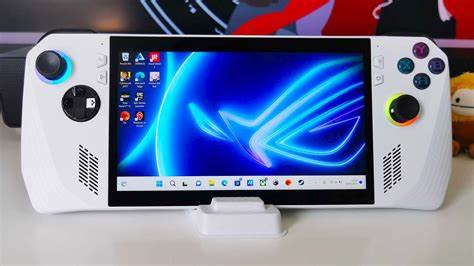
A few posts back (but over a year ago) I wrote about the best handheld PC I’ve ever had. Here’s the link to that post. Well, now there’s a new one. This one looks almost exactly the same as the white one in that photo, but it’s black. It’s the ROG Ally X, and it’s the next iteration in the ROG Ally series. It’s not the most recent, but only one generation older than the latest version, which is called the ROG XBox Ally and the ROG XBox Ally X.

They changed the case just a little and modified the back buttons based on user suggestions and all the minor changes are nice. This model is a little thicker than the ROG Ally, not not too thick as to make it more difficult to hold while playing.

One nice advantage to the thicker case is that the SSD is now a standard size and it also has room for an SSD heatsink – this means it can handle ANY standard SSD. So everyone’s touting the 2TB, 4TB, and 5TB SSD cards as great upgrades. I took it to the extreme though and bought the max – 8TB. Yes, it was a bit pricey, but for me it’s my dream machine now. It holds close to 200 of my favorite games and my entire retro collection – THOUSANDS of retro console and arcade games!

With a nice 1080p 7″ display, this is everything I could want in a handheld. Every game I’ve ever played in my gaming PC I can now play in my hands, anywhere. The battery is even better than the ROG Ally, and it’s more optimized, and since the X-Box version has recently released, the built-in control software, Armoury Crate & Command Center, has recently been enhanced quite a bit with new features and functions, aligning it more with X-Box. The X-Box features don’t interest me much overall, as I’m not a subscriber, but I like and own a lot of the X-Box games, so the more the better.

I’m not sure I ever posted anything about this, but a couple years ago I sold my huge collection of games, consoles, and accessories. I had a few Playstions (3 and 4), a few X-Box versions, and even a Wii and Wii-U, as well as many accessories and physical games for them. They all sold pretty quickly and I freed up a lot of space in my mancave. This makes the retro collections, and the ability to play my games anywhere I want even that much more valuable to me.

I had to keep my Nintendo Switch, as the Nintendo games (like Mario, Kirby, etc.) aren’t available for PC like most other games are – they’re locked to Nintendo (except their older emulated games) and I still wanted access to them. Pretty much everything else I enjoy to play is available in a PC version. So now I’m down to two platforms – PC and Nintendo – and most games are digital as well, so I’m saving a lot of space at home.

Anyway, that’s my update. If you have any comments or questions, I’m checking my site much more often now, so feel free to post a message. I believe my site will also e-mail me whenever anyone posts a comment, I’ll be notified fairly quickly.

Thanks for visiting!

Best Handheld Ever

I love new tech and gadgets – even at my old age – and I recently found the ultimate gaming handheld.  I’ve had a Nintendo Switch for several years, and still do, but this is something completely different.  I’ve always been a PC enthusiast, and I use them all day, every day for my job as well.  I like playing with the newest, smallest tech, so I buy small but powerful desktop PCs, like Intel NUCs, but I also enjoy the high-end gaming PCs that can handle just about anything you throw at them.  Lately I’ve even focused so much of my time on PCs, that I haven’t had any time at all to play any of the gaming consoles I had, which included an X-Box (original version), an X-Box One, a PS3, PS4, a Nintendo Wii-U, and the original model of the Nintendo Switch.  So I ended up selling those systems and the hundreds of game cartridges, discs and accessories that went with them.

So these days I’m all-in on PCs (except for the new Nintendo Switch model – since Nintendo hasn’t given in to offering their current Switch games on any other platforms, YET…like most other companies do, I’m hanging onto it for now, just so I can still play the latest Nintendo games.  But I digress.  I’m all-in on the PC train, which made this purchase a no-brainer:  The ROG Ally.  To put it quite simply, it’s a Windows 11 Gaming PC in a handheld form factor.  That means it’ll run pretty much everything any PC will run, which is perfect for me.

The design of the ROG Ally is really nice, and it feels really nice and comfortable, with a very crisp, clear screen.  I’ve spent several hours at a time playing games on it without any issues (except eye fatigue, but that’s a personal issue of mine as I get older, not any fault of the device).  I’ve heard that the new version of the Steam Deck, now with an OLED screen, is much better, but it’s still only 800p. The ROG Ally is 1080p, but you can lower it if needed.  Same with refresh rate – it’s 120Hz, but can be adjusted as needed, and all of these settings are instantly accessible using a special button to bring up the “Armoury Crate” app, which includes a fully customizable control panel of all of your favorite and most-used settings, including an overlay options very much like Google’s “stats for nerds” option in YouTube.  It’ll show specific memory, CPU, FPS, and other details overlayed on the screen, permanently, until you turn it back off.  This is very handy for troubleshooting or reviewing app or system performance.

Windows 11 isn’t the best with touchscreen support, but ROG has managed to make it quite usable with their add-on apps and drivers that are accessible from a few added buttons on the device.  There was, and still is, a little learning curve involved, but I’m getting pretty comfortable with everything after a few weeks of using it so far.  I still prefer to use a Bluetooth keyboard and mouse when doing a lot of configuring and installing of software and games on it, but that’s normal for a new PC.  The beauty of it is being able to take it anywhere and be able to play everything I like without having to lug around my heavy gaming laptop everywhere.

I originally purchased the 512GB ROG Ally, which is the better, faster version of their two models with a faster CPU than their other model, then Best Buy had a Black Friday deal on a SSD upgrade specifically for the ROG Ally and Steam Deck handhelds, offering 1TB and 2TB options, so I couldn’t pass up a 2TB upgrade.  The install was pretty simple and went flawlessly, I just had to do a “Cloud Restore”, which is an option in the ROG Ally’s BIOS, then I had to restore all of my games and updates again.  I hadn’t gotten very far into initially installing all of my games at that point, so it wasn’t much of an issue to start over again.  So right now, with the 2TB SSD and a 1TB microSD card I had left over from a Nintendo Switch that I had previously sold, I now have 3TB of storage on my ROD Ally, which is plenty of room for everything I need.

My game collection also includes emulators for many old game platforms and a collection of tens of thousands of classic games from the past that I have amassed over the years, such as thousands of N64, NES, SNES, Sega Saturn, Gamecube, and Atari, all of which run great on Windows 11, so they also work fine on the ROG Ally.  This makes it truly priceless for me, literally providing me with every game I own, at my fingertips, anywhere I go with it.  I decided to dedicate the slightly slower 1TB microSD card to just my emulators, so I pared down a 5TB portable collection of about 65,000 retro games to just under 1TB.  I ended up with about 45,000 games and much less garbage and duplicate games, keeping all of the gems and classics.  That’s just 1 TB.  The faster 2TB I’m using for the OS, the “Grade A” games and everything else.

The sound on the ROG Ally is also really nice, though I often connect my Anker Soundcore earbuds when I use it, just for the privacy, noise-cancelling, and enhanced audio.  At this point I just want to lug this thing everywhere, just in case it might come in handy.  I can watch or play anything – Plex for movies & TV shows, YouTube, Spotify… well, you get it, it’s a PC.

To wrap things up, here is my list of the Pros and Cons with the ROG Ally 512GB Handheld:

PROS:

  • Runs ALL Windows 11 applications and games – Steam Deck runs on SteamOS and only runs compatible Steam Games.  This is akin to how the iPad locks you into only running Apple’s App Store games and apps.
  • Touchscreen – Same size screen as the Steam Deck, but 1080p resolution – Steam Deck is only 800p.
  • 120Hz refresh rate, adjustable as needed.
  • Power adjustable 10w (Super Quiet) – 35w (Turbo mode).
  • Lighter than the Steam Deck.
  • I can remote to it easily, just like a regular PC, whenever needed.
  • Controls feel nice and are well laid out – all buttons are fully customizable in 2 modes: Gamepad or Keyboard.
  • Two additional buttons on the back, fully programmable, and two added front-panel buttons specifically for ROG Ally’s settings (Armoury Crate)

CONS:

  • Learning curve involved with what button mode to use for each game and game type.
  • Battery lasts 90 minutes to 2 hours with heavy gaming.  Using lower power settings can extend that to 4-5 hours though.  I purchased as 30,000 mAh 65w fast-charging power bank to use with it, which easily gives me a full day of battery use.
  • Single USB-C type connection for everything – charging, external display, etc. – and it’s located on the TOP of the ROG Ally, so there’s no way to have a wireless dock connection.  Even with a premium dock with fans, multiple USB ports, HDMI, network port, etc., it still requires a short physical wire connected from the dock to the top of the ROG Ally.  I highly recommend a magnetic USB-C adapter so a dock or charger can easily be attached and detached thousands of times without ever damaging the port on the ROG Ally at all.  (I now always use one of these adapters on my cell phone as well – they’re priceless for ease of use and safety, if you’ve ever tripped over a USB cable before while your phone was charging with it)
  • When in use, a lot of heat blows from the top vents.  This is only a negative for ME though… our two chihuahuas enjoy the extra heat, and often snuggle up with me when I’m sitting on the couch playing games on it.

Wiped

On Sunday Sandy and I did some more yard work. We had a bush in the front yard that needed some serious trimming, and a lot of the branches were too thick for her to get when Kevin helped her with the weeds last week. So I used the chainsaw and trimmed the bush fairly easily. She also had some stubs of a few dead bushes she couldn’t pull out of the ground in front of the house. Her and Kevin had cut down these dead bushes and bagged them up last week, but they weren’t able to quite get that last roots of them out of the ground. So I took a shovel and worked around them, digging a little deeper and deeper around them until I was able to pull them out of the ground. After that I did a lot of edge trimming – around the mailbox, fire hydrant, telephone pole, around the house, and around the back fence. When we were close to being done, I pulled out my phone to check messages and found that it was in French and at some “Welcome” screen.

Oh crap. I knew right away what had happened. Apparently my moving around, bending and jumping on and off of the shovel and doing the edging was interpreted as multiple attempts to unlock my phone. After 15 of these attempts my phone went ahead and executed the system wipe function, effectively erasing not only my phone’s main storage, but also my entire SD card as well. I have both 512MB storage and 512MB for a total of 1TB on my phone. I didn’t have that much data though, that’s only the maximum I can store. I had nowhere near that much data on it, but it was still quite a bit.

I didn’t panic like I might have, had it happen a few years ago when things on smartphones weren’t so organized. I have wiped my phone plenty of times in the past, but never on accident like this. I knew what to do, and I knew that this time (as was each time up to this point) it would be much easier to do and would take much less time to get back “up to speed”.

The longest part of the process was just letting my phone restore all of its apps (over 400 in my case). This is a pretty automatic process. My phone had run an automatic backup just 3 hours earlier, so I knew it would be pretty close to complete. During the long impatient wait of roughly three hours when all of my apps were installed, I went through the restore of everything else–my contacts, text messages, etc., all of which are pretty automatic these days. They have this stuff down pretty good for today’s smartphones, and the process just keeps getting faster and faster as the phone processors keep improving. After all of my apps were done installing, I noticed a few key apps were missing for some reason–like my launcher of all things. I’ve been using Nova Launcher Prime on my phone for years, having brought it from phone after phone. I always try the stock launcher a new phone comes with, then sometimes a few others that don’t quite cut it, then I always end up coming back to Nova Prime. It just works the best for me.

So with Nova installed, I restored the most recent Nova backup I had, which is huge for me, because it restores all of my folders and customized shortcuts, icons, and apps, all organized exactly how I like them. Rebuilding those would be a huge nightmare and I’d probably never get it quite right for months, remembering little details and tweaks very slowly over a long period of time, month after month. So seeing my main format restored almost instantly was a big relief to say the least.

Several other apps–probably about a dozen–were also not restored, though it told me the exact number of apps it had to restore, and all of those did install, according to the results. Anyway, it was easy to figure out what was missing, since the old icon for each of the missing apps was still restored from Nova Prime, it just had a greyed-out look. If I clicked it to open it would tell me that the app wasn’t installed and give me the option to search for it. In all but a couple cases, this worked perfectly and it always found the right app and installed it, restoring the full-color icon and the app worked fine.

A couple apps gave me nothing when I searched for them, but I figured out what the issue was. In Nova you can rename your apps and icons to anything you want, and the few apps I had given more logical names were the ones it couldn’t properly find. Like my bank app – instead of it being named the name of my bank, the app always installs with the name “Personal”. The icon, however, includes the bank’s name and logo. I can never find it in my app drawer because I never remember to look for “Personal”. (With a standard launcher I’d be stuck with that name too) So I renamed it to the name of my bank. Now I can always find it alphabetically or by searching. But apparently this icon title is what’s used to search for the app, so those apps were slightly more difficult to find and install.

At that point I knew everything was back in place. Then–and this is no small feat in itself when you have over 400 apps on your phone–there is the tedious process of security. Most apps require you to login in one way or another, some now having 2FA (Two Factor Authentication), and each has as username and a unique password. Thank goodness for password managers! I can’t imagine life these days without a serious password manager. I also can’t imagine losing or forgetting my primary password manager password either! Ahhh, would that be a disaster!

Needless to say, I’ve been logging into apps one-by-one, as I use them, since Sunday when I restored my phone. It’s Tuesday evening now, and I’m pretty darned close to finished. I have re-downloaded my entire “Liked” song list from Spotify (7,500+ songs) and a few of my recently unfinished Audiobooks. What I haven’t finished yet is restoring my entire photo collection. I keep a copy of all 60,000+ photos on my phone and I update it about once every month or two, just to have a fairly recent collection of everything wherever I am. I use a couple of my home screens on my phone as photo slideshows that constantly flip through every photo on my phone, randomly, whenever I flip to one of those home screens. It’s pretty handy and interesting, often bringing back memories or giving me ideas. I use a Windows App called “Bulkr” which downloads my entire photo collection from Flickr very easily, and as long as I keep a copy of this collection on my PC, it quickly updates each month by only downloading the new photos and videos I made since it last backed up. The trick to getting 60,000+ photos and videos onto my phone in a decently-short amount of time is by removing the microSD card from my phone temporarily, placing it into an SD card adapter, plugging it into my PC, then copying the updated folder from my PC to the microSD card and telling it to ignore matching files. It quickly skips the thousands already there and just adds the new stuff. Then I re-install the microSD card back in my phone and I’m good to go. This is all done, of course, with my phone powered off.

So that’s it. In a nutshell: Late Sunday afternoon all three of us–Sandy, me, and my phone–were wiped out. And all three of us needed a serious recharge.

Speaki – Android App Review

I was hooked on using Verizon’s Message+ app for texting for the longest time, until recently. The primary feature that kept me using it was its “Speak your text messages” option. I found this very handy, and I couldn’t find a better texting app that did this, so I stayed with it. Then I read an article online about apps that will read your texts and notifications to you, and everything changed. I realized how great it would be if not only my TEXTS were read to me automatically, but what if my Ring and Home alerts could be read to me as well?! That would be amazing.

So right away I set out to take a new look at texting apps. There were a few that had many more features, scored great in reviews, and had some great options that Message+ didn’t have, so I started trying them out, just for a change. I settled on an old favorite – ChompSMS. Tons of customization options and I liked almost everything about it when I used it years ago. Now on to Notification Speech.

I recently found a nice Android app called “Speaki” that allows me to have my phone speak my notifications. This means when there is motion on any of my Ring cameras or an alarm from any of my smart devices at home, instead of my phone just making whatever notification tone I have for that alarm type, it will actually TELL me what the alert is.

It can also read you text messages out loud when they come in. Everything is optional too–it’s based on which apps you choose to have talk. Only those apps will speak their notifications. As a result of this, I have changed all other notification sounds on my phone to Silent, or have turned them off completely. Now my phone is mostly quiet until there’s an alert I want to know about, then it tells me exactly what it is so I no longer have to pickup and check my notifications every time I hear a generic tone.

It works really good once you tweak it a bit. It has an “All Apps Name” option turned on by default, which speaks only the name of the app that you receive a notification for, just so you know, then it speaks further details for the apps you specify. I found this annoying so I turned it off so I only get speech for the apps I specifically selected. Everything else can wait until I have time to check my notifications.

It can be a tricky process getting it to work 100% though. There are a ton of notification options, both global and on a per-app basis in Android, so you have to take the time to experiment with exactly what works best for your specific device. I found that I needed to set the “Audio Stream” option in Speaki to “Notification”, so it uses that stream to play the speech, then turn OFF all the options in android to for Notifications – both the default sound and the notification sound for the specific apps that I want to talk. Setting the notification sound to “Silent” works as well.

I tried several other apps that speak your notifications as well, and they all approached it differently with different options. Some just turned all speech on and off for every notification you get without any options for choosing which apps – it was either ALL or NOTHING. Those I uninstalled right away and moved on. This one, so far, seems to give the perfect balance of ease of use while still having decent options for specifying only the few apps you want to speak.

Cord Cutting Complete

Today we finally “cut the cord” and dropped cable TV.  We’ve been trying Google TV for nearly a year (Family Plan, $36/month for up to 6 users, so about $6 each per month), and they’ve been slowly adding channels and features.  Well, they finally added Milwaukee’s Fox 6, and that was key for us.  We watch that channel a lot, and it was the default channel for our cable DVR. 

Google TV includes unlimited cloud-based DVR too, which just blows away the hard-drive-based DVR that the cable company offers (and also charges monthly fees for).  Plus, each Google TV user gets their OWN cloud DVR!  We often realize we missed a particular show that we forgot to DVR, but most of the time, on Google TV, we can still find the show and play it, or easily set it to record the next time it airs.  Cable DVR was pretty sluggish in comparison, and it sometimes crashed and often froze up on us, forcing us to reboot the DVR, which for us, often took 10-15 minutes.  We have also managed to “kill” several DVRs over the years – at least 4 of them I believe, (you can search this site for the keyword “DVR” and probably find most, if not all of the times each of our DVRs has failed) and this one seemed to be heading in the same direction–often freezing up, sometimes indefinitely and not returning to functioning until we forced the power off and back on and rebooted it.  From past experience, and from working with computer hard drives for decades, these are very often symptoms of a failing hard drive.  I also think our current cable boxes (we have 1 DVR and 2 receivers) were pretty old… so old, I don’t even think the cable company wants us to ship them back.  They simply dropped our services and we haven’t gotten any instructions to return the equipment like we had in the past.  We’ll hang onto them for awhile, just in case though.  If they try to charge us for un-returned equipment, they’ll definitely get them back pronto!

We’ve noticed that the picture quality of any app we use on our Samsung SmartTV is much clearer and sharper (HDR and 4K upscaled) than any image we’ve seen from cable DVR or through one of the cable receivers, so every TV channel, show, and movie we watch now is much clearer and sharper than before–a clear improvement.

So our cable bill just dropped over $100 and we’re now streaming-only for our TV services.  We have 400 mbps internet speed though, so I’m sure that helps a lot with the quality of service.  Now I’m eyeing the new 1 Gig internet plan they’re offering… Oh that sounds really sweet!  It costs $199 for installation, since they have to run special lines to the house, but other than that the monthly fee isn’t much more than we’re paying now.  Hmmm.

4K or not 4K, that is the question

I am still baffled by this 4K technology. I understand the math fairly well: 1080p is basically “2K” or 2048 pixels wide, 4K is 4096 pixels wide. UHD is roughly 4K, but actually slightly less that 4K if you want to get technical. What it all comes down to is “more pixels = higher resolution = better picture. Right? Now that I have a 4K “Smart TV” I’ve been running some practical tests. Here’s what doesn’t make sense to me. I can play a specific movie on my X-Box that is 4K with HDR, and it looks great. The blackest blacks, everything just “pops” and it’s very nice. Then I take the exact same movie in 1080p digital format and play it through the Plex app on my Smart TV and I swear it actually looks BETTER in 1080p! It seems sharper and things “pop” even more. I have checked the X-Box and it’s definitely in 4K, and the Smart TV is also in 4K, so it has to upscale the 1080p image to 4K. But how can a 1080p movie possibly look better than a 4K HDR movie–Especially if it’s the exact same movie? I’ve done this several times and it completely baffles me. They are both beautiful images, and I’m happy to watch either one, but it just doesn’t make sense.

Because of the high price of 4K UHD Blu-Ray discs–and the fact that they’re physical objects, so they require extra effort to actually use–I haven’t purchased any of them since getting a 4K TV until now. I’ve been trying to go all-digital these days so I don’t have to go through the “trouble” of inserting a DVD each time I want to watch a movie (first-world problem, I know). I’ve even converted all of our Blu-Ray movies to digital files for this same reason, fed them to Plex, and it has worked out great so far. 4K movies in digital format, on the other hand, are ridiculously huge, so I’ve stuck to 1080p for digital movies. And based on my test results above, I’m still very happy with upscaled 1080p at the moment. If anyone can shed some light on what’s going on here though, I’d really appreciate it.

Clever Wifi Names

Yeah, you’ve heard them all before… “FBI Surveillance Van”, etc., etc… I just thought this list contained some pretty funny names, so I’m posting it here for easy reference:

1. Hide Yo Kids, Hide Yo Wi-Fi
2. It Hurts When IP
3. The Triwizard Internet
4. Silence Of The LAN
5. Wifi Art Thou Romeo
6. Dunder MiffLAN
7. For Porn Use Only
8. Bill Wi, The Science Fi
9. Everyday I’m Buffering
10. Slow Internet Slow Fap
11. A Song Of Ice And Firewall
12. Luke, I Am Your Wifi
13. Girls Gone Wireless
14. Hilary Clinternet
15. Friendly Neighborhood Spider-LAN
16. Don’t You Wish Your Wifi Was Hot Like Me
17. New England Clam Router
18. One Does Not Simply Log Into Mordor
19. Dora The Internet Explorer
20. 99 Problems But WiFi Ain’t One
21. No Wi-Fi For You
22. Wi Believe I Can Fi
23. Covet Not Thy Neighbor’s WiFi
24. Titanic Syncing
25. Mom, Click Here For Internet
26. It’s a Small World Wide Web
27. Virus Distribution Center
28. John Wilkes Bluetooth
29. Wifi For Blowjobs
30. The Wireless-G Spot
31. House LANister
32. It’s The Wifi Network Morty
33. WIFIght The Inevitable?
34. Watching Porn Constantly
35. Unprotected CeX
36. Benjamin FrankLAN
37. Slytherin Common Room Wifi
38. IS THIS THE KRUSTY KRAB
39. My Neighbors Suck
40. You Load Nothing, Jon Snow
41. No Pants No Problems
42. Winternet Is Coming
43. Connect And Die
44. Avengers – Wifi Wars
45. Area 51
46. Guardians Of The Gateway
47. Watch Porn At 4G Speed
48. We Can Hear You Having Sex
49. Not Free So Get Stuffed
50. Ermahgerd, Wi-Fi!
51. Not In Range
52. Don’t Watch Porn On My Wifi
53. WI-FIght The Inevitable?
54. Occam’s Router
55. Not The Droids You’re Looking For
56. I Have Wifi And You Don’t
57. The Creep Next Door
58. I’m Under Your Bed
59. Loading…
60. Enter The Dragon’s Network
61. Tell My Wifi Love Her
62. Access Denied
63. Drop It Like It’s Hotspot
64. DHARMA Initiative – Station 4
65. LANDown Under
66. Your Wifi Is Sleeping With My Wifi
67. Babe Cave
68. Keep It On The Download
69. Look Ma No Wires
70. Help, I’m Trapped In A Router!
71. Life In The Fast LAN
72. 404 Wi-Fi Unavailable
73. Free Wifi For One Night Stand
74. Click Here For Viruses
75. LANdo Calrissian
76. Penny Get Your Own Wifi
77. Your Wifi Is Sleeping Over
78. Martin Router King
79. The LAN Before Time
80. We Are Watching You
81. Ye Olde Internet
82. Your Dog Shits In My Yard
83. A LANnister Always Surfs The Net
84. 2 Girls, 1 Router
85. Abraham Linksys
86. Troy And Abed In The Modem
87. Wu-Tang LAN
88. Router, I Hardly Know Her
89. Only For Zombies
90. I’ve Seen You Naked
91. Suck On My Secure Connection
92. Here’s The Password Clue Read Again
93. Very Slow Internet
94. I Pronounce You Man And WiFi
95. LAN Of Milk And Honey
96. Stiffler’s Mom
97. Skynet Global Defense Network
98. Yell “Doggy” To Know Password
99. Quit Using My Wi-Fi
100. My Own Damn Internet
101. Pretty Fly for a Wi-Fi
102. Network Name? Why Not Zoidberg?
103. Thrust Master
104. Not A Meth Lab
105. Routers Of Rohan
106. Bob’s Unsecured House of Wifi
107. Nacho WiFi
108. Hack If You Can
109. Stealing Wifi Is A Crime
110. How Is The Signal There?
111. Josh BroLAN
112. Ex-Wifi
113. Lord Of The Pings
114. Go Away You Muggle

Boogie Board Sync 9.7 – A review posted on Amazon

I recently bought one of these “eWriters” when Amazon e-mailed me a recommendation.  At that time it was $69.99.  The price, as of this writing, is now $81.17 on Amazon and the list price is $99.99.  It is also sold from other places for as high as $120, so I figured $69.99 was a pretty good deal.  Here’s my Amazon review:

Excellent eWriter for the price – just a couple issues keeping it from a 5-star rating

This is a nice “notepad” replacement. I only have two small issues with it: 1: If you forget to look at the LED to make sure it’s lit and green (ON), you can fill the entire display with your notes only to find nothing has been saved, even when you turn the power on and press the SAVE button. Anything written on the surface BEFORE you powered it on is lost forever (you might as well take a photo of it with your phone if you need to keep it at that point). It would be awesome if there it had a simple auto-power-on feature built in that would automatically turn it on as soon as you started drawing on it. 2: It occasionally “skips” portions of letters and drawing strokes in saved documents. This seems to be at random times and doesn’t happen very frequently, but the drawn letters and lines are clearly on-screen and not shown in the saved copy once it awhile. This is fairly rare though. I would have given it 5 stars if it hadn’t been for those two issues.

I work in a Help Desk position, taking phone calls for PC issues all day long. Aside from the two issues mentioned above, this device has saved me from using a lot of paper already, and will save me a lot of money in notepads, which I used to go through very quickly taking call after call. I normally write down the details of each call and issue, then as time permits I’ll create tickets for those calls in our ticket system using my notes. It seems a little different to flip through my notes on my phone instead of flipping through all of my notebook pages, but I think that’s just something I’ll need to get used to over time.

Overall, I must admit that I still continue to search for that “perfect” ewriter solution that will provide what this does and fix the two issues I have with it, but this is pretty close and is definitely useful, and well worth the price. My co-workers seemed a bit disappointed that you can’t “recall” saved pages directly on the device, but they understand once I explain how and why the technology is “one-way” and only records keystrokes. The functionality of being able to recall pages would require more “tablet” or “notebook” technology, which would increase it’s thickness, weight and pricetag, I’m sure. Compared to all of the other options I’ve managed to dig up online, this one is “it” for now. Most others don’t allow you to save your pages outside of the device, let alone save in different formats to different services.

Also, I haven’t read anything about file formats other than saving as PDFs for this device, but I was happy to see that the Boogie Board Sync app on Android allows me to “share” any note as an image (png), PDF, or video (plays back your saved page as it was written, stroke by stroke). You can even select MULTIPLE pages (for example, an entire day of notes) and export them as a single multi-page PDF! Very nice!

Drone

home-from-droneThis weekend Matt stopped by with his new drone!  Wow, what a piece of technology!  I was a little curious at the start, but much more so once he was flying it and showing us the features.  He bought a rather expensive model (at least in my book), and it has some pretty sweet features and specs, including a nice gimble & camera.  The gimble allows for beautifully smooth movement of the camera while shooting up to 4K video or 12-megapixel snapshots.

He started it up in the driveway, got up between 200 and 300 feet to clear everything tall in the neighborhood, then flew it around.  I must say, it scared me a bit knowing how much that little toy costed, and watching it zoom out of sight over the neighborhood.  It has a decent range, but I still found it scary.  It probably would have felt even worse, had I been the one who paid for it!  He mentioned getting to a certain point where the video starts to cut out…sheesh, now THAT could give me heart issues… but there’s a nifty little “Go Home” feature and calls it back and it comes right back to your location.

After some flying around and recording (both from my cell phone and from the 4K camera on the drone) until the drone’s battery was nearly dead and getting pretty chilly in the 32-degree weather, we came back inside to warm up and figure out how to view the footage as quickly as possible.

I transferred the videos to my PC and could view them there, but we wanted to watch them on the big TV.  It’s 1080p though, so we couldn’t actually view them in full 4K quality.  I used my laptop, which already has a dock connected to the TV, and the video looked awesome!

The video on a MicroSD card is limited to 4GB file sizes, so our footage was split into two files – one about 8 minutes (4GB in size), and the other about 6 minutes (about 3GB in size).  I wanted to use ShareStudio, an app on the PS4, to edit the video, but unfortunately, the PS4 didn’t recognize the video file format that the drone used.

After we finished ogling the fine footage, I dropped the videos into my YouTube channel to start uploading them to the internet.  After a few hours they completed, and the footage still looks quite impressive there, and now we can share them with everyone easily.  Take a look if you want.  Here’s Part 1 and Part 2 from the drone, and my cell phone footage.

I want to be able to edit those three videos into one nice one, complete with cuts back and forth between be shooting the drone, and the drone shooting me, when we were playing with the “Follow Me” feature of the drone, but I tried doing so in Corel VideoStudio, but it didn’t work out so well.  The resulting video, which I wanted to save as a 4K video, was horrible with dropped frames throughout and full choppiness, rendering it unwatchable.  I might try it again at 1080p, just to see if it’s the 4K it can’t handle, or if my PC’s just not powerful enough to handle the job.


Geeks, TWiTs, and Tech, oh my!

Anybody else remember TechTV?  Ah, the good old days of having a channel just for us geeks… I remember it very fondly, especially The ScreenSavers with Leo LaPorte and Patrick Norton.  I used to watch that channel quite a bit until it disappeared.  I learned a lot from those guys…and still do. Today the content that was that single channel is spread across everything.  Maybe geeks are finally becoming mainstream.  Yikes! We’re multiplying at an alarming rate, somebody stop the madness!

Seriously, tech and those that know how to use it, is everywhere now, and you have to know it (or at least enough bits of it) to get by.  Is your microwave still flashing “12:00” at you?  If it is, you might not be a geek…And I’m no Jeff Foxworthy, so I won’t continue with that joke.  But with today’s smartphones, small computers, tablets, smartwatches, internet everywhere, etc., etc., it’s clear the world is getting more and more tech-based all the time.

I began in IT in 1981.  It’s still hard to believe it’s been that long ago (36 years. You’re welcome, Kev), but then I look at how far the tech has come and it’s mind-boggling.  My first computer was a Radio Shack TRS-80 – a “Trash Eighty” as it was known as, with a whopping 4K of RAM (that’s 4,000 “characters” or “typed letters” it could hold in memory).  It came as a somewhat-small black * white CRT monitor, which–and I can’t even remember this part clearly enough–also contained the computer components–or at least “some” of them.  Need a visual? Here, have a flashback.  The rest of it was a big, bulky keyboard, which I believe held the rest of the components to round out the entire computer.  But with just these two small pieces, you had an entire computer and you could actually DO things with it!  SAVING what you did on it was an entirely different animal–just as it is today.  Back then you had to buy a cassette tape drive if you were on a budget, and you’d save and load your programs and data from cassette tapes (yes, just like those old music cassettes you heard of, and might have actually seen or used on occasion,from the olden days) that were high-quality, fragile little storage units.  Read and write errors–even with the highest-quality, most-expensive tapes–were frequent, and the loss of dozens or even hundreds of hours of work was almost common.  And God forbid if you had a magnet in your house!  Those who weren’t on such a budget could splurge and pay thousands of dollars for a newfangled “floppy drive”.  They offered a ton more space, were much much faster, and with them you were much less likely to have all of your hair gone (pulled out) by the time you turned 25.  I won’t even go into hard drives.  Those didn’t even appear on the map for some time later on.

But looking at those details you can see how far we’ve come.  As a comparison, the power in that huge, very heavy computer from back then is now fully contained in just a small chip in your smartwatch.  Not even the whole watch, just a chip inside it. Mind-boggling, as I said.  But our society is fast becoming more and more tech-savvy as all of these gadgets continue to spread, evolve, and shrink.  So we’re ALL pretty much becoming “geeks” to one extent or another.  Maybe only in certain areas, but geeks nonetheless.

Where I am going with this, I have no idea.  I just woke up this morning, this was running through my head, and I needed to write.  Like most things in this blog, it’s just random thoughts and memories that come to me.  (he says, as he straps on his Moto 360 while listening to his Windows 10 PC connected to his 55″ LG TV, streaming classic 80’s songs from a Amazon Music…) Geek on.


Password Anxiety

Raise you hand if you suffer from P.A.D. – Password Anxiety Disorder.  Ok, put you’re hand down, you look silly.  Seriously, this could easily be a thing.  A lot of us have it.  And security everywhere is constantly getting strengthened and the rules always changing to adapt to the ever-increasing rate of hacks and security issues.

This puts more demand on the end user (you), forcing you to have to change your password to comply with the new rules, and and often requiring you to change your password much more frequently, making it even MORE difficult.  Having so many logins and passwords on so many different systems then presents another problem:  No one can remember all of their logins and passwords – there are simply too many!

So what to do?  You’re not supposed to write them down, but people do, having no other options.  Keeping them all in a digital document is bad because, if that document ends up in the wrong hands it opens the possibility of attack to every single system you had access to.  If you make all your passwords the same, so you can easily remember, that also puts a risk on every system you have access to, should that one “master password” somehow get into the wrong hands.

Today’s society is very complicated this way, and it’s only getting worse.  To help with this problem, there are several “Password Manager” applications available that can manage all of your logins for you.  This, again, can present another risk, since all of these applications require their own login, and if THAT gets into the wrong hands, it again opens up possible exposure of all of your logins to all of your systems to the attacker.

But, in my opinion, using a secure password manager is a much better option then writing them down or storing them in a simple document.  Preferably you’ll want to use a password manager designed and actively maintained by a reputable company that hasn’t already been attacked, and one that uses very good encryption to protect your private information.

And, of course, this top-notch security doesn’t come without a price.  All good password managers cost money–either by subscription or a flat fee.  They offer a free trial period, so test out a few if you want to, then choose what works or seems to be the best for you.  But there are some that offer a decent feature set in a “free” version, so you’d have to try them out to see if what you need would require a fee, or if you can get by just fine using a free version.  Here’s a good comparison of all of the current password managers available.

Many of them try to make it as easy as possible by offering add-ons for popular browsers, which–when you’re logged into them–can automatically populate username & password fields on any web page for you.  This can make things pretty painless in most cases, but requires the cooperation of whomever designed the website to as well, in order for things to work smoothly.  Some sites, for example, do odd things with logins, including having your username on a separate page that your password, or displaying the login boxes in a non-standard way, which might throw off the “auto-fill” function your browser add-on uses, resulting in the form field being left blank.  Usually, if this happens, there’s still options available to you to manually either force it to fill a field on the screen or for you to view your login information and either type it in yourself or copy and paste it in.  Either way, it is definitely better than having a printed or digital list and doing things manually.  If you’re willing to pay a little to have another service store your information and keep it secure.

There are plenty of good features in many of the services listed in that comparison, so I’ll refrain from recommending a specific one, but I will say that I do use one of those listed in that article, and their review of it appears to be quite accurate.

Just also keep in mind that using pretty much any of these password managers will add a bit more complexity to your logins by adding options for you.  Some will find this easy to adapt to, others will find it just more confusing.  But if nothing else, they’ll reliably store all of your login information for you in a pretty safe place.  Just don’t forget the username and password you use to access THAT service, however, or you’ll lose access to everything all at once!

Slideshow articles

I don’t know about you, but I’m sick of “slideshow” articles everywhere these days.  Just trying to get through one you can see the benefits for the site owners–a 20-page slideshow allows them to show 20 times more ads on the page, giving them that much more ad revenue, even though the percentage of people actually stopping to read or click on an ad on those pages is probably very very small.  And if you’re not careful, some of those “ads” will only get you into yet another slideshow “article!”  Madness.  A recent South Park episode I watched explained it perfectly, though the episode was about something else entirely.

I dislike these slideshow articles so much now that I am more likely to immediately close my browser window than continue through each “slide” once it first opens.  And what if you want to PRINT an article? Not a chance.  They’ve basically become as annoying as the ads themselves!  In some cases, however, there may be something you can do.  Check out this article for the scoop.  I know I’m not alone.  Read on.

Watch this. Smart, eh?

instaweather-watchfaceI have an old first-generation Moto 360 smartwatch.  I got it after the 2nd generation came out and the price dropped dramatically on this one.   When I first got it about a year ago, I had a lot of problems with the battery dying way too quickly–after only a few hours sometimes.  But this was due to both the newness (me enjoying toying with all of the features and options to see what I like the most) and to the firmware, which was a bit buggy.  These days I’m pretty happy with it.  After try out hundreds of watchfaces over the months, I’ve settled on one I like the most — Instaweather.  In particular, the “Hourly Forecast” version, which is shown in the photo.  One flick of my wrist and this screen pops on, showing me the 7-day forecast, current time & temp, each day’s high and low, and much more.  I can also click the graph to switch to different ranges of the forecast – anything from a 6-hour range to a 7-day range, or switch to a “dew point and humidity” view instead of temperature, etc.  The colored ring around the rim of the watch even shows my total daily distance goal for walking (currently 2 miles per day).

Go Pokemon Go!

Last week Pokemon Go was released to the public. Kevin and I have been playing the Field Test version for a couple months, so we had a good head-start on it. Our accounts were reset though, so we had to start over when the public release came out, but at least we had a lot of time to learn the basics and watch it turn into the cool game it is now. Boy has it taken the world by storm though!! It seems like almost EVERYONE is playing it, with crowds of people found at Pokestops and gyms all over the place, meeting up and playing together.

It’s fun knowing where this all came from, and knowing we, as early Ingress players, played a big part in it. It seems a lot of Pokemon Go players have yet to learn how it all came to be. When I talk to Go players I explain what Ingress is, and that Ingress is kind of a “Pokemon Go Origins”. Niantic (creators of Ingress) and Nintendo got together and shared their gaming data to create a new sort of Pokemon/Ingress hybrid game. They used all of the basic GPS mapping data and features and Ingress “portals” to create all of the Pokestops and Gyms in Pokemon Go. Having a good knowledge of the entire area’s portal locations from over 3 years of playing Ingress gives us “old school” gamers a distinct early advantage in Pokemon Go, but with so many more people playing, virtually everywhere, and many of them much stronger and better Pokemon players than us, the overall favor still tips things in their way it seems.

Most of the portals that Ingress started with were created by Niantic using the data from the Historical Marker Database on the Internet (http://www.hmdb.org/). But they were few and far between when the game was first released. So we, as early Ingress players, were allowed to submit hundreds of locations players might find interesting while playing Ingress, and after a sometimes-very-long acceptance process by Niantic, each portal was either rejected or accepted. If accepted, it became a “portal” when Ingress players could go to build it up for their faction, either for the blue team (The Resistance) or for the green team (The Enlightened). Personally, I am responsible for the creation of nearly 200 portals in the game, all in and around the Kenosha, WI area and near my work in Waukegan, IL. I have also made it to the top Ingress level, L16, so I feel I know Ingress fairly well.

Ingress is sort of a capture-the-flag GPS-based game with two factions fighting against one another, worldwide. Niantic would periodically hold “anomaly” events in different cities around the globe, which would draw in hundreds or thousands of players from all over the area and around the world to participate in close one-on-one and team-on-team battling for a day.

I had thought Ingress had gotten pretty popular itself, until seeing the effects of this past week’s Pokemon Go release! It’s almost like having an “anomaly” event every day at the moment… hundreds of people flocking to clusters of portals (known as Gyms and Pokestops) to Pokemon Go players… It has already been on the front page of the Kenosha News, all over every TV news program, and even on TMZ! It’s getting everyone up and out, walking around, being social, and getting some exercise, playing with their kids, and getting active. Many say so many adults are playing because they grew up on Pokemon, and are sort of reliving their childhood at this point. Whatever the reason, it’s getting people out exercising and socializing like never before, and playing a game with their kids again. I can say, personally, that it has had the same effect for me. Kevin, my son, now 18 years old, played Ingress with me a few years ago, reach level 10 after about a year and got bored of it and stopped playing. Since Pokemon Go came out, he is now excited to go back out and play with me, and we’re often out playing together again!

Kevin and I heard about this game’s “Beta Testing” a few months ago, way before it’s public release last week, and we signed up to “Field Test” the app. Luckily we were both accepted for the field testing… From what I heard, many others in the area that also signed up never got accepted, so we felt quite fortunate. We actually got a chance to play some very early versions of the game, and watch it evolve a little until the final version was released to the public. We saw some pretty interesting changes come and go in the game–some of which gave us great insight into how the data from Ingress is implemented in Pokemon Go. But perhaps I should leave those nitty-gritty details for another article…if anyone is interested.

Anyway, Niantic (creators of Ingress and an app called Field Trip) got together with Nintendo, and together they created a new version of Pokemon for smartphones, and all of that data for “portals”–most of which was created by us, it’s players–was used in Pokemon Go to create all of the Pokemon Gyms and Pokestops in the game. This includes the photos we took of each location. So based on Ingress gameplay, we created several “farm” areas all over the world. These are small geographic areas densely-populated with many portals, which groups of 8 or more of one of the two teams would often build up to the strongest level for their respective team and then “farm” that area’s portals for top-level gear.

So now, in Pokemon Go, these farm areas are fast becoming hugely-popular meetup areas for vast numbers of Pokemon Go players! For us Ingress players, it’s like nothing we’ve ever seen before (except for the rare anomaly events held in major cities). Go players will cluster around a group of Pokestops (which are also Ingress Portals), plug Lure Modules into them, and just stand or walk around and watch the wild Pokemon come to them so they can capture them. Lure Modules are pretty rare in the game, but you can purchase them with coins (and you can buy coins for the game with real money, or earn coins in the game without paying with real money). Lures will attract Pokemon to that Pokestop for a period of 30 minutes, and players seem to just continuously deploy new ones on these popular Pokestops when one wears off, giving everyone around them the benefit of catching many Pokemon with very little effort.

Having been an Ingress player for over 3 years, and watching it only get rare new players, it’s a little overwhelming to now see TONS of new players, constantly playing this new game. Pokemon Gyms, which players can fight and train on, and claim for their team, somewhat like portals in Ingress, are flipped to a different team so often, it’s hilarious! Players have the potential to earn 10 coins in Pokemon Go for each Gym they have a Pokemon deployed on, every 21 hours. This is known as a Defender Bonus, and is the only way you can earn coins to purchase items in the game’s store, aside from spending real money. I think, since most players know this, this is one reason it’s so difficult to keep ownership of a gym for any length of time. Until the game settles down a bit more, all gyms will probably be constantly changing hands multiple times every day.

In Ingress, players would try to locate remote hard-to-get-to portals and try to use them as “Guardians” so they could own them for several months to earn one of their badges in the game. This eventually led to some players harvesting Ingress data and analyzing it to determine how long players have been on each portal, which would tell them how close these players were to earning that badge, so they knew exactly which portal(s) were a particular player’s guardian portal. These players were referred to as Guardian Hunters, or “Gunters”, to steal a term from the great book (and soon-to-be movie) “Ready Player One” by Ernest Cline.. https://en.wikipedia.org/wiki/Ready_Player_One

I’m sure the “newness” of this craze will die down over time, and things will then start leveling off to a level a little closer to where Ingress is. Then again, with how much more popular this game is compared to Ingress right at its start, who knows! If they improve the performance of the app and keep adding better features and options like they did with Ingress, it might just gain much MORE popularity! I can’t imagine how that would be possible, but I guess we’ll see. I envision having “ops” much like we’ve had in Ingress, with groups of players from each faction planning massive attacks to take over gyms throughout an entire geographic area, and a nice world map like Ingress’ Intel Map so we can see how our team is doing, region-wide and worldwide compared to the other two factions.

Hold on to your Pokemon, people…this is just the beginning!

Oh, and just to throw in a shameless plug for our Kenosha group and my team of choice… Please signup to join our Slack Team at KenoshaGo.com. All teams are welcome! There are several public channels there for everything Pokemon Go, from news, gyms and meetups, to just general game discussion. Or you’re free to create a private channel just for your friends or for your own team to private discuss plans or meetups. Go Team Mystic!

My Samsung Galaxy S6 Debacle

The battery died on my Galaxy S6 last night, and I tried pretty much everything possible to get it working properly again, including soft reset, hard reset, factory recovery, etc. etc. etc., but nothing worked.  It seemed to “reboot” to the “SAMSUNG” screen most times instead of the “GALAXY S6” logo screen that normally appears from a power-off state. In fact, it REFUSED to even power off! Holding down the power button for a few seconds–which normally brings up the menu to power off of restart the phone–simply made it reboot back to the “SAMSUNG” screen (which is not a normal reboot, as previosuly mentioned).  Doing things in some apps – like trying to export my OnTrack readings and e-mail them to my wife, which I do daily, caused the same reboot, as well as just trying to open the built-in “Themes” function in Settings.

About a week ago I upgraded to Android Marshmallow, and everything worked great with it up until now. I’m not sure exactly what triggered this to happen except for my battery going dead while I was trying to use my phone. Pretty much everything is backed up to the cloud–all my apps, photos, etc., and the rest I have backed up manually (my OnTrack test results, SMS backup, and screenshots of all of my home screens, folders, and all of my app drawer icons–just to remind me of what was installed, for future reference). So my phone is primed to be wiped, but I can’t even get it to do THAT at this point.

I tried all of the instructions I found online for “How to hard reset the Galaxy S6”, but no luck. I even set the security settings to wipe the phone after 25 failed attempts at entering a PIN! I didn’t realize, however, that this little function was so time-consuming! What it does is let you enter the wrong PIN about 5 times, then reminds you about the wipe after 25 attempts and gives you a 5-minute delay before allowing you to try again. After trying again, maybe a few times, it reminds you again and increases the delay to 10 minutes. It repeats this process all the way up to 25 attempts, until it only allows 1 attempt before increasing the wait time between attempts. Finally, after the final attempt (and a whopping 1 HOUR delay), it tried to wipe the phone, showing “Deleting all data…” on the screen for several seconds, then did it’s reboot to the “SAMSUNG” logo, and returned to the login screen. When I tried to login once more with a bad PIN, it then showed “-1 attempts left – try again in 60 minutes” and the “Deleting all data…” message stayed on-screen as it once again attempted to wipe the phone. This time, however, the “Deleting all data…” message stayed on-screen forever. After waiting about 30 minutes with nothing changing, I pressed the power button and it went to the “SAMSUNG” startup screen again, rebooting.

After all that, I got desperate. With the only other option being to bring my phone into my carrier’s store, and having them first go through all of the same time-consuming troubleshooting steps I already went through, I started thinking about those buttons. For a warm boot you press 3 buttons. For a hard reset you press 3 buttons, but use the opposite volume button… and neither of those work for me. So what if I press ALL the buttons at once? There are a total of 4 on the phone: Volume Up, Volume Down, Power, and Home. So I did it and held them for about 10 seconds. Sure enough, my phone rebooted…CORRECTLY! Showing the GALAXY S6 screen instead of the SAMSUNG screen it kept rebooting to every other time! It just rebooted back to the login this time, but at least I could now consistently get it to properly reboot. So with this in mind, I did the 4-button reboot, and then immediately switched to the 3-finger combination used for a normal “hard reset”, figuring it would think it’s coming up from a power-off state and actually reset. After a couple failed attempts, the third time was a charm and I was able to switch buttons quick enough at the moment the GALAXY S6 screen appeared, holding the 3 buttons down, then the ANDROID logo appeared! SUCCESS! The next part was pretty amusing too… The little Android robot proceeded to fall over on it’s side, dead, with a big red circle with an X in it on he Android! I laughed pretty hard at that, which took away a lot of my frustration with this whole mess.

After a short time, the recovery menu appeared and I knew how to navigate this one–by using the VOL UP and VOL DOWN to select menu items and the POWER button to select them. With those I chose Factory Reset, and after it worked for several minutes I was FINALLY back to a brand-new phone! Everything is setup once again and working properly now. I know it’s good to refresh your phone every 6 months to a year, but this isn’t the way it’s supposed to be done. It was, however, good practice, and maybe this posting will even help someone else who might end up in the same situation. I have no idea what actually caused the issue or what became corrupted, I only know that my battery went dead quickly. If I’m not near a power source when it gets low though, I tend to push it right to the edge, so maybe that’s not such a good idea. It starts warning me at 15% battery, which is a sign to start charging or shut it down–SAFELY. Since I didn’t do that, it could have been in the middle of writing something critical when the power ran out. All I know is that it wasn’t a “CLEAN” shutdown, it was instantly dead. When I last glanced at the battery, it was at 1%.

OK Google, figure this one out…

I had an argument with my phone this morning in my car. I’ve been using the hands-free features more often, trying to get used to them, so this morning I woke up my phone with “OK Google, navigate to work.” This has worked many times in the past without issue. This time, however, I was instructed to make some strange turns at odd times, definitely going in the wrong direction, though the ETA looked about right. That’s the main reason I use it–just so I know about what time I’ll be at work–so I can squeeze in a few other things before work whenever possible. So I argued with my phone, tellling it a few times that “this isn’t right!” and “You must be joking!”, but of course, these arguments weren’t stated with “OK Google”, so they didn’t do any good for either one of us. I knew that, obviously, but my phone seemed to be having a brain fart, so I just argued with it to be just as ridiculous.

So once it was obvious I was going to the wrong location, I asked Google “OK Google, what is my Work address?” My phone then displayed my Home and Word Addresses. My Home address looked fine, but my Work address said “Lindenhurst, IL” with no address. It not only “forgot” my address, but also had the wrong city! This made me a little angry, but I was driving, so I said “OK Google, navigate to…” and I spoke the entire address of my work. That worked fine, and now I was navigating to the right location. When I got to work later on, I checked my “Edit work and home” settings in Google Maps on my phone and they were both correct! The exact correct address was stored for both locations! I’m pretty confused at this point. When I google the question “What is my Work address” I do get just “Lindenhurst, IL”, and it says “Contacts – Only you can see this result” at the top of the search result. I checked my contacts, and I don’t have an entry named “Work” though. Not even anything close. Where it’s getting this “Contact” information from, I have no idea. I just wish Google Maps would default to it’s OWN stored Home & Work locations instead of trying to be smarter by looking elsewhere.

Update:  Issue Resolved!  Apparently, there’s a Contact with my name on it that it checks.  So “Jim Trottier” has my Home and Work addresses, and Work said “Lindenhurst, IL”.  I corrected it.  <sigh>

New Toy

The Moto 360 smartwatch recently dropped another $100, which puts it at $149 now. We paid $300 for Kevin’s at Christmastime, so it’s actually a decent price right now, considering its features. I also had a $20 coupon for Best Buy, which was close to expiring, so for $130, I couldn’t resist.

Let’s get the worst thing out of the way right away: The battery life SUCKS. Just getting in an 8-hour shift at work without the watch dying is rare. It does only take 1 hour to fully charge from dead though, even using any wireless Qi charger, but it’s still a hassle. If it could somehow charge within a 2-foot range while still attached to my wrist, now THAT would be awesome… But I usually have to take it off and set it on top of my Qi pad for an hour to charge it up at work. Hey, at least it’s wireless!

The only other thing wrong with this watch is the “flat tire”. This is a small flat section at the bottom of the otherwise-perfectly-circular display. I have heard that this area is there to hold various sensors that the watch uses, so it’s necessary, but does tend to take away from the “perfect circle” display somewhat, and also hides useful information from watchfaces that take advantage of this area for displaying information. Several round-display smartwatches have since been released without this “flat tire” though, so one wonders whether they found a workaround for whatever sensors Motorola needed to put in that spot. Those watches currently cost a lot more than the Moto 360 right now though, so it’s a trade-off. Save $150, but get a flat tire…? I’ll take it!

But aside from those two things, I love the watch! It uses Android Wear, which is the universal software connection between pretty much every smartwatch and Android. This apparently opens up options for just about everything you could imagine, depending on what a developer wants to use it for. First, and foremost, is telling time. Yes, it tells time like a REAL watch. And if that’s all you want it to do, you might just be able to get decent battery life out of it as well! You can simply turn off all notifications and other features, find a simple watchface with only the most basic of animations (like just moving hands on an analog watchface) and the battery will probably last quite some time. I might have to try that some time, just to test this theory. But right now, I’m still playing…too many knobs and dials to try out…gotta play, gotta tinker.

Every option for telling time is available, even if you don’t see it in whatever watchface developer’s interface or app you’re using. Developers will only provide the features THEY want to, make their interface either easy to use or very difficult, and/or even make you pay for their watchface and/or design interface to make your own watchface. So, obviously, your experience with the watch may vary greatly. For myself, I like to try out everything, then I’ll eventually settle on a few apps or watchfaces I like the most and just use those. But then there’s always new stuff coming out, so I try those as well, hoping to find better things along the way. Being a geek, this is normal for me though.

Basic interfaces allow options for time, date, battery levels for the watch AND your phone, weather, etc., and some developers will also use nice animations, include calendar events, etc., but at the expense of battery life. Apps are another option altogether. Certain apps can be “installed” on the watch, though I’m pretty sure these are just tiny “stubs” or “mini versions” of actual applications that are primarily installed on your Android device, then simply feed data to your watch as needed. If an app installed on your android device is Android Wear-compatible, it is automatically installed on your watch and appears in the Apps list when you swipe right-to-left on the watch. One of these that showed up for me, surprisingly, Ingress! This is the MMO GPS game played worldwide that I play regularly (Resistance – Blue team). On the watch, when active, it alerts me to when portals are in range, and even allows me to hack the portals from my watch! This is neat, but after some use I find that it’s pretty limited and pretty much just a novelty. Your options are pretty limited, and–just as Ingress does on your phone–it’s a real battery juice sucker! Try hacking on your watch for an hour and you’re watch is DEAD, believe me!

Basically, the experience you have with the watch and how much you like it is going to come down to the quality of the developers and the apps and options they provide. For example, there’s an amazing app available called “Tip Calculator” for calculating restaurant tips, which you would think requires a calculator-type interface with all the number keys. This app manages to work flawlessly with only the slightest learning curve, has no “keyboard” at all, but only a few numbers (which are controls as well) in its center and a circular dial around the outside circle. It works great, doing exactly what it’s supposed to very quickly for you. It’s perfect for a round watchface. I hope more developers take a lesson from this one. The design is awesome, both in appearance and functionality!

There’s certainly no shortage of watchfaces for Android Wear. There are literally thousands out there to choose from, or you can just use one of the hundreds of different interfaces and design your own! There are so many good ones that I can’t even settle on just one and keep it that way, like Kevin does with his “Chicago Bears” themed watchface. I have a few different “Google Fit” watchfaces that show me my daily stats, including a constant view of my heart rate, my steps done today, and calories burned etc., and both my watch’s & phone’s battery levels as well as and “ambient” display that shows today’s weather forecast and temperature trend through the day. Another of my favorites is a “Military” watchface with no less than 6 different screens of details to flip between, and instant color-changing of them with a simple button push.

Basically, I’m happy with it. I consider it a geek toy, and it’s perfect for that. It tickles my wrist whenever I get any type of message, e-mail or text, and I can preview a bit of it or even read the entire message most of the time right on the watch. It helps me keep my phone in my pocket more often so I’m less distracted, and the automatic tracking of my steps and heart rate is just a health-monitoring bonus I could use. During my walks it constantly shows me my walking details and displays the music I’m listening to on my headset while I’m walking. And right now it’s analyzing my daily routine and it’s supposed to come up with a plan to help me stay (or in my case, “get”) fit based on my schedule. It should be interesting seeing how it progresses. It says it’ll take a couple weeks of gathering data.

Sargeant Update (less important than a General Update…right, Captain Obvious?)

Well, Rickochet is out now, so we’ve been working on our basement a bit. I guess it’s what they call a “partially finished” basement… We have carpeting down, and have one room down there paneled, but that’s about it–the rest is your basic basement, but it’s clean and dry, so we’re fixing things up a bit. We have a carpeting install coming for the one room down there, and once that’s in, we’ll be setting that up as Sandy’s “She Shed” (that’s the equivalent of a lady’s “Man Cave”). The rest of the basement will be for recreation, laundry, etc. We also gained some much-needed garage space, so we have some room to work on getting THAT cleaned up. It’s been waiting, with everything still in boxes, since we moved 3 years ago!

Matt helped us out recently by trimming the branches on our backyard tree. I picked up a nice, lightweight electric chainsaw from Menards, along with a tall ladder, and he able to get to nearly all of the branches we wanted removed–especially those overhanging our roof and one in the front yard that had our flag wrapped around it! The flag (still attached to our flagpole) got pretty damaged, but I was able to remove the branch from it after Matt cut the branch from the tree. It’s a little shredded on the end, but it’s flying free again, in time for the upcoming holidays. Thanks, Matt!!

We sold our big Ford Edge and switched to a Ford Focus Titanium instead. It’s a bit smaller and isn’t 4-wheel-drive, but we were able to cut our payments to less than half–even with the Titanium model, which has ALL the goodies on it–so it helps us a lot. The only regret I can see us having might come in the winter–a bigger, stronger 4WD vehicle can be a blessing in certain situations. But we’re well aware of that ahead of time, so we’ll work around it as best as we can and tough through the Wisconsin winters with it. At least it has remote start and a rear-view camera, which the Edge didn’t have.

Sandy, Ty, Kevin and I went to see Jurassic World yesterday. Awesome movie, they really pulled it off with StarLord as the main character. Chris Pratt seems to be great in everything these days. And then there was Vincent D’Onofrio, who played Private Pyle in Full Metal Jacket… He played a military guy (go figure) looking to use genetically-engineered animals on the battlefield. I half-expected Lee Ermey (his unforgettable drill sergeant from Full Metal Jacket) to make a cameo appearance, like Stan Lee always does in the Marvel movies. It was great though–not even any really slow points in the movie either… Every time things started to slow down, BAM! They hit you with something else and off it went again. I think they were able to successfully pull off this one, using the same old island group “Isla Sorna”, etc., and they’ll probably do some record-breaking numbers. I just hope they can keep it up with the inevitable sequels. I have already heard that Chris Pratt is on board for more of them. We’ll see what happens.

I got a new phone last week – the Samsung Galaxy S6. 64GB of memory & a 8-core processor, but it’s sealed–no SD cards and no battery changes. So far it’s nice–amazing speed and features. The only downside is the battery time. I get about 10 hours out of it, before I need to recharge. I have to keep my brick pretty handy–but my brick is huge, so I can actually recharge my phone completely about 3 or 4 times from a single charge of my brick, so that’s not so bad. Having 64GB of internal memory–which is a first for me–eliminates a long-time problem I’ve had though: Juggling all of my apps, music and data files. Now that it’s all in one place, I don’t have to think about where things are or specially-configure specific apps (like DSub for my music) so they put their files in the proper locations. Everything just works. The camera is awesome too–supposedly the best smartphone camera out there today. 16 megapixel photos, animated GIFs, as well as many other modes, and it’ll even record 4K video. I already recorded a couple to test it out. I’ll have to watch them at Matt’s house, as he’s the only one I know with a 4K TV right now. And for those geeks who are even more curious–yes, after the usual 1-day of use, I again dumped the stock launcher and installed Nova Prime. No stock launcher ever comes close to the features and ease of use it provides!