Category Archives: Technology Links

The ISO Event

dvdA couple weeks ago, Jay told me about a server application that let you stream ISOs to your PS3.  I was in awe, and had to give it a shot.  I have a lot of backup ISOs of my movies, and being able to immediately play a DVD image directly on the PS3 without having to burn a DVD would be HUGE for me!  So I tried it.  For those not familiar with what an “ISO” is, it’s an exact image of a DVD disc–it contains every single bit of the DVD–the movie, menus, extras, etc., in the exact format of the DVD, except that it’s a file instead of a disc.  There are several applications available that will then let you burn that image to an actual DVD when desired, and even some that will “mount” the image as a “virtual” DVD drive on your computer so you can play the movie on your computer without having to burn a disc.  So, as you can imagine, ISOs can be very handy on a computer, and they make great backups in case your DVDs get scratched or marked up so much they’re no longer playable (thanks, kids!).

So being able to instantly stream and play these ISOs on the TV to which my PS3 is on, is a big deal for me.  It makes all of these movies and special feature discs available at my fingertips, instead of having to go find the DVD and insert it into my PS3.  I played with the latest version of the application for a couple days, but found that the voices never synced up with the video–ISO movies always played with a too-fast video speed, and the audio was always 10-15 seconds behind the video.  There are a ton of tweaking options in this application, so I tweaked everything I could, but couldn’t get it to play ISOs properly.  It would stream every other type of video file from my PC without any problems, but ISOs were the key to my happiness.  This was very disappointing.  Meanwhile, Jay was having the same issues, so it wasn’t just me.  After some googling of the issue, I found others having the same problem–with the newest versions of the application.  A few users noted that the previous version that they had before this one would play ISOs perfectly.  Ah ha!  So I uninstalled and deleted the newest version, then installed an older (actually the oldest version online–version 1.04) and guess what?  They were right–ISOs now play perfectly!!

Just as Audible screwed up their audiobook app on me in their latest version, PS3 Media Server’s latest version messed up ISO streaming.  So right now, my ISO images are streaming perfectly, and I’m very happy with it, though it is a very old version of the application.  Hopefully someone will determine what went wrong and correct it in a future version.  I will be glad to upgrade it to the latest version, once this issue is resolved, but for now I’m perfectly happy staying right where I am.  This is awesome!  I also found out, during my googling, that this may be the ONLY application that can actually perform this function!  I’d be perfectly willing to pay for a full-blown feature-rich commercial application that did this, if I could find one!

By the way, PS3 Media Server works with more than just the PS3.  It will stream to any DLNA-compliant network device, and is available for many operating systems, including Windows, Linux and Mac.  And it’s a completely free, open-source project.  Here’s the link: http://www.ps3mediaserver.org

Review of the Wii-U

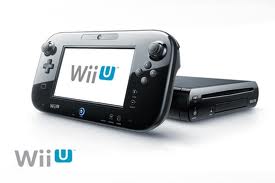
Wii-UAfter a few days of playing with the Wii-U (once I managed to pry it out of the hands of my 14-year-old) I thought I’d post my thoughts.  An HD Nintendo console has been overdue for quite some time, so it’s a relief to finally see them catching up (somewhat) to the “big boys”–PS3 and X-Box 360–though new consoles from both of those companies are now in the works as well.  But Nintendo reminds me a lot of Apple in the way they evolve.  They’re slower in movement, but over time they do get it right for their particular audience.  Anyway, the Wii-U is an excellent replacement for the Wii.  I am very relieved to see that we can still play our old Wii games on it, so we can get rid of the old thing completely.  It was a pain to have to bring the TV down to a standard definition video image to use the Wii.  Now everything can remain in full 1080p HD.

The Wii-U comes with a huge “GamePad” controller, which is much like a small tablet combined with a Wii controller.  It has a decent-sized touchscreen–at least it’s bigger than the Nintendo DS screen–and feels very comfortable in the hands.  It’s nice and light, with nice finger grooves in the right places underneath and a stick on both the left and right sides.  Many games allow their gameplay to run on either the Gamepad screen or the TV screen, and some allow both simultaneously.  Unfortunately this doesn’t apply to all games–and doesn’t apply to the old Wii games at all–but hopefully this will change in the near future with an update.  Being able to play on just the gamepad–even if you can only go up to 40 feet away from the console–is HUGE for our household.  To Kevin, it means being able to still play the console games he wants when he has time, while we can still watch the TV shows we want.  If Nintendo adds this feature into the classic Wii software, I think this feature alone could justify its price for a lot of families!

The good ole “Mii” universe is alive and well on the Wii-U, and there are always hundreds, if not thousands, of other users visiting our system and posting comments about all of the games.  We even see posts from others as we finish levels of some of the games, and I’m always wondering if the comments are actually directed toward OUR game or just generic comments… Can other users watch our gameplay?? Can we watch theirs?? I haven’t found this out yet.

For the old Wii games, there’s a “Wii” option provided as a separate app, which takes you to the classic “Wii Menu” and provides the exact same interface as the old Wii system.  In fact, you have to put down the Gamepad and pick up a standard Wii controller to play any of the Wii games and use the Wii menu interface.  We did the “Wii system transfer” before completely taking our old Wii out of service, and that was pretty flawless, once we got it going.  This was a lengthy process though, probably because we had accumulated a lot of game save data, Mii’s, and games from the Wii Store over the years.  The process is fully animated once you start it, and kind of plays out like a little cartoon, with “Pikmin” characters (from what Kevin says they are) carrying your data through the old Wii systems, out to a rocket ship and loading them up for the transfer.  One little pikmin character almost gets left behind, ala “E.T”, but they realize it before blastoff, and re-open the ship’s bay door and let him in at the last second.  Once the data is saved to your SD card, the ship takes off and your’re ready to insert it into the Wii-U, switch to that system and continue the process where the ship then lands and the pikmin unload the data into the new system and setup the icons.  It’s an amusing little cartoon, but pretty monotonous if you have a lot of data like we did.

The Wii-U also has “TVii”, which I originally thought would be a streaming TV service from Nintendo, but unfortunately it’s not.  All it is, is a “remote” for your existing TV and cable box.  You select your TV remote by answering a few simple questions based on whether the TV responds to the signals the Wii-U sends, and it sets up the remote for it.  This is definitely the simplest “universal remote control” setup I’ve ever seen, by far.  Totally painless.  Then it does the same for your cable box and cable provider.  Once that’s done you can completely control your cable box and TV with just the GamePad, replacing your two remotes.  Unfortunately, WE have much more than that to control, including our stereo, PS3, X-Box, etc., and the Wii-U doesn’t go any further than the two devices.  If someone could just make a 15-device universal remote app for the Wii-U, I’d gladly pay for it…that would be bliss!

Other apps included with the Wii-U are Netflix and HuluPlus, which both work great.  I’m currently using both services and comparing them.  Using the Wii-U interface, Netflix easily outshines HuluPlus, in my opinion.  In the Netflix app the interface on the Gamepad screen matches the TV interface, so you can use either one to select a movie or TV show and watch it on either the TV or the GamePad. Excellent!  But in HuluPlus on the GamePad, it only shows you the currently-selected option, very large, in the middle of the GamePad screen.  You have to look at the TV to scroll and select what you’re looking for.  Unless you memorize the layout of the menus, you can’t use just the GamePad to find a movie or TV show to watch, so it’s rather limited.  I’m guessing Hulu will fix this in an update though.  In comparing the Netflix and Hulu services themselves, it’s pretty much a draw.  They both offer little of the same content.  They seem to each have their own contracts for the content they offer, and both have good solid YV series offerings and movies.  It’s a tough split.  One minus on Hulu is the fact that its TV shows include “limited commercial interruptions” throughout its TV shows.  Sometimes this seems like a bit much, with hour-long TV shows sometimes having numerous 3-commercial breaks.  And there’s no fast-forwarding through the commercials either–you’re stuck with them.  I did find, several times, when I did several fast-forwards and rewinds to rewatch a part of an episode, that it can get confused and then lets you fast-forward through commercials, but then thinks a later section of the actual TV show is the commercial block!  Then later it seemed to realize it was messed up, and when I went to fast-forward or rewind the show it reset it back to the beginning again.  Pretty irritating, but it didn’t happen often and I couldn’t repeat the glitch at will.  Most of the time it worked fine.  Both Netflix and HuluPlus also have an autoplay feature for TV series playing, so you can seamlessly watch a series without manually having to start each episode.  But since HuluPlus has a commercial block before every episode and after, you have to site through a huge block of commercials (usually 6) between each episode.  A big PLUS with Hulu, however, is with current TV series playing.  Hulu gives you the current episodes of TV shows, while Netflix only provides you with previous seasons, only releasing new seasons of a show long after the next season is airing or long after the series is completed.  I guess you have to weigh the value of this with whether you watch a lot of currently-airing series’ or not.  Both services are $7.99 a month, so it makes me wonder if Hulu is worth it for all the ads when Netflix is ad-free.  But, like I said, there are enough differences between the two services to warrant having both of them, for those who can afford it and are avid movie and TV buffs.

But back to the Wii-U: The Wii-U store currently offers a very small selection, but that’s just because it’s new.  They haven’t added any of the classic Wii games to the store yet, so only Wii-U games are there at the moment.  When they finally get the games from the old Wii store into the new one, there will be a much better selection.  And it’d be even more awesome if they also add all of their classic “boxed” Wii games as digital downloads as well!  They would certainly make a fortune, especially on those hard-to-find classics.  I know they can do it–they already offer most of their new “boxed” Wii-U games as digital downloads, and the classic Wii games are much smaller in size, I’m sure.

We played a bit of Mario & Nintendoland for the Wii-U as well as a couple of the new downloadable Wii-U games that were on sale this week in the Wii-U store, and what does Kevin come back to the most?…. wait for it…. a cheap download called “Little Inferno”!  This game is just plain “WRONG”.  It teaches kids how to burn their toys.  It’s aimed at older teens, obviously, and always warns you not to play with fire, but it provides you with a safe environment to do so, allowing you to burn everything from all kinds of toys imaginable, to batteries, to a school bus full of screaming children, or an angry elf (yes, Jay–an Angry Elf) who has a belt of dynamite strapped around his waist.  It’s totally wrong, but I must admit it’s very addicting to but everything and see the way each item responds to a flame.  How this game got past the Nintendo approval process I have no idea–I guess it’s a good test of the parental controls on the Wii-U–you can block your kids from playing it if you want.  But, if they gotta play with fire, I guess doing it on the Wii-U is tons better than anywhere else!

I think Nintento has a great start here.  As long as they get busy with updating and keeping on top of the issues in a timely manner, this will turn out to be an awesome Wii system.  The GamePad features alone can make it almost as useful as a full tablet, if they make the right improvements.  We’ll see what happens.

Another old photo album scanned

Old Photo Album 13
Old Photo Album 13

Today I scanned in another one of my dad’s old photo albums.  This one is Album #13.  I think most of its photos are from 1987-1988, but I’m not sure.  There are definitely a couple black & white photos that are WAY out of that range, but those had details written on the backs.  Many others were unlabeled and I don’t know who they are.  It’s a rather random collection of nearly 100 photos, including many of Joe Smith, Harold, Donna, Penny, Linda, Missy, Kari, Beth, Loretta, Roger, Clayton, and many other kids and adults.  There’s even a shot of lil Jayson on my lap… Ha!  As usual, I could use a little help with the unknowns, if anyone recognizes someone.  I think some of these are of Paula and her family, so, Paula, if you can help out with some names, I’d appreciate it!  Please add any details to a photo under the comments for that photo, and I’ll update the captions accordingly.  Thanks…and enjoy the photos!

My first look at the Samsung Galaxy S III

This is my dream phone. (The HTC Desire was my Nightmare!) For starters, the 32GB of memory is fully open to your apps, data, files, music, photos, whatever you throw at it. (The HTC Desire, after all of your updates from a fresh wipe of the phone, had about 80MB available. That’s about 1 or 2 apps you can install, since you’re “supposed” to leave 30MB free so the phone will run properly). With Andoid 4, like I have on my tablet, there’s no arbitrary 1GB or 2GB app memory limit, it’s wide open for whatever you want, giving you all of the memory in the phone, whichever way you need to use it. Android 4 (Ice Cream Sandwich) is very smooth and functional, and it means I can install the Apex Launcher and get all of the benefits I only previously had on my Motorola Xoom tablet on my phone now! With the same OS and launcher on both of my devices, it also makes things so much easier to deal with all the way around. If you end up getting an SIII yourself, save yourself a lot of frustration and re-learning, and install Apex Launcher as one of the first things you do. It’s really worth it! If you wait until later, you’ll end up having to re-learn how to use with the menus and functions, which are much different (and very enhanced and expanded) in Apex Launcher, and you’ll also have to completely setup all of your home screens from scratch, of which, by the way, you can have nine, and I always increase it to the maximum, just to I have an extra home screen or two to play around with, or view the wallpaper cleanly at any given time.

The camera has some nice improvements over my Electrify–it has a great HDR photo mode that takes awesome shots, has a 20-frame burst mode (the Electrify could only do a 6-frame burst), and a very cool addition to burst called “Best Shot” where it will take a burst of photos, analyze them, and suggest the best one for saving. You can even look through them yourself and choose one, but, as expected, the phone probably chooses the best one correctly every time…unless you WANT some blur in your phone. There are many more new camera features as well, but I leave it at that for now.

Siri is even included on this phone! Well, actually her name is “Galaxy” on this one, but it’s virtually the same as Siri. Double-click the only button on the phone and she makes a tone and says “What would you like to do?”, and waits for you to talk to her. She reminds me a lot of “Eliza”, the old artificial intelligence program that started the whole “AI” revolution just after PCs came out and started to do speech synthesis. She’ll make smart remarks to silly questions, just like Siri. She’ll give you the weather when you ask if it’s going to rain, and answer all those questions you would normally use Google for. I asked her “What’s the population of Kenosha, Wisconsin” tonight. She said “99218 people”. It’s like you’re talking to web. And that’s about what it is. If Google or Wolfram Alpha can give you the right answer, Galaxy can…while incorporating a little “AI pizazz” to make it seem more human.

The S3 runs on a dual-core 1.5 GHz processor, which is even faster than my tablet. It has a larger screen size that previous Androids, yet it’s much thinner than all of my previous phones (a whole two of them).

Complaints? Sure, I have a few: Since it doesn’t have an NVidia Tegra graphics processor in it, I can’t play my Zen Pinball tables! I guess I’ll have to keep playing those tables on my tablet…aw shucks. I also have a problem with the location of the volume buttons in relation to the power button. They’re exactly opposite each other on the phone, and I tend to squeeze the phone when I need to power on, power off, or adjust the volume, causing the other side’s button to push as well. This results in me either turning the volume up or down when I try to power the phone on or off, or vice versa. I think I just have to get in the habit of holding the phone properly in my palm, so that my thumb is always higher than my other fingers. And, lastly, at US Cellular, the only 32GB Galaxy SIII that they sell is WHITE. It’s not my preferred color–far from it–but I put it in a nice blue case, so it looks much better to me that way. The area around the screen is white, the bezel and back are blue…now, if I can just find a way to add a RED touch to it somewhere… “U-S-A!! U-S-A!!”

So, even with those negatives out there, none of them are deal-breakers for me. I love the phone and highly recommend it. Price? I paid $199 (after a mail-in rebate of $100) on an existing US Cellular plan (no contract).

New Kenosha Art

I added 8 new photos to the Kenosha Art set today.  These were all taken during my Pennoyer Park walk yesterday.  They’re the first 8 photos in this set – 2 new park signs, 4 black-on-blue themed music murals that were ocated around the restrooms at the bandshell, and 2 new tile art images, located on either side of the bandshell itself.  Enjoy!

Kenosha Art – click on any thumbnail to view the set

Flickr Backup

This morning I decided I wanted a create a few photo collages for my website’s header using all of the photos from a specific photo set I have in Flickr–“Swimming at Rosemary’s”.  Since all of these photos were taken on all different dates and years, I didn’t have a single “local” copy of them all in one place, like they are on Flickr–all of my local photos are organized by date taken, and also include all of my “garbage” photos (bad takes, out of focus, etc.)–which are kept for use in photo mosaics when I need them (they make great fillers).  So I set out to find a way to download an entire set of photos from Flickr.  Flickr itself has a lot of options, but this isn’t one of them.

Most utilities of this sort that I found are apps–they’re for Android, iOS, and Windows Phone.  After some searching, I found what I was looking for: FlickrEdit for the PC.  I downloaded it, and it’s not even an installer, just an exe that runs immediately.  It’s very straightfoward and easy to use.  It even connected directly to my Flickr account, only asking for Authorization from Flickr to access my account, which I was already logged into.  Once I accepted, it started loading my thumbnails.  It displays 50 photos per page, so you don’t have to wait for entire sets to load, if you have more than 50 photos in a set.  You can simply select the photos you want to download, or select an entire set, then download it to a specific folder.  It’s pretty quick too–it downloaded my entire “Swimming at Rosemary’s” set (302 photos) all at their original sizes, in about 20 minutes.

FlickrEdit is a really nice app, and it’s a relief to know I now have it available for those times when I need a complete set of photos from my Flickr account, and just knowing there’s a simple method available if I need some disaster recovery of all of my photos some day.  I added a couple new photo collages to my website header, so you’ll probably see them up there once in awhile.  For a few days though, while it’s still super-hot and dry around here, I’m going to leave it on one of them as a static header, just to chill.

Arizona Road Trip

We are currently on a one-week vacation in Arizona!  We drove down here, leaving Wisconsin on Thursday, April 5th, 2012.  Here’s some highlights:

This was our drive from Wisconsin to Arizona.  Then I tracked our Grand Canyon visit on Everytrail. Most of the photos from the Grand Canyon are attached to the Everytrail trip, but for the COMPLETE Grand Canyon collection, click here.  I also took two panoramas, which are here and here.

I also tracked our drive up to the top of South Mountain on Everytrail.

Here are a couple of Panoramas from the top of South Mountain.  You can rotate them 360 degrees, and view them fullscreen:

http://www.photaf.com/index.php?PanoramaId=79400
http://www.photaf.com/index.php?PanoramaId=79399

Here’s a few of my favorite shots from the trip.  And here’s our collection of photos from the Gateway Arch.

Here’s our photos from Jerome, Arizona – a tiny town located at the top, and on the side of, a mountain.  What a scary drive this was, but the food at The Haunted Hamburger was great!  It was featured on the Food Network.  And this is the complete photo set from our trek to the top of South Mountain.

And last, but not least, this is a collection of Achmed and Walter’s antics on the trip.

Zombies invade Lincoln Middle School!

UndeadKev - BeforeKevin’s really having a good time with his Theater Arts class this year.  First he scared the crap out of us when he came out of school with horrible head, arm and hand injuries.  This week he came home Undead!  I really got a kick out of it.  So much so, that we both decided to take it even further and digitally enhance him even more.  I used Kai’s Power Tools on his teeth (yikes! Sounds painful!) and google image searched for “scars and cuts” and found some decent skin disorders to copy.  Believe me, the ones I actually used were extremely mild compared to the horror that I found in those search results!  Take a look at the before and after photos.  He took a copy of each photo to school today to show them off.  On the back of the BEFORE photo I wrote “Dawn of the Dead”.  On the back of the AFTER photo I wrote “28 Days Later”.

Old Photo Album 12 is now up!

Old Photo Album 12I just finished scanning Album 12 from my dad’s old chest.  This poor album had nothing at all to identify any of its photos.  Luckily, I recognized a lot of its contents, so I added all the details I could.  There’s some great photos from one of my mom and dad’s vacations to her father’s place – The Little Buckaroo Ranch in Modesto, CA.  I remember them deciding to take Elizabeth on that vacation, but they couldn’t afford to take anyone else with them, so I had to stay home.  It was her first time flying, I believe.  Other photos include various family members and relatives in Kenosha, and a few more mysteries.  Enjoy!

Old Album 11 coming soon

Old Photo Album #11 is coming this weekend.  This one has been a real challenge.  I have spent almost every free moment I’ve had this week just scanning, cropping, editing and filtering these photographs.   This album is (or I should say WAS…read on) filled with mostly black & white, very very old photos, some of which have faded almost completely to white.  They kind of turn a ghostly grey shade, with an almost invisible image on the paper.  Luckily, applying a few filters pulls much of the photo back, restoring it enough to be recognizable.  That is, if you know the people or places in the photo already.  And, for many of these, this has been another part of this album’s challenge–trying to identify everyone.  You’ll find plenty of photos titled “unknown” in this album.  There were so many, in fact, that halfway through scanning the album I decided to go the extra mile on this one and fully disassemble the album to get to the backs of each of the photos, hoping there are written names and details on them identifying everyone.  That turned out to be the case in about 1/2 of the photos, so it helped quite a bit, but left me with a ruined album. The originals are mostly destroyed.  Peeling them off the sheets ripped many of them apart.  I figured this might happen, which is why I made sure I had good scans of every photo before I attempted this.

So, at this point the album is at just over 200 photos in size, with still probably a couple dozen or so that are still “unknown”.  Most others had some writing on them, so I added that to the captions, as well as filling in my own details from memory whenever it worked for me.  Some of the photos are only about 1/2 the size of wallet-sized, so they can be pretty tiny.  I have about 10 more double-sided pages to edit and save, and the amount of photos on a page varies a lot from 2 or 3 bigger photos to 10 or more small ones, so there may be 300+ photos in the album by the time I’m done.

I should be able to complete it this weekend though, and get everything posted.  So, as I’ve asked in the past, if you know anyone in them that I haven’t already identified in the titles, please add a comment to the photo.

Old Photo Album #9

Old Photo Album #9
Old Photo Album #9

I just uploaded Old Photo Album #9.  84 photos in this set.  Includes Harold, Donna, Beth, Penny Clifford, Clayton, Paul, Paula, Karen and one of her exes (Bert) and many others.  Also includes a few photos of Rex and Prince, two of the dogs we had.

It’s a little easier for me to scan a whole album now, so you should be seeing many more of these old photos from me real soon.  I can insert a flash drive in my MFP and scan whole album pages directly to the flash drive, so I don’t have to leave the scanner for each photo or each page any more.  Then I move the flash drive to the PC and process all of the pages at once.

Snow Sculpting Championships 2011

Snow Sculpting 2011We went to the Snow Sculpting Championships today, as we do every year.  This time Sandy went with us for the first time–and it was Kevin’s birthday.  This year’s contest seemed to be a little lacking in content though.  Probably because we heard that a few of the teams didn’t make it to the competition because of the blizzard.  Their planes didn’t make it in time.  There were still some really good ones though.  Unfortunately, most of them weren’t named and described very well, as they were most other years we’ve attended.  So I have named them by their team states and block numbers.  Once the official winners are published and the names of the actual sculptures are given on the official site, I’ll update this posting to let you know exactly who won 1st, 2nd and 3rd place.  For now, see if you can pick the winners.  Click here or on the thumbnail to view all of the photos.

Update: Winners Announced:  I have renamed and re-sorted the photo set, so the 1st, 2nd and 3rd place winners are first in the set.  Here are the winners:

1st Place: Wisconsin – “Mercury Racing Pegasus”

2nd Place: Wisconsin – “Davy Jones’ Locker”

3rd Place: Alaska – “Dance of Axcagon”

Netflix goes disc-free on PS3 and Wii! Woohoo!

This is quite a relief!  We no longer need a disc to watch Netflix on our PS3 and Wii!  I guess their exclusivity agreement with Microsoft has now ended.  We love watching Netflix on the PS3 more than the X-Box–even when we had to use the disc–because we have an older X-Box and it gets quite loud trying to keep itself cool combined with the generally louder drive.  We still have an older “fat” PS3, but it’s second generation, and pretty quiet in comparison.  It also keeps itself much cooler.

The new Netflix Instant on PS3 also brings to totally new interface we’re trying to get used to.  It looks much better so far though, so I think we’re going to enjoy it a lot more.   As for the Wii, who knows?  We don’t use it for Netflix because of the much lower resolution, but we did get the Netflix disc for it in case we wanted to use it.  I guess if the interfaces ALL improved a great deal, I should give it a shot sometime and see.

Now if I could only get Netflix to stream on my Android…

Jay’s Weekend Visit

Jay is in town this weekend, up from Arizona for the weekend!  We had a pretty busy day today, starting with Ty’s football game this morning (which got rained out after 3 quarters just before they were going to put Ty in!) so Jay didn’t get to actually see him play.  No one told Ty that his dad was coming this weekend (on purpose), so it would be a surprise.  I did get one photo of Ty running…back from the porta-potty!  We grabbed lunch from Hungry Head, then Jay fixed a little plumbing problem we had at the house (saving us a bundle we would have had to pay a plumber).  After that we went out to Wells Brothers in Racine for their awesome, world famous, paper-thin-crusted pizza.  We’re all stuffed!  Click here for the photo highlights.  And here’s a quick video taken after the game was rained out:

[chromeless id=dX8tIbNHv2s]
