Category Archives: Playstation (Sony)

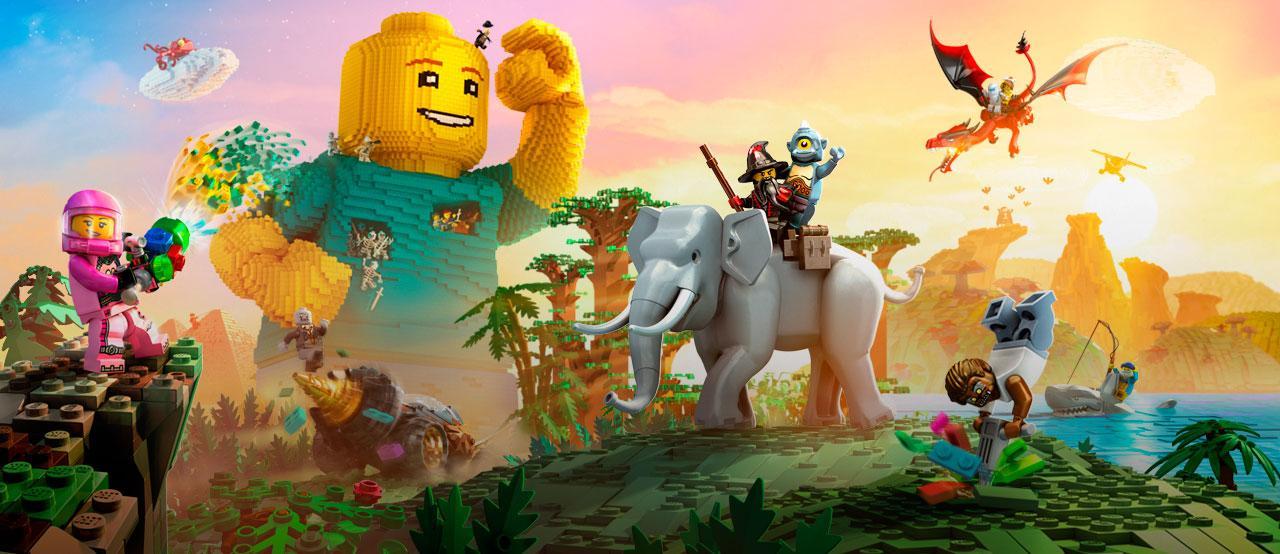
Update on my Lego Worlds addiction

I certainly haven’t stopped playing Lego Worlds.  In fact, it has gotten a bit out of hand.  I now have it on 4 platforms: X-Box One, PS4, Switch and Steam.  Crazy, right?  I only mention it now because I just completed another milestone.  I just made it to 100 gold bricks on the PC version.  Here’s my stats for each system:

Switch – 985 items, 106 gold bricks
X-Box – 1175 items, 115 gold bricks
PS4 – 1194 items, 127 gold bricks
PC – 830 items, 100 gold bricks

With that goal completed, my next goal is a bit more challenging and probably only requires a bit of time:  Acquire all building block types on each platform.  On PS4 I’m actually at 100% already.  I’m not sure how, but I’m pretty sure it wasn’t coincidence.  The game seems to just “give” you another piece you need when you either tackle the troublemaker in any world or open a chest.  This is completely random though, and most of the time you’ll get other items, including gold bricks, tools, or actual brick builds.  It just seems to be very random, so it only takes time to eventually get there.  It should be interesting to see how long it takes.  I’ll keep noting my progress here once in awhile.  Not that anyone’s actually interested though.


Lego Worlds – A review

Hello, my name is Jim and I’m an addict. Yeah, I’m a grown-up… And still I play with toys. Legos are all the rage these days–even in the movies. So when Lego Worlds was recently released for the PS4, I jumped on it almost immediately. I’ve had the Early Release version for the PC on Steam for quite some time, but I only played it once in awhile. It was a really cool open world system, and you just dove in and started playing around with objects and characters, building and breaking things, etc., etc., much like Minecraft. I find many games a bit difficult to play on the PC unless I have my Steam controller optimally configured for that particular game, and in the case of Lego Worlds on Steam, I just wasn’t able to get it working to my liking, and often gave up trying to get it to work properly for me. So when the PS4 version was released, I knew that, finally, it must have a controller configuration good enough to work with on the PS4, so I gave it a shot.

I don’t know if the Steam version ever received the same treatment that the PS4 version now has, but there certainly wasn’t Tutorial levels and gameplay like there is on the PS4 version when I was playing it on Steam! My initial experience with the PS4 version was totally new, and it’s really interesting how it first teaches you the basics, giving you lessons along the way, and as you progress through the tutorial levels you learn more and more about how everything works, more items are given to you, and you basically (at least in my case) become addicted and want more and more eye candy, game candy, object builds, blocks, gold bricks… The tutorials end after 3 or 4 different worlds are “completed”, then you unlock the main “game” that in-turn unlocks everything else. The ultimate goal being to reach 100 Gold Bricks, which unlocks the ability to create NEW worlds of your very own. So this is all sort of a huge “training ground”, or a giant tutorial if you will, to prepare you for the open world creation freedom that is to come–which then, I imagine, works somewhat like Minecraft, where you can either start with a blank world, scarcely populated or completely blank, and build upon it whatever you will. Except that with THIS game, the tools at your disposal are far beyond anything I’ve ever seen in Minecraft!

But getting that far (100 Gold Bricks) is still on my horizon, so I can’t really say for sure how that part of the experience is yet (hence the “incomplete review” title). I’m at 71 Gold Bricks as of this writing, and climbing daily. The pace at which you gain bricks varies quite a bit, from what I’ve seen though. What happens after the tutorials is the ability for you to generate random worlds, then travel to them, explore and plunder them, all in an effort to gather everything you can from the world. This includes completing quests the characters on that world ask of you, finding chests filled with objects (including Gold Bricks), exploring, tackling troublemakers (who will come up to you and taunt you with the game piece they’re holding, then run from you as you try to tackle them to get the piece) and just plain trashing everything you can to gain studs (every Lego game’s currency). When you “Discover” an object in the game it gets added to your inventory, but you can’t actually “use” the object until you purchase it in the game using some studs. The value of each object in the game is pre-defined–for example it might cost 2,500 studs for a particular in-game vehicle–so if you pay that to unlock it, you can then deploy that vehicle anywhere, on any world, and use it in whatever way suits you. Or, perhaps an object is needed to complete a quest, and you have it… Use it and get rewarded with even more studs to use in the game. Added to all of this is the expansion of world sizes you can play in. You start out with just small worlds (as if that doesn’t overwhelm you enough), but after obtaining so many Gold Bricks you unlock Medium-sized worlds and everything is a lot bigger. Then, further on you unlock Large-sized worlds, and then, finally, Huge-sized worlds.

This very open-ended random-world generation makes things pretty interesting, and definitely a one-of-a-kind experience for everyone, and your own personality and tendencies come into play quite a bit. For example, there’s some really neat dungeons in the game, which are filled with traps, puzzles and monsters… Get through those successfully and you’re rewarded with many huge piles of studs! This is all really fun to play around with, but a smart kid just in a hurry to reach the end-game knows that with all of the tools available at that point in the game, one could simply pull out the landscaping tool and level the entire dungeon in one fell swoop.. or use to bazooka to blast right through the walls to the treasure. I considered this myself, briefly, before deciding to take the high road and experience the dungeon like I assume it was intended. Maybe later on I’ll come back and play around with leveling it, even if only to see how it was built and to possibly use some of it’s traps in the free world-building part of the game that I haven’t gotten to yet.

The game isn’t without it’s little quirks and bugs though. But I’d expect as much for a project this vast. There will no-doubt be updates to fix it up, I’m sure. One complaint I have might be a bug, but I’m not really sure. Right now it’s just an annoyance for me. Another family member found an awesome random world and wanted me to try it out. There’s an option to enter a random world “seed” on the main world selection screen, so I assumed this would allow me to enter the number he provided and I could then play that same world. So I entered the number, it appeared to show it in the mini map, but when I travel to the world, it’s a completely different random world! I can’t seem to get it to accept that exact number sequence, though it does allow me to see a preview of it. Very annoying. I can’t find a solution (or others even complaining about the same thing) on the web yet, so I think it’s just a bug that hasn’t been discussed yet.

So that’s the game, in a nutshell. I’ve been through the desert, the old west, a few very hot lava-filled planets, a few made of candy, some desert islands with interesting surprises, many caves containing buried treasure among other creepy things like spiders, scorpions and even zombies and swamp monsters, cloud cities and have even found many underwater treasures–including sunken shipwrecks, sharks, fish and even a few underwater cities. I can tell that the creators sure spent a lot of time either manually building whole areas brick by brick or wrote one heck of a procedural engine to generate worlds! It seems they are endless in their quantity, somehow. Like Minecraft, it boggles the mind. And, in the process, it feels like by the time I’m up to the 100 Gold Bricks needed I will have amassed hundreds of “discoveries” consisting of vehicles, characters, animals, insects, weapons, objects, and even whole “brick builds” (one-click mass-builds of large objects that assemble themselves before your eyes, instantly), and I will have learned quite a bit about the Lego world and what I am capable of as a “Master Builder”. I can see there’s also a lot of artistic skill needed as well, so for me things are going to take a lot longer to get right if I’m going to create any Lego Worlds of my very own. I’m sure going to want to, after spending this much time working through the entire game.

I’ll be sure to come back and complete this review or write a completely new one after I have completed the 100-Gold-Brick goal and am able to create entirely new worlds in the game. At that point I’m sure I’ll know even more about it and have much more to say. Now I’m going to head back into this Atlantis-looking underwater world I just found… I sure wish I could hold my breath for longer though… maybe I’ll find a or earn some scuba gear soon.

The Finish Line – Update added 3/24/2017

I made it. Last night, after sitting at 98 Gold Bricks for a day, I jumped in and made the push to 100 and made it. I saved the last 7 minutes of my gameplay if you’d like to watch it: https://youtu.be/NFaPjYGQ39c. As a subtext to the video: I had a trapped, frightened gingerbread person stuck on a rooftop. He/She had a gold brick, and if I could save them I would get my 100th brick. I had previously tamed several pigs, so they were following me around at this time. After some playing around with the landscape tool I managed to get the character to drop to the ground. As the gingerbread character pulled out its gold brick to throw it to me, he was attacked by my pigs and killed! NO BRICK FOR ME! Nazi Soup Pigs. But soon it happened again–another frightened gingerbread person in the same area… So I immediately took action, usied my scimitar, and sliced me up some tasty bacon to get that elusive last gold brick!

Obtaining 100 gold bricks gives you the rank of “Master Builder” and also unlocks the option to “Create custom worlds” in the game. So I played around with that option for the rest of the evening (and this morning before work) and I must say, the options are nice. I was a little disappointed at first when I couldn’t find an option to just start with a completely “clean slate” – just a blank, empty world, flat, with nothing in it – but I soon found that this was probably not an oversight, it was most likely done on purpose. You can, as they say, “create the Lego world of your dreams”, and if you desire a blank, flat world, well… go for it! It’s doable. Just do it.

Technically, you can’t actually “Create a new world”, as the voiceover announcer describes it at the end of obtaining 100 gold bricks (as you hear him say in my saved video). That’s deceiving, and I think it was actually a mistake. the game itself shows the option as “Create a custom world”. This is a bit more accurate, because you can only choose the individual Biomes, Animals, Characters, Vehicles and the world size you would like, then click the “create” button, and what it does is give you a world seed of that size, with those options set. It’s still a pre-defined world, with a seed you can share with any other Lego Worlds player. Your version of it might be just initially populated a little differently than anyone else’s, based on your preferences.

But this was a very interesting design choice for the game, as you’ll see. I set out, then, so create what I just mentioned above: A flat world, like a clean slate to start with–no animals, objects, or anything–sort of a complete beginning–so I know exactly what’s in that world, and everything in it I know came from me. The various tools available in the game are very fun to learn and use, so it’s not a problem at all. I chose the smallest world size, and just one “open prairie” biome, so the world would be as easy to flatten as possible, with the least number of objects to have to destroy and clean up. I used the “flatten” landscaping tool to level everything down (or up) to the same level, making it all flat. I guess I should say “am using”, as I’m still actively working on this world as I write this. My initial world came with many vehicles, animals and characters spread all over it, including a quest area or two, so I have plenty of work to do. As I level the landscape, animals on it will shift up or down to meet the ground and keep travelling on it, and I’ll select them and “remove” them to pop them out of existence. Sometimes I’ll run into a character or animal I haven’t discovered yet, requiring me to complete a quest first, before I can work with that particular animal or character. This is a fun side-objective, and it also provides you with more characters, objects and animals to use in the game. It even makes the dullness of simply flattening everything on the entire map much less so.

So create the Lego world of your dreams is fun, and there’s plenty to do along the way, so get busy. There are even plenty more gold bricks I can obtain as well as secret “Legendary” puzzle pieces which can be assembled to reveal even larger “Legendary Gold Bricks”, as well as many other things. It also seems like I will never have every single object, animal, character or vehicle in the game, so opening chests and completing quests can always earn me something new and unexpected along the way–especially with the possibility of downloadable content and add-ons that are sure to come later on. So I’m heading back in now, gotta keep flattening. Haylie wants an empty landscape to build her dream world on the next time she visits. This concludes my review.  I really like this game.

Playstation Now

Sony offers a new service for PS4 users called “Playstation Now”.  What it does is offer a free “streaming” library of classic PS3 games that you can run on your PS4, much like how Hulu and Netflix offer streaming movies.  You pay a monthly fee for full access, and in return you get open access to their entire library of Playstation Now titles (currently over 400 games).

Kevin and I are trying it out right now with a free 1-week trial.  So far, it seems to be pretty decent.  Another big benefit is that with this membership you also get the ability to play all of these games on a PC.  This doesn’t come without it’s own little hitches though–your PC must meet the minimum specs to run the Playstation Now software and you must connect a PS4 controller to your PC, either with a USB cable or with an adapter available for an additional fee from Sony.

I’ve been on a 7-day free trial for several days now, and I’ve tried most features as well as dozens of games.  The pricing is currently $19.99/month or $44.99 for 3 months (about $15/month).  Somehow the games really are “streamed” too.  This means they’re not installed on your PS4 or your PC, the data they use is streamed over the internet while you’re playing the game.  There may be some temporary storage on your local drive, but this appears to be removed once you exit the game you’re playing.  I have played over 40 games from Playstation Now so far, and have noticed no decrease in the free space on my PS4.

Gladly, each time you play a new game from the service, an icon for it is added to your PS4, just like any other installed game icon.  This means that in order to play that game again, you only need to open that icon and don’t have to re-open the Playstation Now application each time (unlike Hulu or Netflix).  I love this feature!  This way, I only see my favorite games on my PS4 and I can organize them any way I wish.  I chose not to mix these titles with my installed and purchased PS4 games, so I created a folder called “Playstation Now” and I put all of those games in that folder (along with an icon for Playstation Now itself, for easy access when I need it).

Sony has been pretty active with adding new games to the service, and I believe 20+ games were added just this past month.  This is quite a few more than Playstation Plus, which is currently offering 2 games per month for PS4, 2 games for PS3, and 2 games for PS Vita–their handheld game system.

When you start a game from Playstation Now, it downloads what it needs from the server, so naturally it takes a little longer to start a game.  But with today’s internet speeds, and Sony’s Internet speed requirements for subscribers to actually be able to use the service, this isn’t very long at all.  At least not for me.  I must admit, however, that I do have the top speed tier with Time Warner Cable, so I’m not sure how much of a difference that would actually make compared to other Internet Service Providers.

I do have a few concerns about the service at this point though:

  1. What will Sony do when they run out of old PS3 games to offer?  And when will this happen?  I’m not too sure developers are still developing games for the PS3, and if they are, it has to be much less than when it was Sony’s top gaming platform.
  2. One time, when trying to start a Playstation Now game, I was told that all of the servers were busy and I had to wait in a queue.  The wait time was currently 1-2 minutes.  After that wait time, the game launched.  As the service gets more and more popular, will this happen more and more and will wait times get longer and longer just to play?  Or will Sony reliably add more and more servers as needed to keep up with the volume?
  3. Did Sony choose to not allow backward compatibility on the PS4 just so they could make more money with this subscription service?  X-Box One has backward compatibility, though not 100%, but they’re improving it more all the time.  We still have our old PS3, and plan to keep it, now that we know we can’t play any of our old games on our PS4–unless we keep paying for Playstation Now–which offers many of those games, but still not all of them, though it does include many other good games we hadn’t ever played on PS3.  I guess I’d have to add up the possible cost of the entire Playstation Now library (which continues to grow all the time) and compare that with the monthly fee times how long we’ll potentially keep our PS4 to see which would save us the most money in the long run.  That’s a tough one.

Life is but a stream…So it seems like you’re actually running your game on a PS3 server somewhere at Sony, and your PS4 (or your PC) is simply serving up the screens it’s fed.  If this is the case, I don’t know how it can keep up without severe lag, but somehow it does…most of the time.  Several times during gameplay I have noticed the announced warning icon appearing in the corner of the screen.  They explain this icon each time a game is started, explaining that this means your internet connection quality (speed) has decreased, and you should save any progress you’ve made, if possible, just in case you lose your connection to the server.  Nearly every time this appeared, it disappeared again a short time later and I noticed little to no effect.  There may have been some frame loss resulting in a little jittering in image quality, but nothing else.  In one case, however, I’ve lost connection completely and the game exited on me.  A few minutes later I was able to re-launch it and pretty much picked up where I left off pretty easily.  Basically, before you subscribe, you definitely want to go with the free 1-week trial and make sure your own internet connection is reliable enough to play the games without issue.

Another key question I had with the service was whether it worked just like purchased game licenses work on the PS4.  This is where you can purchase one license for a game, install it on two PS4’s in your household, and two players (the players set a “primary” users on each other’s PS4’s) and both play that game together or separately.  I was hoping that this functionality also applied to Playstation Now, and I wasn’t disappointed.  It worked fine for Kevin and I, and we both played a long session of “ibb and obb” together (a simple, yet very interesting mind-bending puzzle game–something, it turns out, Kevin is actually better at than me!).

But so far, overall, I’m impressed.  I had no idea at all that you could stream games this way, using virtually no local hard drive space.  I had assumed this service would end up maxing out my hard drive and I’d be constantly swapping games out and installing others just to play everything.  The price seems a bit steep, but since the entire library of 400+ titles and growing weekly or monthly, I think it beats to 2-titles-per-month that Playstation Plus gives you…even though Plus gives you genuine PS4 titles that you then own a license for and have to install locally (but on the other hand, you own that license to the game, even if you stop subscribing to Playstation Plus, unlike Playstation Now where you lose access to its entire library if you stop subscribing.  At $15 per month (paying 3 months at a time) it would work for both Kevin and I on one account, so we could split the cost.  That brings it down to just $7.50 per month for each of us, which isn’t bad, in my opinion.

That’s about it.  Now let me go play some Red Dead Redemption, which I see was just added to the PSNow library…

PS4

I recently got a PS4.  The world of console gaming has changed quite a bit, so I figured it was about time I started catching up…at least for a while.  I’m sure I’ll soon be behind the times again and this brand-new console will be considered “old”, but until then, I’m going to enjoy it!

One of the big changes with today’s consoles is digital versions of games.  Every game can now be purchased as digital, which means you no longer need a CD or–God forbid–a cartridge–to play a game.  When you purchase a digital game, you simply download and install it directly on your console’s hard drive, and can play it whenever you want.  This also means you can install it on multiple consoles, and as long as you’re a user on that console, you can play it there.

Today’s games can sometimes be ENORMOUS, however, so the digital versions can consume a lot of hard drive real estate quickly.  Even most disc-based versions of today’s games require installing to the hard drive anyway though, due to the speed advantage it provides when loading and playing the games, so there isn’t even much benefit gained by having a disc-based game over a digital version.  If fact, these days I find it much less convenient to have to insert a disc to play a particular game rather than just choosing it from a menu to play–just like today’s digital movies.  I haven’t played a physical DVD or Blu-Ray disc in AGES, it seems like!  But that convenience doesn’t come without a price: SPACE…the final frontier… Having all digital games will quickly consume all of the hard drive space you have on your console, requiring you to either upgrade to a larger-capacity hard drive or you’ll have to remove older games you aren’t currently playing to make room for the new ones you want to play.

Luckily, right now hard drive prices are ridiculously cheap compared to what they were in the past and the amount of space they provide.  It would cost me less than $100 right now to double the size of my PS4’s hard drive, and eventually I’ll probably do that.  Right now I’m at about 50% full on my 1TB drive.

Sony also makes the process as painless as possible, only requiring the removal of one screw to pull the hard drive out and replace it.  Re-installing all of your data and games is another story.  You can’t simply copy your installed games from your old hard drive, even if you install it in a drive enclosure and connect it to your PS4 via USB.  Sony doesn’t allow this.  Only your game save data and settings can be backed up and restored from USB media.  All of your games and addons have to be re-installed from the Playstation Store…or they can be transferred over your network from another PS4 system.  The latter is the easiest option, if you have another PS4 on your network.  The data and game transfer is blazingly fast–much much more so than re-downloading everything from the Playstation store–so if this is an option for you, it’s definitely recommended over the re-downloading option.  Remember when using this option, however, that anything that you haven’t purchased yourself–like any games or addons that were purchased by another user–will appear as “locked” on your PS4.  You will have to either purchase that content for yourself in order to use it, or that user can still use that game or addon when they are using your PS4.  You’re also free to uninstall or delete any locked content on your PS4 at any time as well.

There is one odd way that two PS4 users can share purchased content, but it only works with exactly two people–and you better trust that person very much too, because you’d be opening up your entire account access to them.  You just have to activate the OTHER PS4 (the one the other person uses) as your PRIMARY PS4, and activate YOUR PS4 as the other user’s primary PS4.  Then you just use your account on your PS4, like normal, and since it’s his primary PS4, his purchased content is playable by all users on your console and you can play your own purchased content on it as well.  And because his PS4 is set as YOUR primary PS4, he can play his content on his PS4 as well as yours.  It works great.  But like I said, just make sure you trust the other user completely, because they have full access to your account and content!

I’m not old, I’m “classic”

xbox-360-elite-wcontrollerWe recently dug out our old X-Box 360.  We hadn’t used it in a few years, though it was still hooked up to a TV.  Again, like our PS3, the hard drive had gotten full, so things started getting difficult, and it ended up just going unused as we moved on to other things.  I considered selling the console, and even went as far as to gather up all of the info about it, including the 26 games for it that we have on discs, and I posted it on our Slack Team’s site.

But after a day with no response–during which time Kevin discovered about 11 or 12 more games on discs that I had missed–I also found that I have about 70 more games that I purchased as digital downloads from X-Box Live that were on the hard drive!  I should have considered this before posting the ad I guess.

So I took the X-Box 360 and moved it out to the living room and set it up again so I could thoroughly go through the system and catalog its entire contents.  After doing this, and actually finding many “lost treasures” in the form of classic games from my youth, I decided to promptly pull the ad and keep the X-Box 360.  The 70+ digital games alone would be quite a chunk of cash (at least for me) to throw away, let alone the 30+ disc-based games that we had purchased.

I loaded up a few of my classic favorites yesterday, just to try them out, and quickly found myself enjoying them all over again, not wanting to close them until finishing “just one more level.”  The hard drive did start sounding pretty loud after the system was on awhile though.  It’s the system’s original 120GB hard drive.  It’s pretty maxed out with everything I purchased back in the day, leaving 2.2GB of free space on it… barely enough to hold another decent game.   And of course, you know me… I immediately jumped on the interwebs and found a replacement internal hard drive.  The largest internal drive I could find, that matched the older X-Box 360 model I have, was 500GB for $40.  So I grabbed it.  In a few days I should be able to upgrade and then have plenty of breathing room to work with on my “refurbished” X-Box 360.

Just like with the PS3, I justify it by stressing how cheap the games, parts and accessories are for these old systems… And they play all the good old classic games I love.  I hope the 360, as well as the PS3, last for many more years.  I’ll probably try to keep my youth alive as long as possible!  Let the old-times roll!

PS3

Yeah, sure, the PS3 is pretty old now.  But I’d rather like to think of it as a “mature” console.  Not unlike myself, it is “aged”.  This also makes it–and its games and accessories–a lot more affordable, which is a huge plus, in my book.  It also has a long history, and has gone through 3 versions.  I look back at my purchase history and feel good remembering those classic old games and how much I enjoyed playing them.  All 800+ purchases.  Many of them, in fact, are console versions of even older “classic” arcade games, which bring back even more memories of my past.

One of my all-time favorite games was one of the first games I purchased for the PS3–Joust.  This was an arcade video game where you ride an ostrich and fly around jousting buzzards (and another ostrich if two people play it).  If you fly into a buzzard or the other player and your sword is higher than theirs, you win the joust and kill your opponent.  Kill all of the other players on the screen and you complete the level and advance to the next–harder–level.

I purchased this game in 2006–about 10 years ago, as a digital version.  This means there’s no physical disc or cartridge, you just download the game to your console, install, and play it.  It wasn’t until just recently that I became concerned about this method of game ownership.  First of all, Joust is no longer offered in the Playstation Store for purchase, so I can’t look it up there and re-download it, like I thought I could.  I imagine there are probably several classic games that I purchased back then that are no longer in the Playstation Store.

The reason for my concern is because I decided, earlier this week, to try to get back into playing some of my favorite games, just to relax a bit, and possibly play a little during my walks on my treadmill, but I quickly discovered that the hard drive on my PS3 (320GB) is completely full!  I had cleaned it up some time ago, removing all videos, music and photos, in order to free up enough space to install GTA 5, another great game I play occasionally.  When I say “play” referring to GTA 5, I mean just driving around freely throughout the city and county in the game, driving over people, destroying properly, jumping out and chasing down people to punch them out, and basically wreaking havoc  until the police come and try to stop me.  I don’t really play many missions, as you’re supposed to do in the game, I just goof around to see how much trouble I can get into.  But I digress.  Back to my full hard drive:  As I said, I cleaned up the drive recently, removing nearly everything I could that wouldn’t effect gameplay, and after installing GTA 5, it’s pretty much full to capacity again.

The PS3 has a backup feature, allowing you to back up all of your data and transfer it to another PS3 (or the same PS3 if you’re doing something like replacing the hard drive).  So I tried this, using a 64GB thumb drive I have.  So I started this process, and after several minutes of thinking, the PS3 told me it needed about a drive with about 200GB more storage space!  Agh!  I don’t have a flash drive or external hard drive available with that much space free.  I even tried one external drive that I store TV Shows on for use with my Plex media server, but that drive is formatted as NTFS, and the PS3 requires a FAT32-formatted drive in order to use it.  I know, that’s all Greek to the non-geeks reading this, so let’s just say “that drive won’t work on the PS3”.  My PS3 currently has a 300GB drive, which was pretty huge back in it’s time, but these days it’s hardly enough.

So there I was without a backup solution, and I had a brand new, 1.5TB drive (the largest hard drive the PS3 will allow) waiting to be installed in my PS3.  The way I saw it, at that point I didn’t have much to lose moving forward and installing the new drive.  I found out that I can access my entire purchase history and I can re-download everything I’ve purchased in the past, so I figured it would just require re-downloading everything I want to play.  I would lose my old game saves from way back when, but that’s no biggie for me.  Working through all of the levels in all the good ole games again just adds to the fun! I only had a 320GB drive before, so even if I install everything I had before, I should still have over 1 TB (1000 GB) of the new 1.5TB drive free when I’m done.

So I installed the drive, which was a pretty simple operation, and the PS3 simply prompted me for the latest PS3 update data, which I downloaded to a small flash drive and inserted, then it installed this and formatted the new drive.  All went well, and then I installed a few old games without issue.  They seem really tiny these days, especially on today’s huge-capacity drives!  Over time I’ll be installing a lot more of my old purchases, as I get around to more and more of my old games, and now there’s tons of space for some new ones, if I want them.  It’s nice to have some breathing room back, and it’s such a relief that Sony allows a simple method to re-download all of one’s old purchased content!  They’re earned back a little more of my trust, having lost a lot of it with their support of Cinavia–a copy-protection method that detects copied commerical media and prevents the PS3 from playing or streaming copied DVDs, Blu-Rays, and streamed movies that aren’t originals.  In today’s world, if you don’t keep a backup of something–especially something you purchased electronically, you’re always at risk of losing it due to everyday use, damage, or disaster, so backup copies are critical.  And Ciavia prevents users from being able to use those backups–basically resulting in the PS3 user being assumed to be a pirate!  This also results in the PS3 being rather crippled as a media center, in my opinion.  Whether Cinavia is still built into the PS3 these days, I’m not sure, but I think it’s still there.  I’ll find out soon, as I just installed the Plex app and will be connecting it to my Plex server soon.  Plex is a media server I use to stream all of our movies, tv shows and music to all of our devices.  If Cinavia effects Plex playback, I’ll have to uninstall it and just stick with using it through our Roku boxes as we always have.  That would be sad though, as using it through the PS3 controller or the PS3 Remote looks like it would be fun.

I also discovered, after accepting to two-week free trial of Playstation Plus, that they now offer online storage to Plus users for storing all of their game-save data!  I’m pretty sure that gives me a window of two weeks where I can swap back to my old, full drive, save all my game-save data to my online storage, and then swap back to the new drive and still access all of my game-save data (and hopefully save it back to my new drive easily) so I don’t have to keep paying for Playstation Plus after my two-week trial.  We’ll see how this goes.

Lastly, I’m really liking the fact that all of the PS3 games, accessories, and online content is, by far, a lot cheaper than just about everything for the PS4 and X-Box One!  And since I haven’t been involved with it for a few years, everything I’m seeing is new to me, even though all this stuff is probably old to everyone else.

The big 5-0, Ingress again, X-Box, and Spam

OMG! I turn 50 this weekend! The horror!! I just wish it was past already. My wife’s got something planned and she keeps insisting it’s nothing big, just a small get-together at the house… I sure hope that’s accurate. I hate all the “Over The Hill” gifts and parties I’ve seen others have over the years. It’s just another day, take it easy.

I’ve been obsessed with Ingress lately (see my previous post if you don’t know what Ingress is). I finally made L8 – the highest level in the game, and it only took 4 months! Now I am changing my focus from leveling up to helping other teammates level up–primarily Kevin, Tyler, Matt, and Eric. Having a nice group of L8’s in our area will give the Resistance some serious power in the game. It’s fun, very addicting, and I’ve met a lot of nice people who play the game.

Microsoft introduced their new X-Box recently–The X-Box One.  Really? One?  This is Three, right?  I don’t know about you, but when I refer to the ORIGINAL X-Box, I call it the X-Box One.  Hello confusion.  Are we going to get one? Probably.  Just like the PS4.  Eventually.  Everything changes.  Gotta keep up.

Finally, I managed to find a excellent plugin for my website that totally eliminates the spam I’ve been getting! This is exciting for me, because it was such a pain to keep cleaning up hundreds (sometimes thousands!) of spam messages each month. Now I can focus on other things more… like hacking portals, or posting a little more often…

The ISO Event

dvdA couple weeks ago, Jay told me about a server application that let you stream ISOs to your PS3.  I was in awe, and had to give it a shot.  I have a lot of backup ISOs of my movies, and being able to immediately play a DVD image directly on the PS3 without having to burn a DVD would be HUGE for me!  So I tried it.  For those not familiar with what an “ISO” is, it’s an exact image of a DVD disc–it contains every single bit of the DVD–the movie, menus, extras, etc., in the exact format of the DVD, except that it’s a file instead of a disc.  There are several applications available that will then let you burn that image to an actual DVD when desired, and even some that will “mount” the image as a “virtual” DVD drive on your computer so you can play the movie on your computer without having to burn a disc.  So, as you can imagine, ISOs can be very handy on a computer, and they make great backups in case your DVDs get scratched or marked up so much they’re no longer playable (thanks, kids!).

So being able to instantly stream and play these ISOs on the TV to which my PS3 is on, is a big deal for me.  It makes all of these movies and special feature discs available at my fingertips, instead of having to go find the DVD and insert it into my PS3.  I played with the latest version of the application for a couple days, but found that the voices never synced up with the video–ISO movies always played with a too-fast video speed, and the audio was always 10-15 seconds behind the video.  There are a ton of tweaking options in this application, so I tweaked everything I could, but couldn’t get it to play ISOs properly.  It would stream every other type of video file from my PC without any problems, but ISOs were the key to my happiness.  This was very disappointing.  Meanwhile, Jay was having the same issues, so it wasn’t just me.  After some googling of the issue, I found others having the same problem–with the newest versions of the application.  A few users noted that the previous version that they had before this one would play ISOs perfectly.  Ah ha!  So I uninstalled and deleted the newest version, then installed an older (actually the oldest version online–version 1.04) and guess what?  They were right–ISOs now play perfectly!!

Just as Audible screwed up their audiobook app on me in their latest version, PS3 Media Server’s latest version messed up ISO streaming.  So right now, my ISO images are streaming perfectly, and I’m very happy with it, though it is a very old version of the application.  Hopefully someone will determine what went wrong and correct it in a future version.  I will be glad to upgrade it to the latest version, once this issue is resolved, but for now I’m perfectly happy staying right where I am.  This is awesome!  I also found out, during my googling, that this may be the ONLY application that can actually perform this function!  I’d be perfectly willing to pay for a full-blown feature-rich commercial application that did this, if I could find one!

By the way, PS3 Media Server works with more than just the PS3.  It will stream to any DLNA-compliant network device, and is available for many operating systems, including Windows, Linux and Mac.  And it’s a completely free, open-source project.  Here’s the link: http://www.ps3mediaserver.org

Netflix goes disc-free on PS3 and Wii! Woohoo!

This is quite a relief!  We no longer need a disc to watch Netflix on our PS3 and Wii!  I guess their exclusivity agreement with Microsoft has now ended.  We love watching Netflix on the PS3 more than the X-Box–even when we had to use the disc–because we have an older X-Box and it gets quite loud trying to keep itself cool combined with the generally louder drive.  We still have an older “fat” PS3, but it’s second generation, and pretty quiet in comparison.  It also keeps itself much cooler.

The new Netflix Instant on PS3 also brings to totally new interface we’re trying to get used to.  It looks much better so far though, so I think we’re going to enjoy it a lot more.   As for the Wii, who knows?  We don’t use it for Netflix because of the much lower resolution, but we did get the Netflix disc for it in case we wanted to use it.  I guess if the interfaces ALL improved a great deal, I should give it a shot sometime and see.

Now if I could only get Netflix to stream on my Android…

Five days on a Little Big Planet

The following enourmous blog entry was written over a five day period following our purchase of Little Big Planet. If you’re not into video games, just skip down a ways. Otherwise read on! Day 1:
Ok, we got LBP. Played around and leaned for a few hours, and this is so cool. Don’t wait, go get it and never look back. For starters, if you have the Eye and a headset it’s like the ultimate use of everything together! We gotta play this thing together, Bluetooth and Eye. You start with only a few items and as you play through the levels you find more and more new stuff. You design your sack person any way you like, even make him sad or happy, slap stickers all over the levels wherever and whenever you want, and you can even take snapshots for the Eye and make stickers out of them, slapping your own face anywhere you want. The controls take some getting used to, but they make complete sense once you learn them. Pull, push, jump things to manipulate everything and experiment. You’ll play the first level for hours just learning the controls. Its kind of like a 2D platformer, but with a 3rd dimension inward and outward on three levels.

This is only the beginning though. I heard you can bring in your own photos and stuff and do tons more creating levels and sharing, doing multiplayer online, etc… None of which we’ve even tried yet. Day 2:
I worked today till 6pm. Kevin was off of school, so guess what he did all day? LBP, non-stop. He got a lot further, learned a few new things, and managed to complete the 3 initial levels, which unlocks the entire level building and online play modes! So when I got home I took the controller from him and tried things out. First of all, it’s hard to sum it up in a nutshell, but I’ll try because I don’t want to sit here typing all night… As you play you discover and unlock more and more items and abilities. Everything it added to your “toolbox”, categorized and place it the appropriate places. So with only a few levels completed, and each of them with only a small percentage of goodies found, there’s still a ton more options and goodies to find just in the first few levels alone. After learning some quick basics with a few tutorials in the game I started placing thing on a blank level. Wow, smooth building, fun, just amazing gadgets and abilities, even add you own music, snap photos of yourself onto stickers and place them throughout, on any objects you want. Use different materials (so far I just have wood and rubber to play with and only 1 piece of music), and just have a blast trying stuff out and then playing the level to see how it reacts.

Ever play that Amazing Contraption game I had for the PC? Kinda like that, on crack. So I saved the crappiest level you can imagine, so broken it’s pathetic, but the point is, I did it. Next if was off to the online mode and again I was instantly blown away. Each “Level” is represented by a planet. You rotate each planet to reveal a collection of user-created levels, like countries or continents, on that planet. Kevin only thought there was the one planet. I noticed it said “Level 1” in the corner of the screen, so I hit R1 and went to Level 2–another completely new planet of different levels. It goes on and on, and so far I’ve only browsed through about 15 levels, playing a few choice ones. People are nuts. The levels are so awesomely complex sometimes, and really simple other times. I haven’t chatted with anyone else yet, but I listened to them talk. The highlight of tonight’s experience was when four of us completed a level. All 3 of the people I was playing against followed me back to my “pod”. This is your “home” starting room where you always start the game and people can follow back here! You decorate your pod with your stickers and gadgets too! Mine’s pretty bare, but Kevin’s is all decked out and fancy schmancy. I take a photo of them and send them to you for comparison. So anyway, the reason these guys followed me soon became apparent… They all wanted the code for the cool outfit I was wearing! This is the outfit I unlocked with the code I got from pre-ordering the game from Best Buy! Apparently it’s cool and they like it! I have bright red, log, flowing hair, and a sorta ninja outfit. I’ll take photos of it too, so you can see. I couldn’t give them the code though–it’s entered as under “transaction management” and goes in as a purchased item! I tried re-using it on Kevin’s account, and it’s invalid now, since I already used it. Turns out Kevin gets to use it anyway, cause it was automatically in his goodies already. So it’s not really a cheat code anyone can use. This really makes the game much more interesting… I’m wondering if it’s unique now, whether all Best Buy pre-orders have the same outfit or different ones… hmmm.

So that’s it for tonight. I have the next 3 days off of work, so there’s much more to come… Day 3:
Today we learned why there is so little available when you first get the game. When you finish each tutiorial you are given 8,10,12 or more objects for your goodie bag. These can be just stickers, gameplay objects or anything else, and I’m pretty sure they’re divvied up strategically. They’ll give you a bunch of colors, stickers, and then one or two key elements. When you try to use one of those key elements you’ve never used before, you’re prompted to go through another tutorial on how to use it. And that’s how the cycle goes. But there’s a shortcut–In your pop-it menu (I tend to call it “pop-UP”) there’s a big ole “?” icon. This is “Play Next Tutorial”. So you can go through each tutorial one-by-one pretty easily. The HARD part though, is that you don’t just WATCH the tutorial–you have to do what the ole lady says. See, there’s this English-accented guy that narrates the video tutorial while you’re like on a blank level or a level with a few objects setup for the tutorial. Then this big ole queen-looking lady statue is there, and she explains exactly what you have to do to complete the tutorial. These tasks involve using the new objects that the tutorial is about. Complete them properly and you’re rewarded with a bunch of new stuff. For example, one tutorial was a build a specific pyramid-shaped structure out of a specific type of material, add a switch somewhere, wire the switch to the object, and set it to blow up when the switch is pushed. It’s great fun to blow things up (or do ANYTHING on this game), so you have a blast just re-trying it until you do it just right and the tutorial (sadly) ends and you get your rewards (gladly). It’s a roller coaster ride for all of your senses!

Last night I played a little more before bedtime, just to get a little further in the tutorials. I’m wondering just how many tutorials there are before I know (and have) all I need to complete a level and share it. I suspect it will be some time yet. I’m anxious to “cheat” and search the web to see just how many tutorials there are and what all will be revealed, but for now I’ll hold off. We’ll see how far I get with my three days off, then if I’m still not done I’ll go try find out how close I am. I took a few photos last night too. Here’s the link:

http://jimsphotoworld.com/gallery/6420331_XnFSi#406643434_Zu7Y6

Lastly, we also learned that you can “heart” almost anything, even on other users’ levels. This adds them to your “favorites” and they’re in your toolbox for use in your levels (if the user set the object to be shared when they created it). Kevin is now obsessed with just playing in the level editor on his Moon. He’s adding all the stuff he’s collected from other places and those in his toolbox, and just messing around. He’s getting nowhere in the real game, but he’s learning. Hey, I just stumbled on this too:

http://www.youtube.com/watch?v=ZiRgYBHoAoU

Watch it all the way through. WOW! Imagine the possibilities if a total geek can build THIS with it! Day 4:
Kevin is obsessed with tinkering on the custom level areas on his Moon. He’s trying every gadget, sticker, and prop we’ve collected, tweaking them, adding onto them, and basically accomplishing nothing, but he’s totally engrossed. Occasionally he’ll play another game level and unlock some more stuff, then come back to his moon, and start playing with the new stuff he’s found. Occasionally I have to interrupt him to ask if we can play a level together, and at other times he’ll get to a puzzle in a level that actually requires two players to solve and he’ll ask me to join in. It works much like the Lego games in that way””I can jump in, help him solve a puzzle, and jump back out again while he moves on. Some things he can do better than me (like punching the other player with a swift backhand) and other things (like those that require precise timing) I can do better than him, so it’s really neat that way. I still must say, it is by far the best PS3 game ever, and this game alone could sell a ton of PS3 systems! With all the levels included, the countless user-created levels online, and the “sandbox” to create your own levels, this game has endless possibilities! The only negative I see at this point is one function that was mentioned very early on that seems to be missing from the game””the ability to use your own music and images in the game. From what I’ve read online, this may have been initially included and later removed to avoid a lot of issues with users including copyrighted images and music in their creations. This is very disappointing, because it seems like it would be awesome (as easy!) to create, for example, a completely interactive, custom photo slideshow, even if you could only share it with friends and family on your own system (because of the copyright issues)””I think it would still be a huge plus for the game anyway, and I’d love to use it! I could navigate through the “level’, revealing the photos throughout, on the walls and object, as I walked, and record it onto DVD or other media. It seems like this would open the possibilities up even much further than they already are. The open-endedness is always still there though, with the limitless adding of objects to your goodie bag, and the ability for the game creators to “patch” the game whenever they feel the need, so you never know””maybe they’ll be nice enough to somehow allow this ability at some point in the future. We can only hope (and beg). I’ll be waiting. Day 5:
Today I just wanted to do a few simple things. After wrestling the controller from Kevin I was able to try out a few simple ideas I had, just to see what would happen and whether or not they were actually possible. Kevin himself made a very interesting “race” level before I began, so we decided to run a few races on it just before I started. He basically had a simple track setup with the starting gate at the left end of the playing area and the finish line at the right-most edge of the playing area. If you think this is a short distance, think again. Though he just made a straight one-shot no-turn race, it still takes a bit of time to get from start to finish. Or so I thought. What he had done was set several of his favorite “modes of travel” at the starting line, so the players could basically take their pick. As soon as a player approaches the starting gate, the 3-2-1 countdown begins. You either hop on something and take off, or start running your butt off on foot! I had never seen two out the four items he had placed on the starting line. He had a jet pack (I am familiar with this one), a huge camouflage tank (I’ve seen this one too””very sloooow), a cheetah (new to me), and a rocket (right outta the the Road Runner cartoons!) He suggested we try the cheetah and the rocket first, so we did. WOW. I never knew anything in this game even WENT that fast! Both the Cheetah and the rocket are comparable in speed, and they zipped so fast from start to finish that you were airbourne the entire ride, hanging on for dear life with the R1 button! If you had let go of R1 for even a split second you’d be thrown off your ride and left miles in the dust. If you managed to hold on for the entire ride, you’d end up slamming into the wall immediately after the finish line, and your vehicle, no matter which one it was, would smash into pieces, sometimes even leaving the engine (from the rocket) or the Cheetah’s rear-end actually embedded in the wall itself!! That southern lawyer on Boston Legal said it best: “This is a HOOT, that’s what THIS is!” After a few more hilarious races (the rocket actually FLIES horizontally through the race, so if you nudge it a little it’ll actually steer off-course, sometimes sending you into a wacky spin & crash) we wrapped up his time and I got a chance to play a little on my own. My first idea was to advertise my website by creating “JimTrottier.com” in sponge or wood material in the game, set the letters out so they made sense, then see how they “stood up” to being within a game. So I choose a small block of wood and proceeded to start drawing the letters. I drew “Jim”, then exited edit mode. This basically “releases” the objects onto the level so you can see how they appear and/or interact with any other moving parts or items and sack people (the players in Little Big Planet). When I dropped the “Jim”, the dot on the “i” fell onto the top of the “i”. In that moment I realized that this is a pretty real simulation and the physics are going to behave much like real life. Objects can’t just mysteriously “float” in space anywhere. They have to be attached to something, connected to something hidden behind them so they “appear” to be floating, or they’re just not going to stay put. That is, unless they’re made of “dark matter”. This is material that throws physics out the window””put it anywhere and it sticks””kinda like what I assumed would happen with the wood I used. So basically you can “have it your way”, “real” or “unreal”. I chose to stick with real, and finished drawing out my letters until the full “JimTrottier.com” was written. I released it once again, and the “r” fell over, the two “i” dots fell of course, and the “c” fell over onto the dot because the bottom of it was rounded. The “T” was satisfying though””I made the top extend from over the “m” all the way over the small “tt’s” so it looked balanced, but very top-heavy. It stood nicely still, but the player could easily push it or pull it and knock it over and climb up onto the top of it. I then decided that instead of modifying the other shapes so they’d all stand on their own, I’d try another solution. I added a bar of dark matter a far distance above the area I was using as gameplay area, then I attached one end of a string to the bottom of the bar and the other to the top of one of the unstable letters. I released it again and this time the letter stood without falling. The player could also now push it around or climb on it and it would continue to dangle from the string and swing back and forth. I added more strings to the remaining unstable letters and the entire “JimTrottier.com” could now stand on its own””that is, until a player started messing around with the letters. I think it’s pretty cool to be able to create such a highly-detailed “world” like this, interact with it, endlessly experiment with it, and ultimately be able to share it with the rest of the PS3 community when you feel it’s “done.” It truly is amazing how far games have come, and Little Big Planet really springs that distance much further than any other game has so far. I can understand now why it’s taken the developers a few years to complete this game. Kevin and I spent the rest of the weekend working through many of the included levels in the game. As it turns out, there are many puzzles embedded within the big levels themselves that require two people to complete. These puzzles pretty much always reveal bonus objects to add to your goodie bag, and aren’t actually required to complete the level, so if you don’t have a second player you’d still be able to work through the game. Fortunately, everything we unlock together gets applied to BOTH of our users’ goodie bags, so we both benefit in our own profiles separately as well. Lastly, I’ll just say that somehow Media Molecule””the company that created this game””has gotten it more right than any other game I’ve ever played. This game is addictive, yet doesn’t get old. I know it’s only been five days, but sometimes Kevin and I had to replay levels 8 or 10 times, and you’d think it would get boring and repetitive, but we always manage to find something we didn’t see the last time””a new treasure, a different path we never tried, or even if it the gameplay is on the same route, since it’s so physics-based, doing seemingly the exact same thing you did last time can often yield completely different results””sometimes even with hilarious outcomes you never expected. And although we’ve finished many levels, only two or three of them are completed 100%, so we still have a lot to go back and do if we ever get to the end of the included levels.