Good Christmas? I’m hip!

Since midday Thursday I had been in severe pain. It has something to do with my right hip or something in that general area. I had minor problems before this with might right leg going a little numb whenever I sat in my recliner for an extended period of time. To alleviate it, I would sit up or get up and move around, then the feeling would come back and I’d be fine again. No real pain, just a numbness–just an inconvenience seemingly just to keep me active and not being lazy for too long, I figured.

But Thursday, the day before my nice 4-day holiday weekend, I tried to walk for lunch. I made it about 1/4 mile when the pain started hitting me hard, and it was in BOTH hips this time. I went back to work the rest of the afternoon, and it started getting worse and worse, and spreading. By the time I got home from work, I ached all over. It was like I was getting the flu, except the pain in my hips was far greater than the other aching I had all over. I tried to lay down for awhile, but it was impossible to get comfortable, as each hip felt worse when I laid on either side or moved in the slightest.

Kevin had a doctor’s appointment the next morning and we had planned to go see Rogue One after that, but I wasn’t so sure at that point whether any of that was going to happen, the way I was feeling. I assured him that night, when he got home from work, that I’d try my best. We were both really looking forward to seeing the movie, the doctor not so much.

I took some Tylenol that night and actually managed to get a decent amount of sleep, though it was a bit rough. By morning I felt a little better. Still a lot of pain, but most of the aching was gone, then left hip felt fine again, but the right now still throbbed and was painful to stand on and just about the same to recline in my chair at home. I was kind of stuck with not being able to get comfortable at all. Very frustrating. It was a very rough time for several hours, but eventually it subsided after a couple more Tylenols and I was able to get some sleep.

The next morning was better, thank goodness, and I was shocked to be able to walking pretty good with only a little pain in the right hip & leg. The flu symptoms seemed to have almost completely disappeared. I woke up sweaty, so if it was a touch of the flu, maybe I was able to sweat it out overnight. So I figured at this point we were still on for the movie and Kevin’s doctor appointment. These went fine, and I was even a little surprised I was able to sit through the entire movie, stay awake, and enjoy myself! Being a huge Star Wars fan, I thought the movie was great!

During Kevin’s doctor appointment (we have the same doctor) the doctor asked how I was doing, so I explained my symptoms. I said I had pain and aching in my leg, but hadn’t mentioned which one. He asked “Is it your RIGHT leg?” and I said yes. How he knew which leg, I have no idea, but I should have asked. He said to let him know when I’d like to come in for an appointment myself, and he’ll probably have to schedule an MRI to see what’s going on.

The following day was Christmas Eve, and we spent most of the afternoon and evening at Matt & Anna’s. We had a good time and great food, and everything was very nice. The next day, Christmas, we spent at home, just Kevin, Sandy and I, opening presents and relaxing, then had a nice Christmas dinner that Sandy spent most of the day preparing. All in all, everything turned out very nice.

Sometime on Monday, December 26th, as I sat in my recliner with the pain and numbness coming and going a bit, I realized something. My WALLET was in my back right pocket–as it always has been since I was a teenager–and this hurt along with the rest of my right thigh and leg. Suddenly that light buld went on over my head and I hit the Interwebs in a flash. Sure enough, it’s a thing. Sciatica. Look it up for yourself. Hip Pocket Syndrome.  Why didn’t my doctor mention that possibility? I don’t know.

So I’ve removed my wallet from my back pocket, and since carrying it in the front pocket doesn’t help much either, according to the articles, I’ll stick to other options from now on. I’m so used to making sure it’s there by feeling for it though, it’s going to take some time to adjust and not panic when I realize it’s not there any more. I’ll get used to it. Now I need to focus more on exercising that leg and stretching more to try to reverse the damage. Hopefully it’s not permanent. If all goes well, and the recurrences of very bad pain and almost inability to walk at all go away, I’ll know for sure that the wallet was definitely the issue, no doubt.  I know I shouldn’t self-diagnose, but if that was the issue and it gets better now, it’ll sure be a lot cheaper than an MRI and several more doctor visits–my copays are rediculous.


Cell phone quandary

Ok, here comes another one of those cell phone & tech complaints. Matt’s been trying to get me to switch to his provider, which offers unlimited everything for cheap. It sounds like a great plan, and I could probably even get a good deal on new phones for Sandy, Kevin and I, but there are a few hurdles I’m very concerned about. For one thing, since Kevin recently upgraded to a Samsung Galaxy S6, he’s still making payments on it, and will be for another year or so.

Another issue is with switching to new phones. Sandy and Kevin probably wouldn’t mind, but I only see Android phones with up to 32GB of space on them. These days I need at least 64GB just so I have enough space for everything I use and a little breathing room for music and videos. I looked into the 32GB Samsung Galaxy S7, and Samsung disabled Android’s ability to install apps on the SD card for some reason, which limits app installs to just the internal 32GB space. I would have to root my phone in order to be able to do this, and that would void the warranty. Why they added this limitation, I have no idea, but it renders the phone useless to me, that’s for sure. They even added the SD card slot back to the S7 model too–the S6 doesn’t have an SD slot at all–so to me, it makes absolutely no sense. You give the users back the SD slot you took away in your previous model, then you cripple it by only disabling the ability for users to install apps on it. Brilliant.

Apple’s iPhone comes in 64GB and 128GB versions, sure, but don’t even get me started on why I won’t switch to an iPhone again. Those roots are buried deep…much too deep for me to even think about trying to dig up at this point in time. I’d rather wait for a decent Android phone to come out with more memory. I even have a few hundred dollars worth of apps I had purchased back when we were an iPod family with flip phones and each carried TWO devices around with us–one as a phone and one as a media device.

So here I sit with a higher-paying plan on a different provider with a 14GB-per-month data limit for 3 phones, two of which are 64GB Samsung Galaxy S6’s. Matt argues that if I have the unlimited data plan, maybe I wouldn’t need 64GB of space. I can stream music and video all I want, any time. That’s true. Maybe I’m old-school, but I still think it’s better–and much faster–to have as much data that you use as possible stored locally for the most efficient use of that data. This is where I’m at right now, not sure what to do next, if anything. We have managed to go over the 14GB limit a couple times, which became a big headache, but the first time the extra charges were forgiven after a lot of begging to support. These days I try to monitor our usage pretty closely so I can catch it before it gets out of hand each month. Of course, the time wasted on checking this once a day is probably worth something as well, so I need to keep that in mind as well, as I sit and wait for a better Android phone to hit the market.

Playstation Now

Sony offers a new service for PS4 users called “Playstation Now”.  What it does is offer a free “streaming” library of classic PS3 games that you can run on your PS4, much like how Hulu and Netflix offer streaming movies.  You pay a monthly fee for full access, and in return you get open access to their entire library of Playstation Now titles (currently over 400 games).

Kevin and I are trying it out right now with a free 1-week trial.  So far, it seems to be pretty decent.  Another big benefit is that with this membership you also get the ability to play all of these games on a PC.  This doesn’t come without it’s own little hitches though–your PC must meet the minimum specs to run the Playstation Now software and you must connect a PS4 controller to your PC, either with a USB cable or with an adapter available for an additional fee from Sony.

I’ve been on a 7-day free trial for several days now, and I’ve tried most features as well as dozens of games.  The pricing is currently $19.99/month or $44.99 for 3 months (about $15/month).  Somehow the games really are “streamed” too.  This means they’re not installed on your PS4 or your PC, the data they use is streamed over the internet while you’re playing the game.  There may be some temporary storage on your local drive, but this appears to be removed once you exit the game you’re playing.  I have played over 40 games from Playstation Now so far, and have noticed no decrease in the free space on my PS4.

Gladly, each time you play a new game from the service, an icon for it is added to your PS4, just like any other installed game icon.  This means that in order to play that game again, you only need to open that icon and don’t have to re-open the Playstation Now application each time (unlike Hulu or Netflix).  I love this feature!  This way, I only see my favorite games on my PS4 and I can organize them any way I wish.  I chose not to mix these titles with my installed and purchased PS4 games, so I created a folder called “Playstation Now” and I put all of those games in that folder (along with an icon for Playstation Now itself, for easy access when I need it).

Sony has been pretty active with adding new games to the service, and I believe 20+ games were added just this past month.  This is quite a few more than Playstation Plus, which is currently offering 2 games per month for PS4, 2 games for PS3, and 2 games for PS Vita–their handheld game system.

When you start a game from Playstation Now, it downloads what it needs from the server, so naturally it takes a little longer to start a game.  But with today’s internet speeds, and Sony’s Internet speed requirements for subscribers to actually be able to use the service, this isn’t very long at all.  At least not for me.  I must admit, however, that I do have the top speed tier with Time Warner Cable, so I’m not sure how much of a difference that would actually make compared to other Internet Service Providers.

I do have a few concerns about the service at this point though:

  1. What will Sony do when they run out of old PS3 games to offer?  And when will this happen?  I’m not too sure developers are still developing games for the PS3, and if they are, it has to be much less than when it was Sony’s top gaming platform.
  2. One time, when trying to start a Playstation Now game, I was told that all of the servers were busy and I had to wait in a queue.  The wait time was currently 1-2 minutes.  After that wait time, the game launched.  As the service gets more and more popular, will this happen more and more and will wait times get longer and longer just to play?  Or will Sony reliably add more and more servers as needed to keep up with the volume?
  3. Did Sony choose to not allow backward compatibility on the PS4 just so they could make more money with this subscription service?  X-Box One has backward compatibility, though not 100%, but they’re improving it more all the time.  We still have our old PS3, and plan to keep it, now that we know we can’t play any of our old games on our PS4–unless we keep paying for Playstation Now–which offers many of those games, but still not all of them, though it does include many other good games we hadn’t ever played on PS3.  I guess I’d have to add up the possible cost of the entire Playstation Now library (which continues to grow all the time) and compare that with the monthly fee times how long we’ll potentially keep our PS4 to see which would save us the most money in the long run.  That’s a tough one.

Life is but a stream…So it seems like you’re actually running your game on a PS3 server somewhere at Sony, and your PS4 (or your PC) is simply serving up the screens it’s fed.  If this is the case, I don’t know how it can keep up without severe lag, but somehow it does…most of the time.  Several times during gameplay I have noticed the announced warning icon appearing in the corner of the screen.  They explain this icon each time a game is started, explaining that this means your internet connection quality (speed) has decreased, and you should save any progress you’ve made, if possible, just in case you lose your connection to the server.  Nearly every time this appeared, it disappeared again a short time later and I noticed little to no effect.  There may have been some frame loss resulting in a little jittering in image quality, but nothing else.  In one case, however, I’ve lost connection completely and the game exited on me.  A few minutes later I was able to re-launch it and pretty much picked up where I left off pretty easily.  Basically, before you subscribe, you definitely want to go with the free 1-week trial and make sure your own internet connection is reliable enough to play the games without issue.

Another key question I had with the service was whether it worked just like purchased game licenses work on the PS4.  This is where you can purchase one license for a game, install it on two PS4’s in your household, and two players (the players set a “primary” users on each other’s PS4’s) and both play that game together or separately.  I was hoping that this functionality also applied to Playstation Now, and I wasn’t disappointed.  It worked fine for Kevin and I, and we both played a long session of “ibb and obb” together (a simple, yet very interesting mind-bending puzzle game–something, it turns out, Kevin is actually better at than me!).

But so far, overall, I’m impressed.  I had no idea at all that you could stream games this way, using virtually no local hard drive space.  I had assumed this service would end up maxing out my hard drive and I’d be constantly swapping games out and installing others just to play everything.  The price seems a bit steep, but since the entire library of 400+ titles and growing weekly or monthly, I think it beats to 2-titles-per-month that Playstation Plus gives you…even though Plus gives you genuine PS4 titles that you then own a license for and have to install locally (but on the other hand, you own that license to the game, even if you stop subscribing to Playstation Plus, unlike Playstation Now where you lose access to its entire library if you stop subscribing.  At $15 per month (paying 3 months at a time) it would work for both Kevin and I on one account, so we could split the cost.  That brings it down to just $7.50 per month for each of us, which isn’t bad, in my opinion.

That’s about it.  Now let me go play some Red Dead Redemption, which I see was just added to the PSNow library…

Giving thanks

I kept thinking about this post, over and over, wondering just what to write, knowing I’d probably leave out something or someone important, and that would bug me.  Do I just thank everyone and everything I can?  Just the “really” important stuff, or go on and on, giving a sermon about what Thanksgiving is supposed to be compared to what it has become today?

Let’s just get that out of the way right now:  I am thankful for my family, my friends, my job, and just the ability to have one more day to enjoy it all.  The older I get, the more I realize just how precious our time is on this planet.  It can be taken away in a flash, be it an accident, disease, or on purpose.  One day you’re here, the next, maybe not.

Many people say “Live each day as if it were your last.” We can try, but human nature causes us to revert back to our regular behavior quickly, and we soon forget that “golden rule,” and drop back into our old routines,  And depending on exactly how you interpret that golden rule, it could be as simple as being happy and enjoying every moment, or you could be overdoing it and risking everything to make sure you complete everything on your bucket list before the inevitable happens.

Just try to enjoy the time you have, whichever way you have to, and be thankful, especially today, that you’re able to.

Drone

home-from-droneThis weekend Matt stopped by with his new drone!  Wow, what a piece of technology!  I was a little curious at the start, but much more so once he was flying it and showing us the features.  He bought a rather expensive model (at least in my book), and it has some pretty sweet features and specs, including a nice gimble & camera.  The gimble allows for beautifully smooth movement of the camera while shooting up to 4K video or 12-megapixel snapshots.

He started it up in the driveway, got up between 200 and 300 feet to clear everything tall in the neighborhood, then flew it around.  I must say, it scared me a bit knowing how much that little toy costed, and watching it zoom out of sight over the neighborhood.  It has a decent range, but I still found it scary.  It probably would have felt even worse, had I been the one who paid for it!  He mentioned getting to a certain point where the video starts to cut out…sheesh, now THAT could give me heart issues… but there’s a nifty little “Go Home” feature and calls it back and it comes right back to your location.

After some flying around and recording (both from my cell phone and from the 4K camera on the drone) until the drone’s battery was nearly dead and getting pretty chilly in the 32-degree weather, we came back inside to warm up and figure out how to view the footage as quickly as possible.

I transferred the videos to my PC and could view them there, but we wanted to watch them on the big TV.  It’s 1080p though, so we couldn’t actually view them in full 4K quality.  I used my laptop, which already has a dock connected to the TV, and the video looked awesome!

The video on a MicroSD card is limited to 4GB file sizes, so our footage was split into two files – one about 8 minutes (4GB in size), and the other about 6 minutes (about 3GB in size).  I wanted to use ShareStudio, an app on the PS4, to edit the video, but unfortunately, the PS4 didn’t recognize the video file format that the drone used.

After we finished ogling the fine footage, I dropped the videos into my YouTube channel to start uploading them to the internet.  After a few hours they completed, and the footage still looks quite impressive there, and now we can share them with everyone easily.  Take a look if you want.  Here’s Part 1 and Part 2 from the drone, and my cell phone footage.

I want to be able to edit those three videos into one nice one, complete with cuts back and forth between be shooting the drone, and the drone shooting me, when we were playing with the “Follow Me” feature of the drone, but I tried doing so in Corel VideoStudio, but it didn’t work out so well.  The resulting video, which I wanted to save as a 4K video, was horrible with dropped frames throughout and full choppiness, rendering it unwatchable.  I might try it again at 1080p, just to see if it’s the 4K it can’t handle, or if my PC’s just not powerful enough to handle the job.


Geeks, TWiTs, and Tech, oh my!

Anybody else remember TechTV?  Ah, the good old days of having a channel just for us geeks… I remember it very fondly, especially The ScreenSavers with Leo LaPorte and Patrick Norton.  I used to watch that channel quite a bit until it disappeared.  I learned a lot from those guys…and still do. Today the content that was that single channel is spread across everything.  Maybe geeks are finally becoming mainstream.  Yikes! We’re multiplying at an alarming rate, somebody stop the madness!

Seriously, tech and those that know how to use it, is everywhere now, and you have to know it (or at least enough bits of it) to get by.  Is your microwave still flashing “12:00” at you?  If it is, you might not be a geek…And I’m no Jeff Foxworthy, so I won’t continue with that joke.  But with today’s smartphones, small computers, tablets, smartwatches, internet everywhere, etc., etc., it’s clear the world is getting more and more tech-based all the time.

I began in IT in 1981.  It’s still hard to believe it’s been that long ago (36 years. You’re welcome, Kev), but then I look at how far the tech has come and it’s mind-boggling.  My first computer was a Radio Shack TRS-80 – a “Trash Eighty” as it was known as, with a whopping 4K of RAM (that’s 4,000 “characters” or “typed letters” it could hold in memory).  It came as a somewhat-small black * white CRT monitor, which–and I can’t even remember this part clearly enough–also contained the computer components–or at least “some” of them.  Need a visual? Here, have a flashback.  The rest of it was a big, bulky keyboard, which I believe held the rest of the components to round out the entire computer.  But with just these two small pieces, you had an entire computer and you could actually DO things with it!  SAVING what you did on it was an entirely different animal–just as it is today.  Back then you had to buy a cassette tape drive if you were on a budget, and you’d save and load your programs and data from cassette tapes (yes, just like those old music cassettes you heard of, and might have actually seen or used on occasion,from the olden days) that were high-quality, fragile little storage units.  Read and write errors–even with the highest-quality, most-expensive tapes–were frequent, and the loss of dozens or even hundreds of hours of work was almost common.  And God forbid if you had a magnet in your house!  Those who weren’t on such a budget could splurge and pay thousands of dollars for a newfangled “floppy drive”.  They offered a ton more space, were much much faster, and with them you were much less likely to have all of your hair gone (pulled out) by the time you turned 25.  I won’t even go into hard drives.  Those didn’t even appear on the map for some time later on.

But looking at those details you can see how far we’ve come.  As a comparison, the power in that huge, very heavy computer from back then is now fully contained in just a small chip in your smartwatch.  Not even the whole watch, just a chip inside it. Mind-boggling, as I said.  But our society is fast becoming more and more tech-savvy as all of these gadgets continue to spread, evolve, and shrink.  So we’re ALL pretty much becoming “geeks” to one extent or another.  Maybe only in certain areas, but geeks nonetheless.

Where I am going with this, I have no idea.  I just woke up this morning, this was running through my head, and I needed to write.  Like most things in this blog, it’s just random thoughts and memories that come to me.  (he says, as he straps on his Moto 360 while listening to his Windows 10 PC connected to his 55″ LG TV, streaming classic 80’s songs from a Amazon Music…) Geek on.


PS4

I recently got a PS4.  The world of console gaming has changed quite a bit, so I figured it was about time I started catching up…at least for a while.  I’m sure I’ll soon be behind the times again and this brand-new console will be considered “old”, but until then, I’m going to enjoy it!

One of the big changes with today’s consoles is digital versions of games.  Every game can now be purchased as digital, which means you no longer need a CD or–God forbid–a cartridge–to play a game.  When you purchase a digital game, you simply download and install it directly on your console’s hard drive, and can play it whenever you want.  This also means you can install it on multiple consoles, and as long as you’re a user on that console, you can play it there.

Today’s games can sometimes be ENORMOUS, however, so the digital versions can consume a lot of hard drive real estate quickly.  Even most disc-based versions of today’s games require installing to the hard drive anyway though, due to the speed advantage it provides when loading and playing the games, so there isn’t even much benefit gained by having a disc-based game over a digital version.  If fact, these days I find it much less convenient to have to insert a disc to play a particular game rather than just choosing it from a menu to play–just like today’s digital movies.  I haven’t played a physical DVD or Blu-Ray disc in AGES, it seems like!  But that convenience doesn’t come without a price: SPACE…the final frontier… Having all digital games will quickly consume all of the hard drive space you have on your console, requiring you to either upgrade to a larger-capacity hard drive or you’ll have to remove older games you aren’t currently playing to make room for the new ones you want to play.

Luckily, right now hard drive prices are ridiculously cheap compared to what they were in the past and the amount of space they provide.  It would cost me less than $100 right now to double the size of my PS4’s hard drive, and eventually I’ll probably do that.  Right now I’m at about 50% full on my 1TB drive.

Sony also makes the process as painless as possible, only requiring the removal of one screw to pull the hard drive out and replace it.  Re-installing all of your data and games is another story.  You can’t simply copy your installed games from your old hard drive, even if you install it in a drive enclosure and connect it to your PS4 via USB.  Sony doesn’t allow this.  Only your game save data and settings can be backed up and restored from USB media.  All of your games and addons have to be re-installed from the Playstation Store…or they can be transferred over your network from another PS4 system.  The latter is the easiest option, if you have another PS4 on your network.  The data and game transfer is blazingly fast–much much more so than re-downloading everything from the Playstation store–so if this is an option for you, it’s definitely recommended over the re-downloading option.  Remember when using this option, however, that anything that you haven’t purchased yourself–like any games or addons that were purchased by another user–will appear as “locked” on your PS4.  You will have to either purchase that content for yourself in order to use it, or that user can still use that game or addon when they are using your PS4.  You’re also free to uninstall or delete any locked content on your PS4 at any time as well.

There is one odd way that two PS4 users can share purchased content, but it only works with exactly two people–and you better trust that person very much too, because you’d be opening up your entire account access to them.  You just have to activate the OTHER PS4 (the one the other person uses) as your PRIMARY PS4, and activate YOUR PS4 as the other user’s primary PS4.  Then you just use your account on your PS4, like normal, and since it’s his primary PS4, his purchased content is playable by all users on your console and you can play your own purchased content on it as well.  And because his PS4 is set as YOUR primary PS4, he can play his content on his PS4 as well as yours.  It works great.  But like I said, just make sure you trust the other user completely, because they have full access to your account and content!

Trump Trump Trump

Everything’s Trump.  We all know he won, all the polls were wrong, and everything’s turning upside-down.  Yeah, yeah, yeah.  We have until noon on January 20th, 2017 before he takes office and all hell breaks loose.  We’ll see what happens.  I’m not complaining.  The guy is in, enough people wanted him in to change things up, and there ya go.  Democracy.  It’ll be interesting, to say the least.  Let’s see what happens.  There’s lots of creative ways to use the word “trump,” and this is just the beginning.

X-Box 360 Upgraded

My X-Box 360 is now upgraded.  I was shocked at the simplicity.  Not even any tools needed!  The hard drive on the X-Box 360 is actually attached to the left side of the console (at least on MY model it is–I think there have been one or two new versions released since mine though).  You just push in a button there while pulling on the drive and it disconnects and pops off.  No wires, no muss, no fuss.  Connect the new drive the exact opposite and you’re half done!  The transfer cable then attaches to the old drive, which I just disconnected, and provides a USB connection that plugs into the back of the X-Box.

After attaching the new drive and connecting the old one via USB, I powered up the X-Box and looked around. My profiles were still there, but obviously no content.  Without the “transfer disc” that I had seen on the Interwebs, I was a little concerned about the process.  So I went to Settings >> Storage, and there I found the options I was looking for.  The drive showed that it was Internal and empty, and the options on it included “Transfer data”.  I chose the “transfer data TO this drive” option, and was then able to select a source device, which was the external drive, then I was given the list of item types on the source drive (Profiles, Demos, Games, Videos, etc.) and asked which ones I wanted to transfer.  I chose everything, then deselected Demos and started the process.

With a 120GB drive, it took about an hour to reach 100%.  Once it finished, I powered off (but wasn’t prompted to), disconnected the old drive connected to the rear USB jack, and then powered up the X-Box.  Ah, quietness!  The system is much quieter now, though still a little noisier than I thought.  I think the DVD drive mechanism is just loud when it checks for a disc.  It still works fine though, so I’m not concerned.  The system came up fine and all games and content looks great, installed, and I still have over 390GB free–lots of breathing room with everything I currently own for the console already installed.  I just wonder if ALL of Microsoft’s consoles are this easily upgradeable, or if I just got lucky with this one.

2016 World Series Champions

Wow, game 7 of the World Series last night was amazing.  It had everything you could ask for in a baseball game, and never let up.  It was a perfect ending to the series, and it’ll go down in history as something special.  It’s rare these days for such a GOOD thing to be in the news.  Sad to say, but it’s true.  It’s great to see everyone celebrating and enjoying the big win (except Cleveland and the Indians).  Just look at anything on the internet and you can’t miss it popping up somewhere.

Everyone’s tired today at work, but we have a good excuse.  Unfortunately we have to come back to reality all too soon and move on.  We have to get back to finishing off an insane election that I don’t think will make any happy, no matter which way it turns out, because, unfortunately, I only think it can come out one of two ways, and I don’t think either of them are the RIGHT way.  But it’s coming to a close early next week, so hold onto your hats, it’s going to get messy!

I’m going back to reading my Stephen King books.  Unfortunately, none of his stories are as scary as what’s about to happen to the country next week though!

I’m not old, I’m “classic”

xbox-360-elite-wcontrollerWe recently dug out our old X-Box 360.  We hadn’t used it in a few years, though it was still hooked up to a TV.  Again, like our PS3, the hard drive had gotten full, so things started getting difficult, and it ended up just going unused as we moved on to other things.  I considered selling the console, and even went as far as to gather up all of the info about it, including the 26 games for it that we have on discs, and I posted it on our Slack Team’s site.

But after a day with no response–during which time Kevin discovered about 11 or 12 more games on discs that I had missed–I also found that I have about 70 more games that I purchased as digital downloads from X-Box Live that were on the hard drive!  I should have considered this before posting the ad I guess.

So I took the X-Box 360 and moved it out to the living room and set it up again so I could thoroughly go through the system and catalog its entire contents.  After doing this, and actually finding many “lost treasures” in the form of classic games from my youth, I decided to promptly pull the ad and keep the X-Box 360.  The 70+ digital games alone would be quite a chunk of cash (at least for me) to throw away, let alone the 30+ disc-based games that we had purchased.

I loaded up a few of my classic favorites yesterday, just to try them out, and quickly found myself enjoying them all over again, not wanting to close them until finishing “just one more level.”  The hard drive did start sounding pretty loud after the system was on awhile though.  It’s the system’s original 120GB hard drive.  It’s pretty maxed out with everything I purchased back in the day, leaving 2.2GB of free space on it… barely enough to hold another decent game.   And of course, you know me… I immediately jumped on the interwebs and found a replacement internal hard drive.  The largest internal drive I could find, that matched the older X-Box 360 model I have, was 500GB for $40.  So I grabbed it.  In a few days I should be able to upgrade and then have plenty of breathing room to work with on my “refurbished” X-Box 360.

Just like with the PS3, I justify it by stressing how cheap the games, parts and accessories are for these old systems… And they play all the good old classic games I love.  I hope the 360, as well as the PS3, last for many more years.  I’ll probably try to keep my youth alive as long as possible!  Let the old-times roll!

Sports Day

world_series_2016Yesterday was an all-sports day in our household.  I don’t think that has ever happened before.  First was the Packer game, around 3pm.  Watching this game after having watched the first four World Series Games of this year, that the Cubs are in, was pretty interesting.  I never really noticed how fast-paced a NFL game is until now!  Wow, I was missing great plays all the time, as I got up for quick breaks and did other things during the game.

Prior to yesterday, NFL games always seemed slow and drawn-out most of the time with just a little action and good plays sprinkled in-between.  But after watching 4 MLB Word Series games it now seems so much faster, it’s amazing.  I can do all sorts of things–even run a few short errands–during MLB games and still miss very little worthy of me rewinding the DVR.  I’m not complaining, that’s just the pace of the game I guess, I’m just comparing the two.

It seems kind of weird just to be doing that though–watching baseball and football at the same time… It just seems wrong for some reason.  Certainly watching sports all day, from 3pm to 11pm, can’t be a good thing, but I guess it’s a rarity, so it makes sense.  The only reason I’m watching the World Series anyway is because the Cubs are in it.  With my mom and I having been big Cubs fans “way back when”, I’m sure she’s watching now, just as I am.  The Cubs haven’t been in a World Series in 108 years though, which is also a mind-blower, and shows you just how rare it is for them!

Both games were pretty entertaining, nonetheless.  The Packers ended up losing by one very frustrating point, but the effort was certainly there, especially with an unusually long list of great players out with injuries.  The Cubs did great with yesterday being Game 5 of the Series.  If they had lost, the Cleveland Indians would have won the series 4-1.  Since they won, making it 3-2, we now go to a Game 6, which they play tomorrow evening.  If they win that, it’ll be 3-3, and there will be a final Game 7 to determine the final winner of the Series.  If they lose tomorrow, Cleveland wins the series.  I’m excited to see what happens.

Thriller

My favorite Michael Jackson song (and video) is “Thriller”.  I memorized the Vincent Price lyrics years ago, for some reason, and recite them occasionally during haunting seasons.  Here they are.  See if they jog your memory.

Darkness falls across the land
The midnight hour is close at hand
Creatures crawl in search of blood
To terrorize y’alls neighborhood
And whosoever shall be found
Without the soul for getting down
Must stand and face the hounds of hell
And rot inside a corpse’s shell

The foulest stench is in the air
The funk of forty thousand years
And grizzly ghouls from every tomb
Are closing in to seal your doom
And though you fight to stay alive
Your body starts to shiver
For no mere mortal can resist
The evil of the thriller
The evil laugh that Vincent Price does at the end of the poem & song is great.
Happy Halloween!

All Hallow’s Eve

It’s coming up fast.  Trick-or-Treating…haunting season is upon us.  I’ve watched a few scary movies–including Stephen King’s IT–to get in the mood, and remind me of what all the creepy clown crap is about.  Silliness is all.  At least it’s a distraction from this presidential election mess… now THAT is scary!

Kevin stopped trick-or-treating a couple years ago, so we have no more kids to walk through the neighborhood begging for candy.  Kinda sad, actually.  I really enjoy seeing everyone in costumes, out walking around, having a good time.  Especially Christmas Lane in Kenosha.

These days, with no more kids to take out trick-or-treating 😦 I like to take Socks out, in-costume, and walk through Christmas Lane during trick-or-treating, just to enjoy seeing the costumes and decorations all around.  Since we live only a few blocks from there now, it’s an easy walk for us.  So that’s what Socks and I will be doing this year, on Halloween, 5pm-6pm.  Trick-or-treating is 4-6, but I get off work at 4, so I can’t get there until 5pm.  It’s sad it’s only 2 hours now.  I remember it being a much longer period of time most other years, going well into the night.  But with all of the safety concerns with kids out in the dark, they probably feel it’s much safer this way.  But I just don’t see why they can’t have it start a few hours earlier, so it’s longer, and still have it end at 6pm, when it starts getting dark… Maybe there’s not enough people home from work to hand out candy if it was earlier…?

Professional Sports

As you might know from reading my blog, I’m not much into sports.  I never learned the rules of football or had any interest in playing it, and you can tell by my blog’s “Categories” list that there’s nothing “sports” anywhere in it.  But I used to be a big baseball (Cubs) fan when I was a kid.  My mom was a huge Cubs fan and we’d often watched their games together.

Since my mom passed away, I hadn’t given the Cubs a second glance, but Sandy and her family got me a little interested in football though–particularly the Packers.  Her brother Dennis (aka “Bear”) was a huge Bears fan along with her brother Mike, which she, her dad, and her brother Rick are all Packers fans, so there’s some healthy football team rivalry right there within the family.  After watching a few games and learning some of the tech involved, I found it someone more interesting than I remember it being.

These days they project the yellow first-down line onto the field… On TV it looks like a painted line on the field, but the players can’t see it in real life.  With moving and switching cameras, this still works so great, it amazes me.  That’s just the tip of the iceberg though.  There’s a lot of new gear used all over the field, but you have to look closely and catch those moments to get a glimpse at it.  The on-screen details are another huge piece of tech, showing all the details of the game and/or play in progress, player stats, and just about anything else you’d want to know.

I now wear a Packers jersey on their game days, kind of a ritual thing… If I don’t wear it, they’ll probably lose their game and I’ll feel guilty for not supporting them, and Sandy will blame me.  It’s all in fun, but sometimes I just have to wonder, just a little…

This season, with the Cubs in the Word Series, I’ve been watching those games as well, and I’m finding the same fascinating tech improvements throughout, just like pro football.  You can see the speed of every pitch in the game on-screen as well as the status of men on base (or not), the balls and strikes on the current batter, etc., etc., etc.  I even learned that some players are playing with a “new style” of uniform.  I remember all of the players having their pants tucked into their socks and all having long socks almost to their knees.  The “new style”, however, seems goofy.  They wear their pants long, not tucked in at all, and even past their heels!  As they play, some of them are walking on the bottoms of their pants!  To me (and to one announcer who pointed it out) it seems like that could cause a problem with gameplay, but there it is, even in the World Series, and everyone treats it like anything else.

So far in the series, the Indians and Cubs are 1-1, both having won one game.  We’ll see what happens Friday night in game 3.  I’ll be watching.

Password Anxiety

Raise you hand if you suffer from P.A.D. – Password Anxiety Disorder.  Ok, put you’re hand down, you look silly.  Seriously, this could easily be a thing.  A lot of us have it.  And security everywhere is constantly getting strengthened and the rules always changing to adapt to the ever-increasing rate of hacks and security issues.

This puts more demand on the end user (you), forcing you to have to change your password to comply with the new rules, and and often requiring you to change your password much more frequently, making it even MORE difficult.  Having so many logins and passwords on so many different systems then presents another problem:  No one can remember all of their logins and passwords – there are simply too many!

So what to do?  You’re not supposed to write them down, but people do, having no other options.  Keeping them all in a digital document is bad because, if that document ends up in the wrong hands it opens the possibility of attack to every single system you had access to.  If you make all your passwords the same, so you can easily remember, that also puts a risk on every system you have access to, should that one “master password” somehow get into the wrong hands.

Today’s society is very complicated this way, and it’s only getting worse.  To help with this problem, there are several “Password Manager” applications available that can manage all of your logins for you.  This, again, can present another risk, since all of these applications require their own login, and if THAT gets into the wrong hands, it again opens up possible exposure of all of your logins to all of your systems to the attacker.

But, in my opinion, using a secure password manager is a much better option then writing them down or storing them in a simple document.  Preferably you’ll want to use a password manager designed and actively maintained by a reputable company that hasn’t already been attacked, and one that uses very good encryption to protect your private information.

And, of course, this top-notch security doesn’t come without a price.  All good password managers cost money–either by subscription or a flat fee.  They offer a free trial period, so test out a few if you want to, then choose what works or seems to be the best for you.  But there are some that offer a decent feature set in a “free” version, so you’d have to try them out to see if what you need would require a fee, or if you can get by just fine using a free version.  Here’s a good comparison of all of the current password managers available.

Many of them try to make it as easy as possible by offering add-ons for popular browsers, which–when you’re logged into them–can automatically populate username & password fields on any web page for you.  This can make things pretty painless in most cases, but requires the cooperation of whomever designed the website to as well, in order for things to work smoothly.  Some sites, for example, do odd things with logins, including having your username on a separate page that your password, or displaying the login boxes in a non-standard way, which might throw off the “auto-fill” function your browser add-on uses, resulting in the form field being left blank.  Usually, if this happens, there’s still options available to you to manually either force it to fill a field on the screen or for you to view your login information and either type it in yourself or copy and paste it in.  Either way, it is definitely better than having a printed or digital list and doing things manually.  If you’re willing to pay a little to have another service store your information and keep it secure.

There are plenty of good features in many of the services listed in that comparison, so I’ll refrain from recommending a specific one, but I will say that I do use one of those listed in that article, and their review of it appears to be quite accurate.

Just also keep in mind that using pretty much any of these password managers will add a bit more complexity to your logins by adding options for you.  Some will find this easy to adapt to, others will find it just more confusing.  But if nothing else, they’ll reliably store all of your login information for you in a pretty safe place.  Just don’t forget the username and password you use to access THAT service, however, or you’ll lose access to everything all at once!

PS3

Yeah, sure, the PS3 is pretty old now.  But I’d rather like to think of it as a “mature” console.  Not unlike myself, it is “aged”.  This also makes it–and its games and accessories–a lot more affordable, which is a huge plus, in my book.  It also has a long history, and has gone through 3 versions.  I look back at my purchase history and feel good remembering those classic old games and how much I enjoyed playing them.  All 800+ purchases.  Many of them, in fact, are console versions of even older “classic” arcade games, which bring back even more memories of my past.

One of my all-time favorite games was one of the first games I purchased for the PS3–Joust.  This was an arcade video game where you ride an ostrich and fly around jousting buzzards (and another ostrich if two people play it).  If you fly into a buzzard or the other player and your sword is higher than theirs, you win the joust and kill your opponent.  Kill all of the other players on the screen and you complete the level and advance to the next–harder–level.

I purchased this game in 2006–about 10 years ago, as a digital version.  This means there’s no physical disc or cartridge, you just download the game to your console, install, and play it.  It wasn’t until just recently that I became concerned about this method of game ownership.  First of all, Joust is no longer offered in the Playstation Store for purchase, so I can’t look it up there and re-download it, like I thought I could.  I imagine there are probably several classic games that I purchased back then that are no longer in the Playstation Store.

The reason for my concern is because I decided, earlier this week, to try to get back into playing some of my favorite games, just to relax a bit, and possibly play a little during my walks on my treadmill, but I quickly discovered that the hard drive on my PS3 (320GB) is completely full!  I had cleaned it up some time ago, removing all videos, music and photos, in order to free up enough space to install GTA 5, another great game I play occasionally.  When I say “play” referring to GTA 5, I mean just driving around freely throughout the city and county in the game, driving over people, destroying properly, jumping out and chasing down people to punch them out, and basically wreaking havoc  until the police come and try to stop me.  I don’t really play many missions, as you’re supposed to do in the game, I just goof around to see how much trouble I can get into.  But I digress.  Back to my full hard drive:  As I said, I cleaned up the drive recently, removing nearly everything I could that wouldn’t effect gameplay, and after installing GTA 5, it’s pretty much full to capacity again.

The PS3 has a backup feature, allowing you to back up all of your data and transfer it to another PS3 (or the same PS3 if you’re doing something like replacing the hard drive).  So I tried this, using a 64GB thumb drive I have.  So I started this process, and after several minutes of thinking, the PS3 told me it needed about a drive with about 200GB more storage space!  Agh!  I don’t have a flash drive or external hard drive available with that much space free.  I even tried one external drive that I store TV Shows on for use with my Plex media server, but that drive is formatted as NTFS, and the PS3 requires a FAT32-formatted drive in order to use it.  I know, that’s all Greek to the non-geeks reading this, so let’s just say “that drive won’t work on the PS3”.  My PS3 currently has a 300GB drive, which was pretty huge back in it’s time, but these days it’s hardly enough.

So there I was without a backup solution, and I had a brand new, 1.5TB drive (the largest hard drive the PS3 will allow) waiting to be installed in my PS3.  The way I saw it, at that point I didn’t have much to lose moving forward and installing the new drive.  I found out that I can access my entire purchase history and I can re-download everything I’ve purchased in the past, so I figured it would just require re-downloading everything I want to play.  I would lose my old game saves from way back when, but that’s no biggie for me.  Working through all of the levels in all the good ole games again just adds to the fun! I only had a 320GB drive before, so even if I install everything I had before, I should still have over 1 TB (1000 GB) of the new 1.5TB drive free when I’m done.

So I installed the drive, which was a pretty simple operation, and the PS3 simply prompted me for the latest PS3 update data, which I downloaded to a small flash drive and inserted, then it installed this and formatted the new drive.  All went well, and then I installed a few old games without issue.  They seem really tiny these days, especially on today’s huge-capacity drives!  Over time I’ll be installing a lot more of my old purchases, as I get around to more and more of my old games, and now there’s tons of space for some new ones, if I want them.  It’s nice to have some breathing room back, and it’s such a relief that Sony allows a simple method to re-download all of one’s old purchased content!  They’re earned back a little more of my trust, having lost a lot of it with their support of Cinavia–a copy-protection method that detects copied commerical media and prevents the PS3 from playing or streaming copied DVDs, Blu-Rays, and streamed movies that aren’t originals.  In today’s world, if you don’t keep a backup of something–especially something you purchased electronically, you’re always at risk of losing it due to everyday use, damage, or disaster, so backup copies are critical.  And Ciavia prevents users from being able to use those backups–basically resulting in the PS3 user being assumed to be a pirate!  This also results in the PS3 being rather crippled as a media center, in my opinion.  Whether Cinavia is still built into the PS3 these days, I’m not sure, but I think it’s still there.  I’ll find out soon, as I just installed the Plex app and will be connecting it to my Plex server soon.  Plex is a media server I use to stream all of our movies, tv shows and music to all of our devices.  If Cinavia effects Plex playback, I’ll have to uninstall it and just stick with using it through our Roku boxes as we always have.  That would be sad though, as using it through the PS3 controller or the PS3 Remote looks like it would be fun.

I also discovered, after accepting to two-week free trial of Playstation Plus, that they now offer online storage to Plus users for storing all of their game-save data!  I’m pretty sure that gives me a window of two weeks where I can swap back to my old, full drive, save all my game-save data to my online storage, and then swap back to the new drive and still access all of my game-save data (and hopefully save it back to my new drive easily) so I don’t have to keep paying for Playstation Plus after my two-week trial.  We’ll see how this goes.

Lastly, I’m really liking the fact that all of the PS3 games, accessories, and online content is, by far, a lot cheaper than just about everything for the PS4 and X-Box One!  And since I haven’t been involved with it for a few years, everything I’m seeing is new to me, even though all this stuff is probably old to everyone else.

Slideshow articles

I don’t know about you, but I’m sick of “slideshow” articles everywhere these days.  Just trying to get through one you can see the benefits for the site owners–a 20-page slideshow allows them to show 20 times more ads on the page, giving them that much more ad revenue, even though the percentage of people actually stopping to read or click on an ad on those pages is probably very very small.  And if you’re not careful, some of those “ads” will only get you into yet another slideshow “article!”  Madness.  A recent South Park episode I watched explained it perfectly, though the episode was about something else entirely.

I dislike these slideshow articles so much now that I am more likely to immediately close my browser window than continue through each “slide” once it first opens.  And what if you want to PRINT an article? Not a chance.  They’ve basically become as annoying as the ads themselves!  In some cases, however, there may be something you can do.  Check out this article for the scoop.  I know I’m not alone.  Read on.

Bad Boys, Bad Boys

I typed this up back on 12/01/2016 when I was laid off from work, and often drove to the Job Center to look for work and to walk indoor laps when it’s cold out.  For some reason I never published it, I only saved it as a draft:

I got pulled over by the KPD this morning in Carol Beach, just after pulling away from the shoulder on 7th Avenue, on my way to the Job Center.  Right away I noticed it wasn’t just one, but two squads, so I pulled to the shoulder again, thinking they were going to fly by me on a call, but they didn’t, they were actually pulling me over.  I thought quickly about all the possible problems they could have noticed so quickly and nothing clicked.  My license is fine, the car is registered, it’s running fine, and even all the bulbs were checked during my last oil change.  The officer got out and stood behind my car at a distance, looking around inside my car through the rear window, right hand on the butt of his holstered gun.  He said something, but my windows were up, so I couldn’t hear him.  I rolled my window down and said “What was that??”  He asked me to place both hands on the top of the steering wheel, so I did.  Then he approached the driver’s side door and asked why I was parked on the shoulder back there (while still looking around inside me vehicle).  I told him I was using my cell phone.  He said “OK, that’s fine.  Did you happen to see a man walking around in the area, possibly carrying a gun?”  I said no, I hadn’t.  He said they had a report of a suspicious person in the area.  Then he said I was free to go, and thanked me for my cooperation.

I guess they probably thought that maybe I had picked up this suspicious person while I was pulled over, or had seen something.  It was a totally justified traffic stop, but it stood to remind me of just how dangerous their jobs really are.  I could have been carrying, or doing something illegal and been paranoid, or unstable.  You just never know.  I certainly don’t think I could ever do that job.  I’m glad there are others who can though, and are ready, trained, and willing to protect the rest of us.

Mysterious plastic doodad

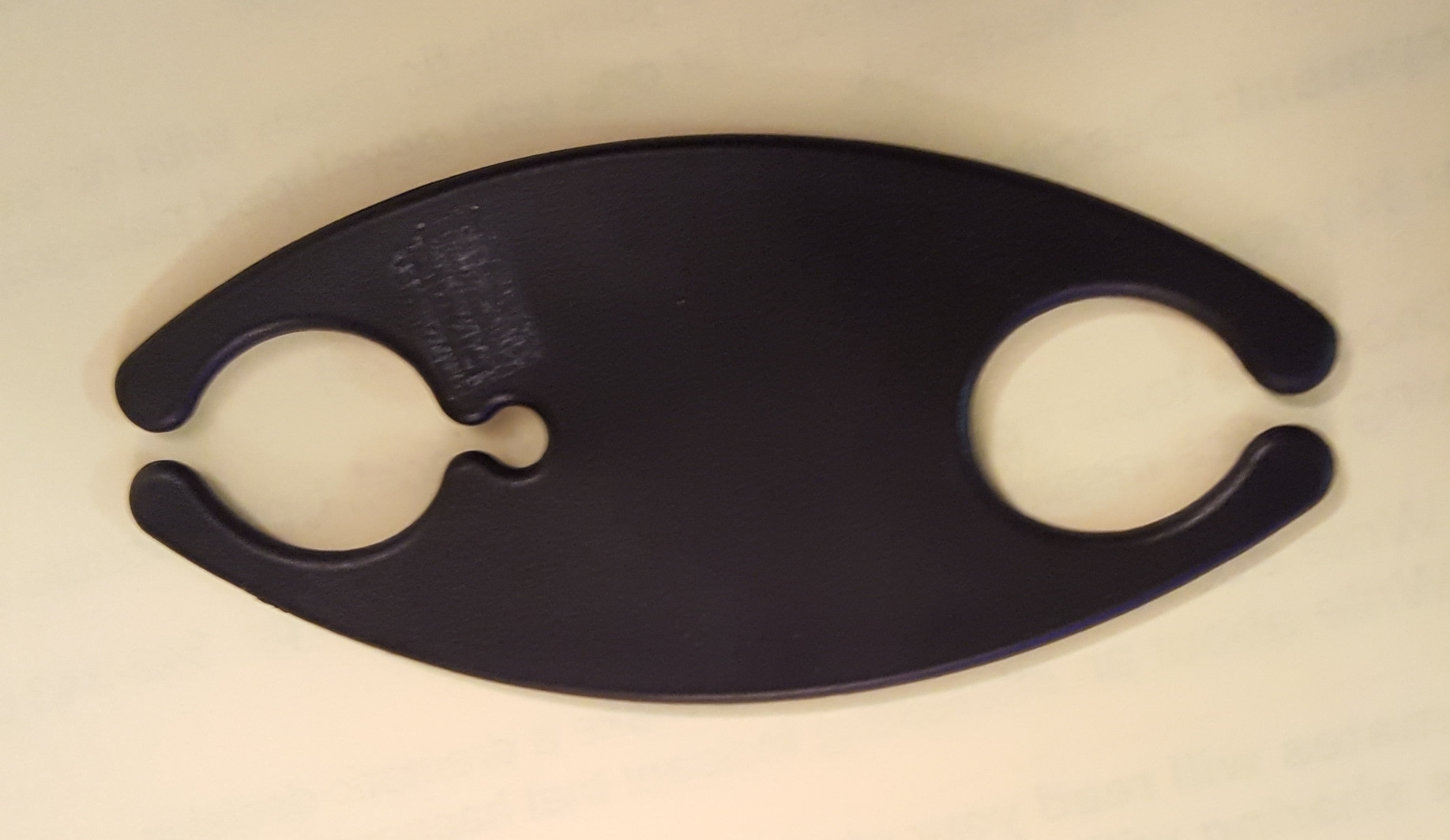
goodwill-thingKevin recently found this plastic thingie on his bus.  We didn’t know what it was, but I knew how to find out.  So I took a picture of it with a solid background and used Google Image Search to find out what it is.  Google showed similar images found on the web, and we quickly learned that it’s a earbud cord hanger.  You wind your earbud wires around it to keep them from getting all tangled up in your pocket.  Kevin is using it now, and it works.