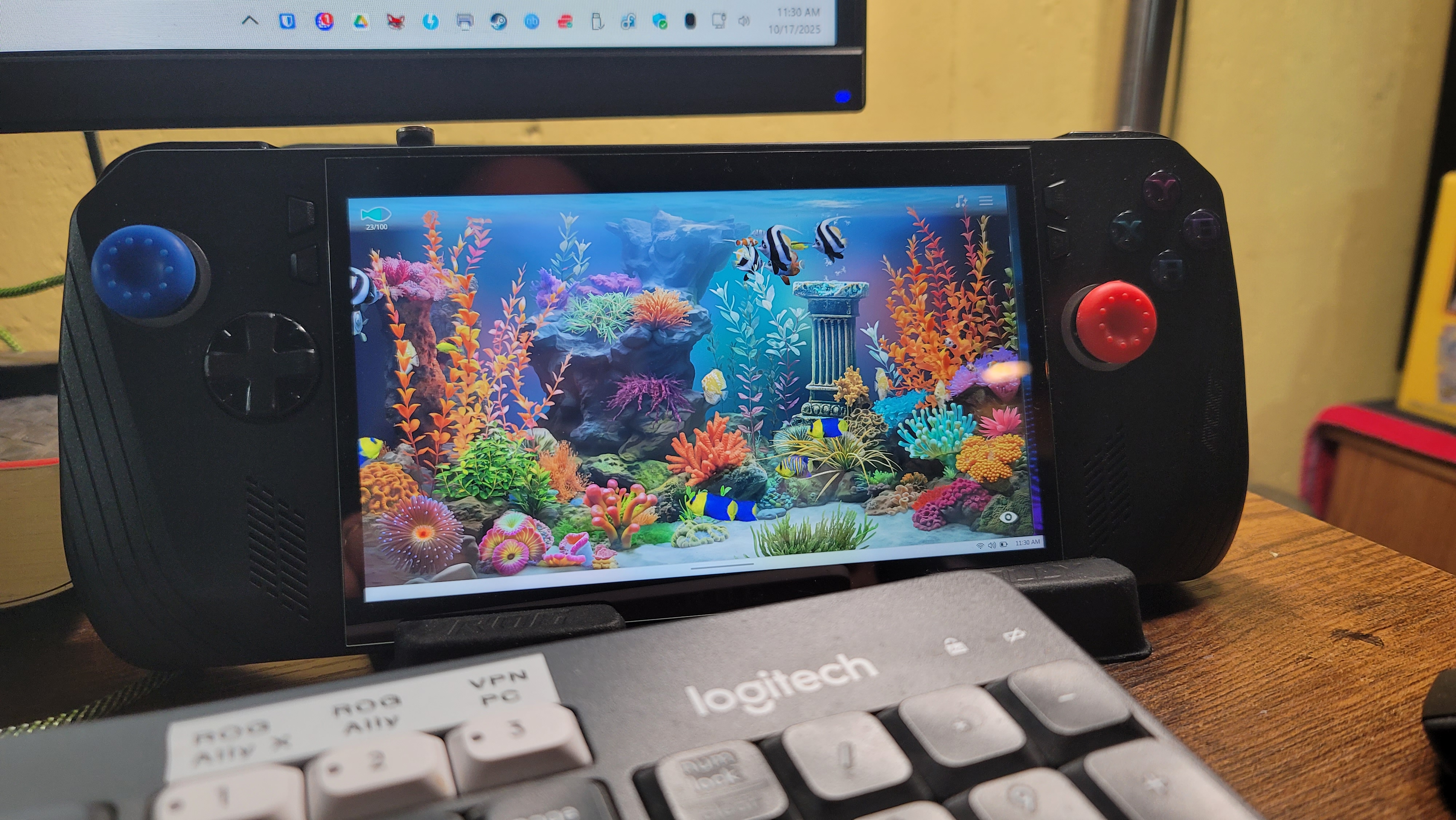
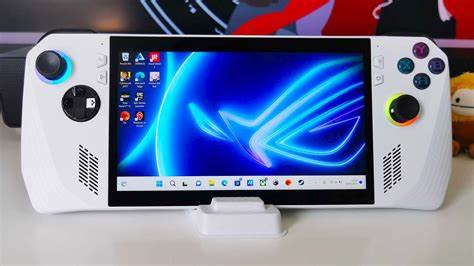
A few posts back (but over a year ago) I wrote about the best handheld PC I’ve ever had. Here’s the link to that post. Well, now there’s a new one. This one looks almost exactly the same as the white one in that photo, but it’s black. It’s the ROG Ally X, and it’s the next iteration in the ROG Ally series. It’s not the most recent, but only one generation older than the latest version, which is called the ROG XBox Ally and the ROG XBox Ally X.
They changed the case just a little and modified the back buttons based on user suggestions and all the minor changes are nice. This model is a little thicker than the ROG Ally, not not too thick as to make it more difficult to hold while playing.
One nice advantage to the thicker case is that the SSD is now a standard size and it also has room for an SSD heatsink – this means it can handle ANY standard SSD. So everyone’s touting the 2TB, 4TB, and 5TB SSD cards as great upgrades. I took it to the extreme though and bought the max – 8TB. Yes, it was a bit pricey, but for me it’s my dream machine now. It holds close to 200 of my favorite games and my entire retro collection – THOUSANDS of retro console and arcade games!
With a nice 1080p 7″ display, this is everything I could want in a handheld. Every game I’ve ever played in my gaming PC I can now play in my hands, anywhere. The battery is even better than the ROG Ally, and it’s more optimized, and since the X-Box version has recently released, the built-in control software, Armoury Crate & Command Center, has recently been enhanced quite a bit with new features and functions, aligning it more with X-Box. The X-Box features don’t interest me much overall, as I’m not a subscriber, but I like and own a lot of the X-Box games, so the more the better.
I’m not sure I ever posted anything about this, but a couple years ago I sold my huge collection of games, consoles, and accessories. I had a few Playstions (3 and 4), a few X-Box versions, and even a Wii and Wii-U, as well as many accessories and physical games for them. They all sold pretty quickly and I freed up a lot of space in my mancave. This makes the retro collections, and the ability to play my games anywhere I want even that much more valuable to me.
I had to keep my Nintendo Switch, as the Nintendo games (like Mario, Kirby, etc.) aren’t available for PC like most other games are – they’re locked to Nintendo (except their older emulated games) and I still wanted access to them. Pretty much everything else I enjoy to play is available in a PC version. So now I’m down to two platforms – PC and Nintendo – and most games are digital as well, so I’m saving a lot of space at home.
Anyway, that’s my update. If you have any comments or questions, I’m checking my site much more often now, so feel free to post a message. I believe my site will also e-mail me whenever anyone posts a comment, I’ll be notified fairly quickly.
I love new tech and gadgets – even at my old age – and I recently found the ultimate gaming handheld. I’ve had a Nintendo Switch for several years, and still do, but this is something completely different. I’ve always been a PC enthusiast, and I use them all day, every day for my job as well. I like playing with the newest, smallest tech, so I buy small but powerful desktop PCs, like Intel NUCs, but I also enjoy the high-end gaming PCs that can handle just about anything you throw at them. Lately I’ve even focused so much of my time on PCs, that I haven’t had any time at all to play any of the gaming consoles I had, which included an X-Box (original version), an X-Box One, a PS3, PS4, a Nintendo Wii-U, and the original model of the Nintendo Switch. So I ended up selling those systems and the hundreds of game cartridges, discs and accessories that went with them.
So these days I’m all-in on PCs (except for the new Nintendo Switch model – since Nintendo hasn’t given in to offering their current Switch games on any other platforms, YET…like most other companies do, I’m hanging onto it for now, just so I can still play the latest Nintendo games. But I digress. I’m all-in on the PC train, which made this purchase a no-brainer: The ROG Ally. To put it quite simply, it’s a Windows 11 Gaming PC in a handheld form factor. That means it’ll run pretty much everything any PC will run, which is perfect for me.
The design of the ROG Ally is really nice, and it feels really nice and comfortable, with a very crisp, clear screen. I’ve spent several hours at a time playing games on it without any issues (except eye fatigue, but that’s a personal issue of mine as I get older, not any fault of the device). I’ve heard that the new version of the Steam Deck, now with an OLED screen, is much better, but it’s still only 800p. The ROG Ally is 1080p, but you can lower it if needed. Same with refresh rate – it’s 120Hz, but can be adjusted as needed, and all of these settings are instantly accessible using a special button to bring up the “Armoury Crate” app, which includes a fully customizable control panel of all of your favorite and most-used settings, including an overlay options very much like Google’s “stats for nerds” option in YouTube. It’ll show specific memory, CPU, FPS, and other details overlayed on the screen, permanently, until you turn it back off. This is very handy for troubleshooting or reviewing app or system performance.
Windows 11 isn’t the best with touchscreen support, but ROG has managed to make it quite usable with their add-on apps and drivers that are accessible from a few added buttons on the device. There was, and still is, a little learning curve involved, but I’m getting pretty comfortable with everything after a few weeks of using it so far. I still prefer to use a Bluetooth keyboard and mouse when doing a lot of configuring and installing of software and games on it, but that’s normal for a new PC. The beauty of it is being able to take it anywhere and be able to play everything I like without having to lug around my heavy gaming laptop everywhere.
I originally purchased the 512GB ROG Ally, which is the better, faster version of their two models with a faster CPU than their other model, then Best Buy had a Black Friday deal on a SSD upgrade specifically for the ROG Ally and Steam Deck handhelds, offering 1TB and 2TB options, so I couldn’t pass up a 2TB upgrade. The install was pretty simple and went flawlessly, I just had to do a “Cloud Restore”, which is an option in the ROG Ally’s BIOS, then I had to restore all of my games and updates again. I hadn’t gotten very far into initially installing all of my games at that point, so it wasn’t much of an issue to start over again. So right now, with the 2TB SSD and a 1TB microSD card I had left over from a Nintendo Switch that I had previously sold, I now have 3TB of storage on my ROD Ally, which is plenty of room for everything I need.
My game collection also includes emulators for many old game platforms and a collection of tens of thousands of classic games from the past that I have amassed over the years, such as thousands of N64, NES, SNES, Sega Saturn, Gamecube, and Atari, all of which run great on Windows 11, so they also work fine on the ROG Ally. This makes it truly priceless for me, literally providing me with every game I own, at my fingertips, anywhere I go with it. I decided to dedicate the slightly slower 1TB microSD card to just my emulators, so I pared down a 5TB portable collection of about 65,000 retro games to just under 1TB. I ended up with about 45,000 games and much less garbage and duplicate games, keeping all of the gems and classics. That’s just 1 TB. The faster 2TB I’m using for the OS, the “Grade A” games and everything else.
The sound on the ROG Ally is also really nice, though I often connect my Anker Soundcore earbuds when I use it, just for the privacy, noise-cancelling, and enhanced audio. At this point I just want to lug this thing everywhere, just in case it might come in handy. I can watch or play anything – Plex for movies & TV shows, YouTube, Spotify… well, you get it, it’s a PC.
To wrap things up, here is my list of the Pros and Cons with the ROG Ally 512GB Handheld:
PROS:
Runs ALL Windows 11 applications and games – Steam Deck runs on SteamOS and only runs compatible Steam Games. This is akin to how the iPad locks you into only running Apple’s App Store games and apps.
Touchscreen – Same size screen as the Steam Deck, but 1080p resolution – Steam Deck is only 800p.
120Hz refresh rate, adjustable as needed.
Power adjustable 10w (Super Quiet) – 35w (Turbo mode).
Lighter than the Steam Deck.
I can remote to it easily, just like a regular PC, whenever needed.
Controls feel nice and are well laid out – all buttons are fully customizable in 2 modes: Gamepad or Keyboard.
Two additional buttons on the back, fully programmable, and two added front-panel buttons specifically for ROG Ally’s settings (Armoury Crate)
CONS:
Learning curve involved with what button mode to use for each game and game type.
Battery lasts 90 minutes to 2 hours with heavy gaming. Using lower power settings can extend that to 4-5 hours though. I purchased as 30,000 mAh 65w fast-charging power bank to use with it, which easily gives me a full day of battery use.
Single USB-C type connection for everything – charging, external display, etc. – and it’s located on the TOP of the ROG Ally, so there’s no way to have a wireless dock connection. Even with a premium dock with fans, multiple USB ports, HDMI, network port, etc., it still requires a short physical wire connected from the dock to the top of the ROG Ally. I highly recommend a magnetic USB-C adapter so a dock or charger can easily be attached and detached thousands of times without ever damaging the port on the ROG Ally at all. (I now always use one of these adapters on my cell phone as well – they’re priceless for ease of use and safety, if you’ve ever tripped over a USB cable before while your phone was charging with it)
When in use, a lot of heat blows from the top vents. This is only a negative for ME though… our two chihuahuas enjoy the extra heat, and often snuggle up with me when I’m sitting on the couch playing games on it.
My view of “The Toads”, as we refer to them in Ingress, has changed a bit over the years. I’ve been playing Ingress for over 5 years now, as a Resistance player (blue team). We fight “The Toads” (the green team – The “Enlightened”) day after day to dominate our individual areas, and ultimately, the Ingress world. Ingress is a virtual world that exists as an overlay on top of our real world. Using GPS, it’s a global “capture the flag” game, as both teams work to cover the earth in their color–blue or green.
I used to hate seeing green and would often strive to remove all green portals and fields I could find, then turn that same area blue for our team. I still do that, but these days I no longer “hate” seeing green. It now seems more like an invitation, a “proof of life” if you will, that there’s still a load “toad” out there, eager to fight for their team. Nowadays I actually get a little thrill when I see a cluster of local green portals (a “farm”), as it gives me a purpose during my daily walks. When I find one of these areas, I will often scout the area and try to determine the best possible walking route to combine a decent walk (1 mile minimum is usually my goal) with the most efficient route to destroy and rebuild all of the portals for our team.
This, along with the fact that our team has dominated the Kenosha, WI area for quite some time now, has made me realize that, like other multiplayer games, Ingress isn’t much fun without a good balance. Though the goal is to dominate, it is very difficult to maintain your area for any length of time. At least in Ingress it is. It requires constant attention to your portals–almost daily–to avoid having them decay to the point of their resonators dropping off of them and their fields and links dropping. This is where teamwork becomes very important. I have tried, many times, to maintain as much of the Kenosha area as possible over the past 5 years, but I have always ended up frustrated in the end, seeing portal after portal and field after field drop and go neutral.
This has taught me, in the end, that once you dominate a large area, it’s much easier to just let things fall, then rebuild them fresh again, instead of trying to keep everything charged yourself. If none of your teammates is willing to commit to the same area and help maintain it, it is way too much work (and too frustrating) for one player to maintain on his or her own. This can (and has) even lead to many players quitting the game. Everyone has to work out a playing strategy that works for them–one that keeps the game light and fun. After 5 years, I think I’ve found my preferred playing techniques and favorite areas I like to play in the most.
You’ll find my areas sometimes netral, other times fully blue and fielded. It depends a lot of my schedule and free time, and a little on the price of gas. I try to play while walking as much as possible (doctor’s–and Niantic’s–orders). It motivates me to walk more, giving me something to do along the way, and I often find that I walk further than I originally planned to…which is a good thing! I have lost a bit of weight Ingressing over the past 5 years, and the benefit of that, alone, outweighs (pardon the pun) any of the in-game benefits, and the toads certainly can’t take THAT away from me!
I had originally intended this article to be more about multiplayer games in general though, and how these types of game just don’t work unless they have their primary ingredient: Players. One example I enjoy is Joust. This is a classic arcade game from the 80’s, and was a key game from the novel “Ready Player One” (but wasn’t in the movie at all). These days I like to play this game on my X-Box One. This game has awesome multiplayer capability too. I often try to start an online game and seek a random opponent, but the game usually times out before finding one. Sometimes though, I have success and I’m able to play against another human, and it’s a blast! I wish more classic arcade games offered this option, but since most players opt for the newer generation of MMO games, there doesn’t seem to be many that still hang out in the old classic games like I do. I think it would be pretty amusing to visit my fellow “old geezer” players in a virtual arcade of some kind… I have a feeling there would be very few kids in there, if any. A lot of us “old folks” can’t handle all the bells and whistles of today’s MMORPGs and “first person shooters” like the young whipper-snappers of today…lol… but we sure like to try! I dabble in them all, but I’m usually overwhelmed with all of the options. It’s great to have a controller with 20+ buttons on it, but how to do remember what they all do?! Not to mention the fact that those 20+ functions only apply to ONE GAME… There are hundreds more, all with different controller options and control schemes! What’s an old fart to do?!
But I digress. Anyway, in the end, every successful game needs some kind of balance. Whether it’s two or more teams battling for control of the same game board or an MMO game where it’s every man for himself and you can team up with others at your own discretion. If the elements of the game are interesting and attractive enough, the game can be hugely popular, like Ingress and Pokemon Go, and will even end up attracting their own unique demographic.
Where am I going with this? I have no clue. I just had to get it out there though. That’s all.
I recently got a PS4. The world of console gaming has changed quite a bit, so I figured it was about time I started catching up…at least for a while. I’m sure I’ll soon be behind the times again and this brand-new console will be considered “old”, but until then, I’m going to enjoy it!
One of the big changes with today’s consoles is digital versions of games. Every game can now be purchased as digital, which means you no longer need a CD or–God forbid–a cartridge–to play a game. When you purchase a digital game, you simply download and install it directly on your console’s hard drive, and can play it whenever you want. This also means you can install it on multiple consoles, and as long as you’re a user on that console, you can play it there.
Today’s games can sometimes be ENORMOUS, however, so the digital versions can consume a lot of hard drive real estate quickly. Even most disc-based versions of today’s games require installing to the hard drive anyway though, due to the speed advantage it provides when loading and playing the games, so there isn’t even much benefit gained by having a disc-based game over a digital version. If fact, these days I find it much less convenient to have to insert a disc to play a particular game rather than just choosing it from a menu to play–just like today’s digital movies. I haven’t played a physical DVD or Blu-Ray disc in AGES, it seems like! But that convenience doesn’t come without a price: SPACE…the final frontier… Having all digital games will quickly consume all of the hard drive space you have on your console, requiring you to either upgrade to a larger-capacity hard drive or you’ll have to remove older games you aren’t currently playing to make room for the new ones you want to play.
Luckily, right now hard drive prices are ridiculously cheap compared to what they were in the past and the amount of space they provide. It would cost me less than $100 right now to double the size of my PS4’s hard drive, and eventually I’ll probably do that. Right now I’m at about 50% full on my 1TB drive.
Sony also makes the process as painless as possible, only requiring the removal of one screw to pull the hard drive out and replace it. Re-installing all of your data and games is another story. You can’t simply copy your installed games from your old hard drive, even if you install it in a drive enclosure and connect it to your PS4 via USB. Sony doesn’t allow this. Only your game save data and settings can be backed up and restored from USB media. All of your games and addons have to be re-installed from the Playstation Store…or they can be transferred over your network from another PS4 system. The latter is the easiest option, if you have another PS4 on your network. The data and game transfer is blazingly fast–much much more so than re-downloading everything from the Playstation store–so if this is an option for you, it’s definitely recommended over the re-downloading option. Remember when using this option, however, that anything that you haven’t purchased yourself–like any games or addons that were purchased by another user–will appear as “locked” on your PS4. You will have to either purchase that content for yourself in order to use it, or that user can still use that game or addon when they are using your PS4. You’re also free to uninstall or delete any locked content on your PS4 at any time as well.
There is one odd way that two PS4 users can share purchased content, but it only works with exactly two people–and you better trust that person very much too, because you’d be opening up your entire account access to them. You just have to activate the OTHER PS4 (the one the other person uses) as your PRIMARY PS4, and activate YOUR PS4 as the other user’s primary PS4. Then you just use your account on your PS4, like normal, and since it’s his primary PS4, his purchased content is playable by all users on your console and you can play your own purchased content on it as well. And because his PS4 is set as YOUR primary PS4, he can play his content on his PS4 as well as yours. It works great. But like I said, just make sure you trust the other user completely, because they have full access to your account and content!

 JimTrottier.com